JavaScript is disabled. For a better experience, please enable JavaScript in your browser before proceeding.
You are using an out of date browser. It may not display this or other websites correctly.
You should upgrade or use an
alternative browser .
Constant writing to hard disk
Hello,
Today I noticed my hard drive is non-stop being written to, it is so bad I constantly hear it clicking and I am afraid at this rate it might burn itself out in a matter of days.
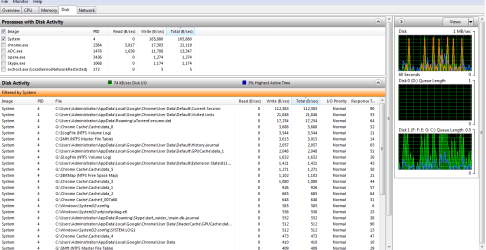
Usually it is the system process that is writing copious amounts of data, but I cannot pinpoint the reason behind it. I have no antivirus software and indexing service is turned off.
Here is a screenshot of Resource Monitor:
Closing Google Chrome did nothing to improve the HDD hogging.
Computer type PC/Desktop OS Windows 7 Ultimate x64
Same issue
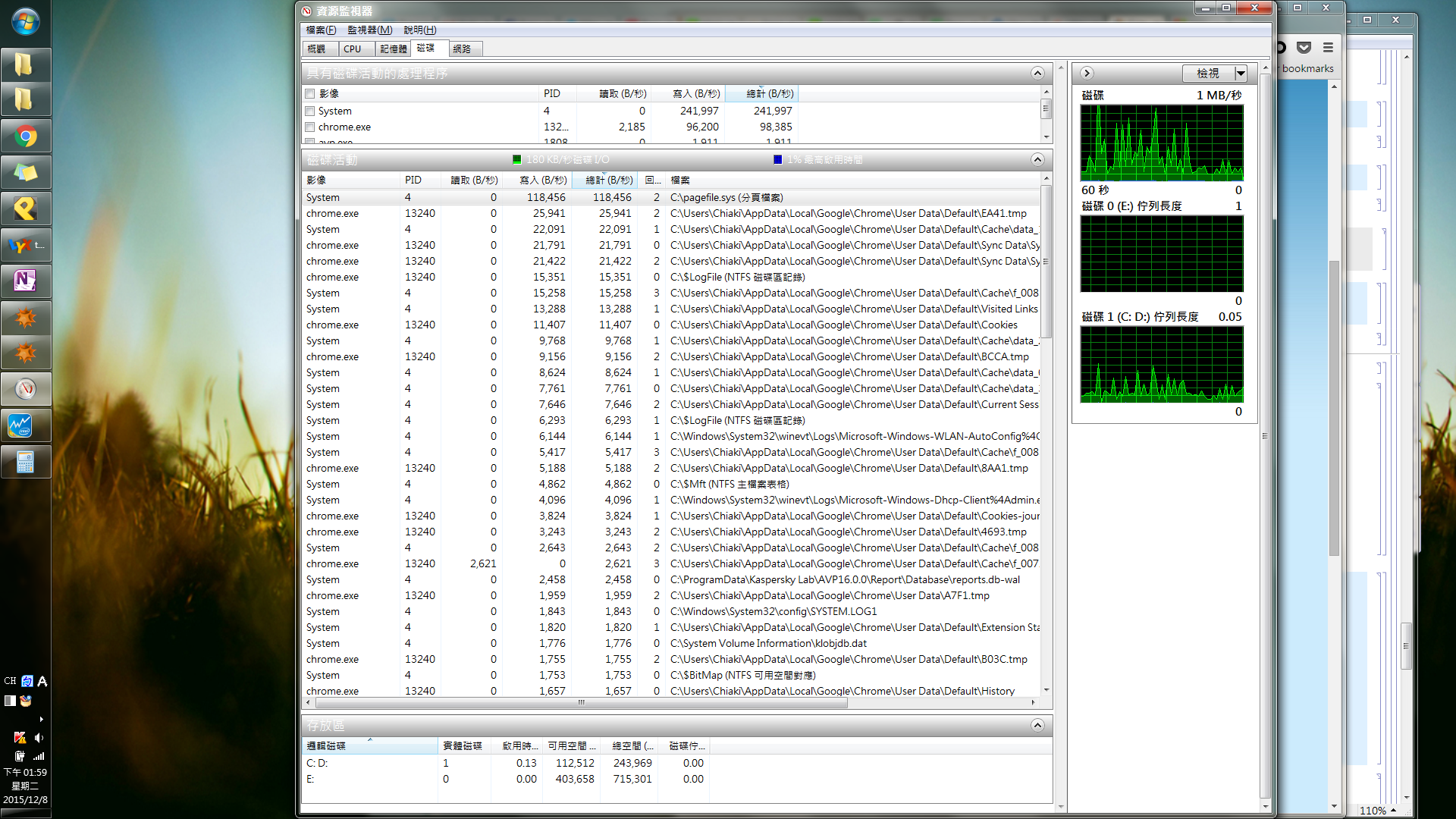
Mine is even worse.
When I have Chrome open, the system constantly writes 180 KB/s to the disk. Most of them to the pagefile.
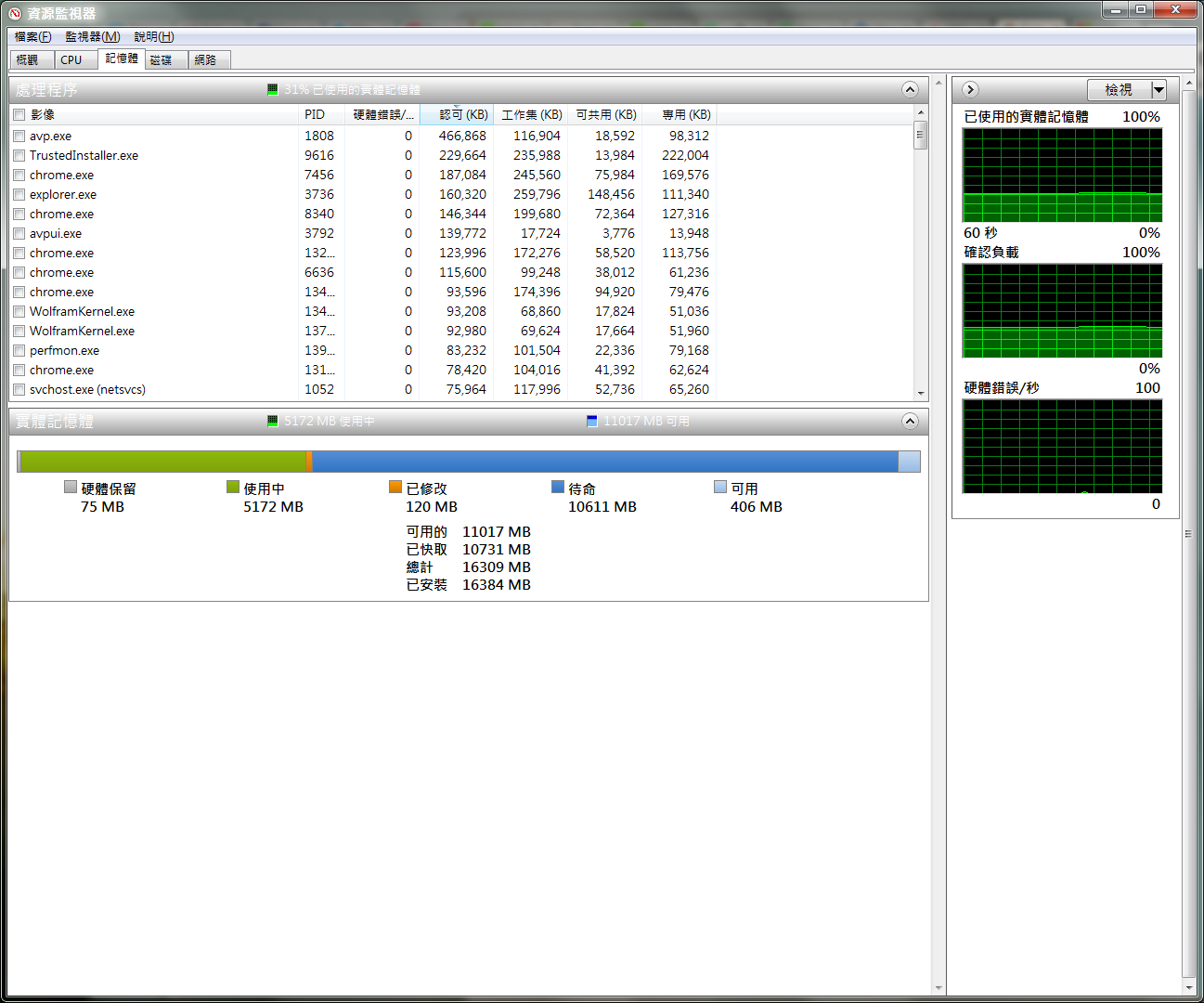
On the other hand, the system only use 31% of the 16GB memory.
I think this happens after recent update of Chrome.
Computer type Laptop Computer Manufacturer/Model Number Toshiba R30-A OS Windows 7 Enterprise x64 CPU Intel Core i7-4700MQ Memory DDR3 1600 16 GB Monitor(s) Displays ASUS PB238Q Antivirus Kaspersky Internet Security 2016 Browser Google Chrome
Very Senior Member
Guru
Gold Member
VIP
How long has it been working non-stop? It is going to run while indexing things, but maybe an hour. How long has it been going?
Computer type PC/Desktop Computer Manufacturer/Model Number Custom Build OS Windows 7 Home Premium 32-Bit - Build 7600 SP1 CPU Intel Core i3-2120 3.30Ghz Motherboard Asus P8Z68-V LX Intel Z68 Socket H2 ATX Memory Kingston 4 GB DDR3 1333 mhz Graphics Card(s) AMD Radeon HD6670 Sound Card Sound Blaster Audigy SE 24-Bit Monitor(s) Displays Asus VE228 Screen Resolution 1440 X 900 Hard Drives OCZ Vertex 3 120 GB Sata 3 SSD == PSU Corsair CX600M == 600 Watt Case NZXT Apollo - Silver with Clear Side Panel Cooling Three 120 mm Fans Keyboard Microsoft Natural 4000 Mouse Microsoft Custom Optical 3000 Internet Speed AT&T Fiber Optic Wireless Network Antivirus Microsoft Security Essentials Browser Chrome Other Info 120 mm Blue LED Fan -- Three Blue LED Lazer Light Sticks
I believe it has run several days because I don't really turn off my computer.
Computer type Laptop Computer Manufacturer/Model Number Toshiba R30-A OS Windows 7 Enterprise x64 CPU Intel Core i7-4700MQ Memory DDR3 1600 16 GB Monitor(s) Displays ASUS PB238Q Antivirus Kaspersky Internet Security 2016 Browser Google Chrome
Very Senior Member
Guru
Gold Member
VIP
If you have not turned it off recently, please do that for 10 minutes and then reboot. Sometimes a reboot does wonders.
Computer type PC/Desktop Computer Manufacturer/Model Number Custom Build OS Windows 7 Home Premium 32-Bit - Build 7600 SP1 CPU Intel Core i3-2120 3.30Ghz Motherboard Asus P8Z68-V LX Intel Z68 Socket H2 ATX Memory Kingston 4 GB DDR3 1333 mhz Graphics Card(s) AMD Radeon HD6670 Sound Card Sound Blaster Audigy SE 24-Bit Monitor(s) Displays Asus VE228 Screen Resolution 1440 X 900 Hard Drives OCZ Vertex 3 120 GB Sata 3 SSD == PSU Corsair CX600M == 600 Watt Case NZXT Apollo - Silver with Clear Side Panel Cooling Three 120 mm Fans Keyboard Microsoft Natural 4000 Mouse Microsoft Custom Optical 3000 Internet Speed AT&T Fiber Optic Wireless Network Antivirus Microsoft Security Essentials Browser Chrome Other Info 120 mm Blue LED Fan -- Three Blue LED Lazer Light Sticks