Constantly getting "server not found" from different browsers
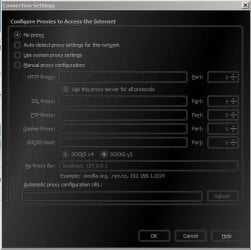
I've been surfing the web as usual with no changes in settings, and as of 2 or 3 days ago, I have been bombarded with server not found error messages. I have seen this with Firefox and Google Chrome. I have tried doing a dnsflush in cmd prompt and I changed my settings in firefox to automatically detect network proxy settings. I am hooked up to a wireless router, then to the dsl modem. I have resetted both, and still same results. Any ideas to solve this??
I've been surfing the web as usual with no changes in settings, and as of 2 or 3 days ago, I have been bombarded with server not found error messages. I have seen this with Firefox and Google Chrome. I have tried doing a dnsflush in cmd prompt and I changed my settings in firefox to automatically detect network proxy settings. I am hooked up to a wireless router, then to the dsl modem. I have resetted both, and still same results. Any ideas to solve this??
My Computer
At a glance
Windows 7 Home Premium x64AMD Phenom II x6 T10458 GB DDR3AMD Radeon HD 6450
- Computer Manufacturer/Model Number
- Hewlett-Packard HPE-500f
- OS
- Windows 7 Home Premium x64
- CPU
- AMD Phenom II x6 T1045
- Memory
- 8 GB DDR3
- Graphics Card(s)
- AMD Radeon HD 6450
- Hard Drives
- 1.5 TB SATA (5400 rpm)
- PSU
- 460W PFC AC power adapter