Control Panel -> Uninstall or change program -> Columns sorting

afroman10

New member
Local time
6:46 PM
Messages
1
Hello, I've encountered an anoying issue in control panel, the uninstalling section. I've had programs sorted by "Installed on", but since today it always stays sorted by name and even if I sort them again by any other column, it reverts back to name after I re-open or just go back and forward again. Basically, no change gets saved. Re-aranging, disabling columns just gets me the default view with name sorted again. Any helps please, must be something in registry, tried looking around the web, haven't found anything my problem releated.

I just want Windows to remember my sorting option next time I try to uninstall something.
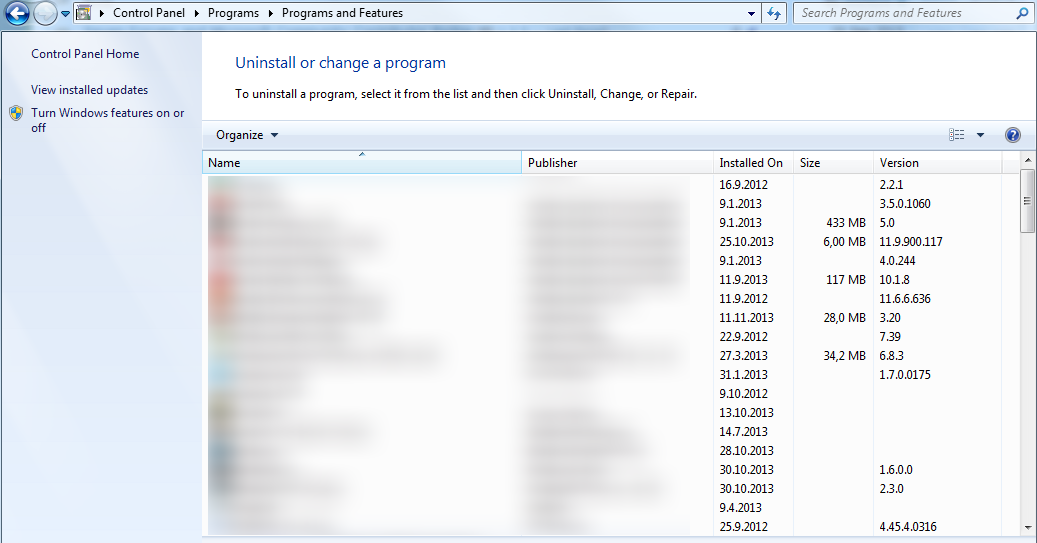
qkjelgM.png
 

My Computer

Computer type
PC/Desktop
OS
Windows 7 Ultimate x64
Welcome to the Seven Forums.

The places where the column sorts are saved gets full...
...then stuff starts getting weird.

You can use the batch file in this tutorial to empty those places:
http://www.sevenforums.com/tutorials/15692-folder-view-settings-reset-all-default.html

The Desktop is a folder too - so all of your shortcuts/icons will be moved to the left.
If you have a lot things on your desktop, then you might want to...
...install Desktop Restore from this website: MIDIOX
...save your current desktop
...run the batch file from the tutorial
...restore your desktop
...open the list of installed programs
...sort that list as desired
(Leave that list window open*)
...restart your computer
...and see if the sort holds.

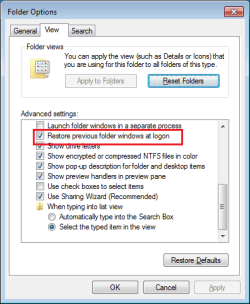
*You might also want to consider placing a check by this Folder Option...

folder-options.png

...then the list of installed programs will reopen after the restart.
 

My Computer

Computer type
Laptop
Computer Manufacturer/Model Number
Employer provided Dell Latitude
OS
W7 Pro SP1 64bit
CPU
i7
Memory
8GB
Graphics Card(s)
Intel HD Graphics
Hard Drives
crappy SSD
Antivirus
Employer mandated Symantec Endpoint Protection
Browser
Pale Moon 64bit, IE11 64bit & Chrome 64bit
Back
Top