Coprocessor no drivers installed code 28

ChriDG92

New member
Local time
2:45 PM
Messages
3
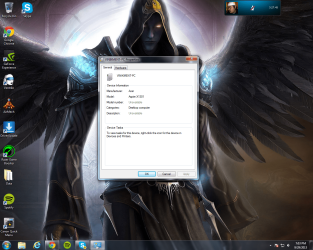
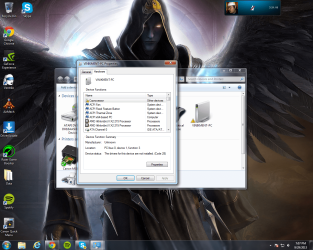
I have looked up how to fix this problem but nothing works I have gone to nvidia to download drivers and i download them but co processor still shows nothing. I troubleshoot and the fix wont work because it can not locate any drivers. I dont know what else to do how can i fix this problem? My computer was really fast but now its slow it lags in games youtube videos if i go to 480p sometimes it will lag like crazy as if it was a scratched cd or sometimes delay when people talk the voice will come out later. In games i get random spikes which i didnt get before only on games that were way more advanced more my pc. I have a feeling all this is because my coprocessor shows with a ! inside a yellow triangle that I dont have any drivers installed. Also shows me no decription or model number my pc is home premium could it be that i tried to get it fixed for some other issue before and the man fixed it but he put in amd athlon instead of home premium or does that have nothing to do with this? Ill put in some images of what it shows me.
 

Attachments
  • 1.png
    1.png
    504.3 KB · Views: 7
  • Untitled.png
    Untitled.png
    591.6 KB · Views: 5

My Computer

Computer type
PC/Desktop
Computer Manufacturer/Model Number
Doesnt show when i check
OS
windows 7 64 bit home premium
Graphics Card(s)
Nvidia geforce 9200
Hi there ... Welcome to Seven Forums .. Go to Start type in start in the search box write in CMD right click on it and Run as Adim when the prompt open type the following ... wmic baseboard get product,Manufacturer,version

That will tell you the Manufacturer of your Motherboard and Model Number .. Then go to their webstie and download the Chipset Driver
 

My Computer

Computer Manufacturer/Model Number
W530-3630QM1
OS
windows 7 home 64bit
CPU
INTEL-CORE I7
Memory
16GB
Hard Drives
750GB
Browser
Chrome
Thanks I got the driver but it still shows that I dont have it. Am I supposed to put the folder in a certain place?
 

My Computer

Computer type
PC/Desktop
Computer Manufacturer/Model Number
Doesnt show when i check
OS
windows 7 64 bit home premium
Graphics Card(s)
Nvidia geforce 9200
Hi there .. You are suppose to Install the Driver .. What type of file is it Exe ?
 

My Computer

Computer Manufacturer/Model Number
W530-3630QM1
OS
windows 7 home 64bit
CPU
INTEL-CORE I7
Memory
16GB
Hard Drives
750GB
Browser
Chrome
Yea I got it thanks a lot for the help! It doesnt show that im missing anything anymore. Im just going to test if thats what was making me lag now thanks a lot!.
 

My Computer

Computer type
PC/Desktop
Computer Manufacturer/Model Number
Doesnt show when i check
OS
windows 7 64 bit home premium
Graphics Card(s)
Nvidia geforce 9200
Most welcome .. Glad you got it sorted
 

My Computer

Computer Manufacturer/Model Number
W530-3630QM1
OS
windows 7 home 64bit
CPU
INTEL-CORE I7
Memory
16GB
Hard Drives
750GB
Browser
Chrome
Back
Top