Could Motherboard cause artifacts and memory errors?

ph0neutria

New member
Local time
2:30 PM
Messages
2
Hello,

I bought used parts and built a computer.

  • Intel Core i5-760
  • Asus P7P55D
  • OCZ Gold 8GB (4x2gb) DDR3 PC3-10666 CL9
  • Saphire Radeon HD 6850
  • Enermax Liberty 400Watt PSU ELT400AWT (Video Card just consumes about 120 Watts)
  • For now I use HDMI cable not DVI to connect to a monitor.

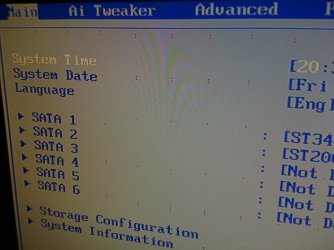
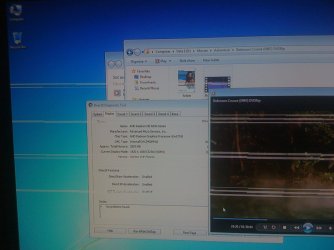
First thing I got after turning computer on were artifacts, I thought Video Card is broken, but that's not only problem I have. I couldn't even install Windows because I got memory errors.

So I removed RAMs one by one. What I noticed is -

  1. With one RAM in slot 2 or 4 I could start computer and install Windows
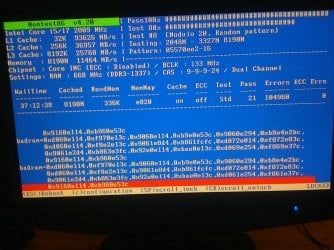
  2. With pair of RAMs in slot 2 & 4 I could start computer and memtest didn't find any errors
  3. In any combination either one or in pair in slots 1 & 3 I couldn't start computer there wasn't even a beep.
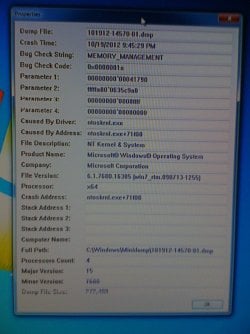
  4. With all four RAMs I couldn't install Windows, memtest found errors and on installed Windows sometimes I get Blue Screens with Memory_Management 0x0000001a error.
On Windows with installed ATI drivers I get even worse artifacts and Video Driver stops working constantly. Doesn't matter in what combination I have RAMs (except slots 1 and 3).


I'm thinking to replace broken hardware, but I'm not quite sure which part is broken (maybe even more than one). I don't have chance to test hardware on an another computer.
Broken might be -

  • Motherboard
  • Video Card
  • PSU
  • RAMs (but after tests I don't think so)

I think broken is motherboard, just too many bugs at once.

Could this all caused by Motherboard? And should I try to replace it first?
 

Attachments
  • IMG_1040.jpg
    IMG_1040.jpg
    135.6 KB · Views: 4
  • IMG_1042.jpg
    IMG_1042.jpg
    159.3 KB · Views: 5
  • IMG_1046.jpg
    IMG_1046.jpg
    136 KB · Views: 11
  • IMG_1058.jpg
    IMG_1058.jpg
    277.6 KB · Views: 7
  • Rotation of IMG_1052.jpg
    Rotation of IMG_1052.jpg
    186.4 KB · Views: 5

My Computer

OS
Windows 7
The power supply might be a bit on the weak side, especially, if it is used. You can calculate the power supply requirement at this link:

eXtreme Power Supply Calculator

Some of the used hardware you have could be failed items that had been returned for exchange and/or refund. It's hard to say which at this point.

It seems that memory slot 2 and 4 works just fine, did you try swapping the memory cards into these slots? If all four memory cards work in slot 2&4, the memory cards are good.

Next step is place the memory cards only in slot 1 and 3 and see the results. If Windows gives the same BSOD, the motherboard is faulty. In which case, you can run your system with four gig memory, or replace the mothermoard for the eight gig memory.
 

My Computer

Computer type
PC/Desktop
Computer Manufacturer/Model Number
Custom built at Home
OS
Windows 7 64-bit, Windows 8.1 64-bit, OSX El Capitan, Windows 10 (VMware)
CPU
Intel i5-3350P 3.1 GHz
Motherboard
Gigabyte GA-Z77X-UP5 TH
Memory
16 GBs GSkill Sniper
Graphics Card(s)
Radeon HD 7850
Sound Card
VIA HD Audio
Monitor(s) Displays
Dell U2410 24"
Screen Resolution
1920x1200
Hard Drives
1 x Intel 520 240 GBs
1 x Seagate 1TBs SATA 2.0,
1 x Seagate 1TBs eSATA 2.0
PSU
Thermaltake 850W
Case
Antec P183
Cooling
Noctua NH-D14 Heatsink 2 x 120mm fans, 4 x 120mm case fans
Keyboard
Dell Multimedia keyboard
Mouse
Logitech Trackball
Internet Speed
28.5 Mb/s
The manual of your mobo at page 2-10 tells that when you place the RAM, the slot 2 and 4 (if you start counting from the closest to the CPU) that they call A1 and B1 should be the ones that allow the mobo to run on even a single RAM, while slots 1 and 3 accept RAM only if the 2 and 4 are already filled AND you have 4 RAM banks, possibly all the same. The page after that talks about some other requirements and BIOS settings you may want to look at.

At page 2-24 there is some weird thing that allows you to ask the mobo if it likes the RAM by pressing a button on the mobo and looking at a led. Have a look and try it. Maybe the mobo hates that ram.

At page 2-26 they talk about a jumper that regulates RAM voltage (this exists for overclockers mainly), make sure it is set to normal (and that it still exists, plenty of guys sell jumperless used stuff, tons of fun when trying to operate them and it goes bonkers).

Fill the slots and tweak settings if needed as the manual says and report back.

That mobo has two PCIe 16x slots, try the card in both, usually the mobo expects the second to be used ONLY if the primary (usually the closest to the CPU but may vary) is already occupied by another graphic card.
Page 2-22 and 2-23 of the manual tells that the blue slot is an actual 16x, while the black one is a 4x disguised as a 16x, so it sucks for primary graphics card.

Read the rest of the manual and check you did connect everything else correctly.
It has a pretty extensive explanation of things you can do with BIOS settings.

I'd recommend to reset BIOS to factory settings by choosing "load setup defaults" in the Exit tab of the BIOS screen. If the previous owner was an overclocker or did tweak things anyway, some leftover settings may conflict with the current hardware.

Atm, it's really too early to decide what and if there are faulty components.
 

My Computer

Computer type
PC/Desktop
Computer Manufacturer/Model Number
custom built
OS
Win 7 Pro 64-bit 7601
CPU
AMD Phenom 9650 QuadCore, revision DR-B3
Motherboard
ASUS M4A78
Memory
5 GB yes I run 2x 2GB and 1x 1GB, different brand, spank me.
Graphics Card(s)
NVIDIA GeForce 9800 GT 512 Mb, unknown manufacturer.
Sound Card
Crappy Realtek Integrated Audio
Monitor(s) Displays
Fujitsu Siemens P19-3P
Screen Resolution
1280 x 1024 x 32 bits @ 60 Hz Oh yeah, 4:3 rocks!
Hard Drives
(1) MAXTOR S TM3320613AS SATA Disk Device (2) STM35004 18AS SATA Disk Device (3) TOSHIBA USB 2.5"-HDD
PSU
whatever, around 450w
Case
Scavenged from old company PC, 10+ years old
Cooling
CPU fan, GPU fan, case fan, nothing fancy
Keyboard
Microsoft, PS/2, white.
Mouse
Optical, logitec.
Internet Speed
effective max speeds: 70-ish kB/s down 30-ish kB/s up
Antivirus
Avira, free edition.
Browser
Firefox with FXChrome to make it look like Google Chrome :P
Other Info
Was discarded by previous owner due to "horrible performance".
Was running Win Xp from a IDE drive. Yeah. Was a pain.
SATA II drive and Win7 and it zips away! Yay!
Back
Top