Specs:
MB: Sapphire PC-AM3RS890G (AMD)
CPU: AMD Phenom II X4 965
CPU fan: well, I don't remember. Not the stock one though.
Cool'n'Quiet is enabled.
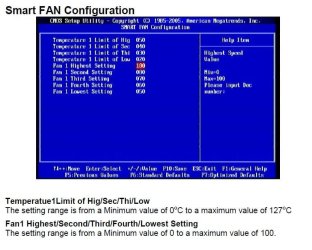
The CPU fan sometimes starts at 100% (quite some noise) when booting the PC and never slows down, even if I wait minutes/hours. However, if I reboot it works again.
I know that it's normal that when booting the fan is at 100%, but only for the first seconds.
I don't want to update the BIOS since it looks like it's risky.
So I thought about chipset drivers. I'm downloading Sapphire chipset drivers for my MB. Do you think this could solve the problem?
Is there any risk in installing chipset drivers? AMD is known for driver issues.
MB: Sapphire PC-AM3RS890G (AMD)
CPU: AMD Phenom II X4 965
CPU fan: well, I don't remember. Not the stock one though.
Cool'n'Quiet is enabled.
The CPU fan sometimes starts at 100% (quite some noise) when booting the PC and never slows down, even if I wait minutes/hours. However, if I reboot it works again.
I know that it's normal that when booting the fan is at 100%, but only for the first seconds.
I don't want to update the BIOS since it looks like it's risky.
So I thought about chipset drivers. I'm downloading Sapphire chipset drivers for my MB. Do you think this could solve the problem?
Is there any risk in installing chipset drivers? AMD is known for driver issues.
My Computer
At a glance
Windows 7 Ultimate 64bitHD 5770
- Computer type
- PC/Desktop
- OS
- Windows 7 Ultimate 64bit
- Graphics Card(s)
- HD 5770
- Monitor(s) Displays
- Philips 246EL2SBH