i have been trying to figure this out with HP tech support for months. a friend suggested some of you brilliant folks might have ideas.
i am running windows 7 pro on a 1-processor netbook, and have had this problem since day one.
--
things i have tried:
new ram chip
new motherboard (courtesy of HP)
defrag hard drive and scan for malware and errors
reinstall op system -- twice with one version, a third time with new version
reinstall all the software i use
use different software (e.g. chrome instead of firefox, gmail instead of eudora)
update BIOS
and of course all updates for op system, software, drivers, etc.
--
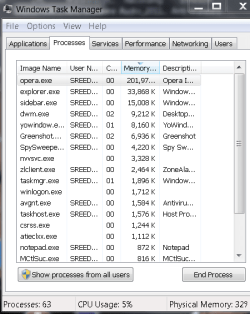
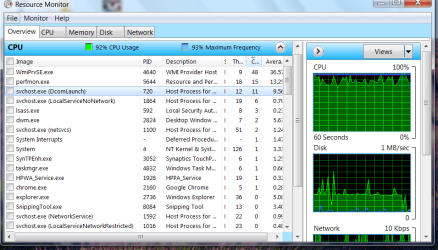
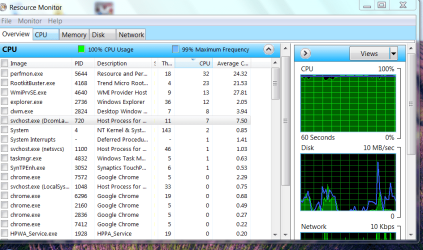
it seems to be windows files that are using the cpu so insanely. WmiPrvSE.exe and a whole bunch of instances of scvhost.exe with descriptors like (localserviceandnoimpersonation) and (DcomLaunch), whatever the heck those are.
what do those files do? what should -I- do?
thanks for any and all suggestions.
i am running windows 7 pro on a 1-processor netbook, and have had this problem since day one.
--
things i have tried:
new ram chip
new motherboard (courtesy of HP)
defrag hard drive and scan for malware and errors
reinstall op system -- twice with one version, a third time with new version
reinstall all the software i use
use different software (e.g. chrome instead of firefox, gmail instead of eudora)
update BIOS
and of course all updates for op system, software, drivers, etc.
--
it seems to be windows files that are using the cpu so insanely. WmiPrvSE.exe and a whole bunch of instances of scvhost.exe with descriptors like (localserviceandnoimpersonation) and (DcomLaunch), whatever the heck those are.
what do those files do? what should -I- do?
thanks for any and all suggestions.
My Computer
At a glance
Windows 7 Professional 32 bit
- OS
- Windows 7 Professional 32 bit