CPU usage keeps shooting up to 100% for no reason?

actually what you should do is hit the old standby ctrl-alt-del and open up task manager once there go to performance and in the lower right of the performance tab you will see a button that says resource monitor hit that and then go to the CPU tab my bet is that you will see the highest usage of your CPU (mine was pretty consistent at 80%) is deferred procedure calls and system interrupts. what is happening is instructions are flying around inside your system and they start to pile up, when they do they time-out and then more and more time-out and you end up with a traffic jam of sorts this chews up your processor to the point where it ends up doing nothing else, i have a quad core and all 4 were overloaded. SO i tried restoring, then repairing, then actually reinstalling windows 7, when that didn't work i figured it might be OS related so then i spent 3 hours on the phone with Microsoft tech support with them remotely logged into my machine (that gave me the creeps, let me tell ya) so while he was shutting things down and restarting and generally doing very little effective to my machine i was searching the INTERNET on another comp and after reading several posts and blogs in a variety of websites i determined it was a hardware issue, what exactly i never determined but my bet is you have a very unhappy piece of hardware inside your case and until its happy you are screwed. my suggestion is take it all apart and clean everything of all dust, cat hair or whatever has gotten stuck inside your case, redo the thermal paste for your processor, clean all connections for cards and ram (with an eraser on the contacts) make sure your ram has proper cooling or heat spreaders and generally make sure everything is back to the way it was when you first bought or built it. and that should clear up any deferred procedure calls and system interrupt problems you have. Unfortunately if this is not the issue i cant help you but I'm pretty sure this is the problem.
 
Last edited:

My Computer My Computer

At a glance

Windows 7 Ultimate x64Phenom 9850 Black Edition8Gb PatriotEvga 260 ssc
Computer Manufacturer/Model Number
me
OS
Windows 7 Ultimate x64
CPU
Phenom 9850 Black Edition
Motherboard
Asus M3N78-VM
Memory
8Gb Patriot
Graphics Card(s)
Evga 260 ssc
Sound Card
onboard
Monitor(s) Displays
dual dell E228WFP
Screen Resolution
1680x1050
Hard Drives
2 500gb
Keyboard
G-15
Mouse
G-9
Internet Speed
25Mbps
Did you check msinfo32.exe for any IRQ conflicts?
 

My Computer My Computer

At a glance

Windows 7 Ultimate x86-64[email protected] 1066MHz FSB6GB DDR3 1066MHz9300M GS 256MB Dedicated (Speed) + Intel4500M...
Computer Manufacturer/Model Number
Sony Vaio Z46GDU
OS
Windows 7 Ultimate x86-64
CPU
[email protected] 1066MHz FSB
Motherboard
Sony branded
Memory
6GB DDR3 1066MHz
Graphics Card(s)
9300M GS 256MB Dedicated (Speed) + Intel4500MHD (Stamina)
Sound Card
Realtek HD Audio
Monitor(s) Displays
13.1' WXGA
Screen Resolution
1600x900
Hard Drives
320GB 7200RPM w/ 16MB cache
Internet Speed
1MB/s
You need to ho into msconfig and unxgech overtime but your virus scanner.
 

My Computer My Computer

At a glance

Windows 7 Pro & Vista Home PremiumAthlon 64 3800+ (Orleans) 2.40GHz2GB DDR2 RAM DIMMNVIDIA GeForce 8500 GT 512 MB memory HDMI out
Computer Manufacturer/Model Number
Cheap $399.00 E-Machine
OS
Windows 7 Pro & Vista Home Premium
CPU
Athlon 64 3800+ (Orleans) 2.40GHz
Motherboard
Winfast
Memory
2GB DDR2 RAM DIMM
Graphics Card(s)
NVIDIA GeForce 8500 GT 512 MB memory HDMI out
Sound Card
creative X-Fi Exteme 7..1 channel
Monitor(s) Displays
Acer V223W 22" widescreen DVI
Screen Resolution
1680x1050
Hard Drives
WDC WD5 500GB
WDC WD25 250GB
PSU
OCZ 550 watt
Case
Gateway
Cooling
2 fans
Keyboard
Dell
Mouse
Sony Vaio
Internet Speed
18MB/s down - .72MB /s up
Found a possible fix

I seem to have found out what was causing my particular brand of this problem:

http://www.windows7tipsonline.com/USB_Problem.htm

I installed the hotfix last week and I haven't had the problem since. It seems to have arisen because of the combination of nVidia chipset + 4+GB RAM + Windows 7 + external HDD.

I won't say I've solved it, but the problem hasn't arisen in nearly a week when it had become a constant thing.
 

My Computer My Computer

At a glance

Windows 7 Professional x642.0 GHz AMD Turion 64 X2 Dual-Core Mobile Tec...4 GBNVIDIA GeForce 8400M GS
Computer Manufacturer/Model Number
HP Pavillion dv6768se
OS
Windows 7 Professional x64
CPU
2.0 GHz AMD Turion 64 X2 Dual-Core Mobile Technology TL-60
Memory
4 GB
Graphics Card(s)
NVIDIA GeForce 8400M GS
Hard Drives
250 GB (5400 rpm)
not sure why everyone is making this so complicated...clean the hardware and try it...dont mess it the OS or any other software...just make sure inside the case is clean...if that doesnt work then worry about msconfig and bat files and whatnot
 

My Computer My Computer

At a glance

Windows 7 Ultimate x64Phenom 9850 Black Edition8Gb PatriotEvga 260 ssc
Computer Manufacturer/Model Number
me
OS
Windows 7 Ultimate x64
CPU
Phenom 9850 Black Edition
Motherboard
Asus M3N78-VM
Memory
8Gb Patriot
Graphics Card(s)
Evga 260 ssc
Sound Card
onboard
Monitor(s) Displays
dual dell E228WFP
Screen Resolution
1680x1050
Hard Drives
2 500gb
Keyboard
G-15
Mouse
G-9
Internet Speed
25Mbps
Untitled3.jpg
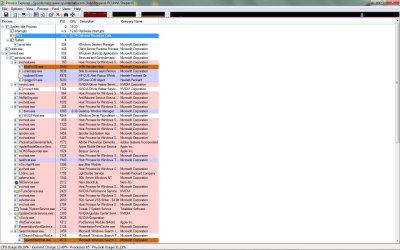
i just went back a bit in the thread and found this image that you had attached and if you look at it 62% are deferred procedure calls and 12% are hardware interrupts, as well as almost 20% system idle...which could be interpreted as system inerupts...so it is exactly what i thought it was...just clean out Ur case and remember...NEW THERMAL PASTE...and you will bu working fine after that (i assume you know how to take apart and rebuild your system...if not make sure you get someone who does to do it)
 

My Computer My Computer

At a glance

Windows 7 Ultimate x64Phenom 9850 Black Edition8Gb PatriotEvga 260 ssc
Computer Manufacturer/Model Number
me
OS
Windows 7 Ultimate x64
CPU
Phenom 9850 Black Edition
Motherboard
Asus M3N78-VM
Memory
8Gb Patriot
Graphics Card(s)
Evga 260 ssc
Sound Card
onboard
Monitor(s) Displays
dual dell E228WFP
Screen Resolution
1680x1050
Hard Drives
2 500gb
Keyboard
G-15
Mouse
G-9
Internet Speed
25Mbps
Ok I've applied the .bat file and going to apply the hotfix. I guess time will tell if it all works out. If it doesn't, then I will do what mmgood suggested and clean out the case...though I don't actually know how to go about doing that...do I just rub down everything with a brush? lol...I'm so clueless...thanks for the help guys. :)
 

My Computer My Computer

At a glance

Windows 7 Ultimate x642.2 GHz6 GBGeforce GTS 250 512
OS
Windows 7 Ultimate x64
CPU
2.2 GHz
Motherboard
AMD Phenom 9550 Quad Core
Memory
6 GB
Graphics Card(s)
Geforce GTS 250 512
My PC has the habit of randomly and suddenly using up CPU to 100% for no apparent reason. My computer slows down to a crawl and I can't even shut down as it stays on the "shutting down..." screen. There's no rhyme or reason to it, though it never happens if I don't have the pc on for at least an hour or two. I checked the processes and there's nothing out of the ordinary running. I don't even know where to look. Help? This never happened when I was on Vista...

Its very difficult to diagnose, problems like yours over the net, but there are some basic starting points:

Do a through virus scan.
Check that your total memory is recognized by the computer
Check the event viewer for possible problems
Check the performance monitor
Try running the computer without the A/V

Boot up and check the available memory
When you begin to slow check the available memory again. If it is much less we know that there is a memory leak and we have to find it.

Type memory in the seach, by start button, and use the memory diagnostic.

You do have a problem. Do these tests then get back to us. Maybe not me, but someone will know and give you and answer.
 

My Computer My Computer

At a glance

Windows 10, Home Clean InstallIntel Core2 processsor Q8200(2.33Ghz 1333FSB)...6 gbATI Radeon 256MB HD3650
Computer type
PC/Desktop
Computer Manufacturer/Model Number
Dell XPS 420
OS
Windows 10, Home Clean Install
CPU
Intel Core2 processsor Q8200(2.33Ghz 1333FSB) Quad Core Tech
Motherboard
Dell
Memory
6 gb
Graphics Card(s)
ATI Radeon 256MB HD3650
Sound Card
Intergrated 7.1 Channel Audio
Monitor(s) Displays
Dell SP2009W 20"
Hard Drives
640 GB Serial ATA Hard drive
Cooling
Fan
Keyboard
Dell USB Keyboard
Mouse
Dell Premium Optical USB
Internet Speed
DSL 2.85
for cleaning your case out use canned air or a vacumm...be very careful with them as you can damage an ic board if you bump something...but more than likely it will be your processor overheating...ram overheating or something not seated correctly in a pcie or pci slot...but your best bet is canned air....this is a little old but it gives a pretty good explanation of how to do the thermal paste How To Correctly Apply Thermal Grease | Hardware Secrets
 

My Computer My Computer

At a glance

Windows 7 Ultimate x64Phenom 9850 Black Edition8Gb PatriotEvga 260 ssc
Computer Manufacturer/Model Number
me
OS
Windows 7 Ultimate x64
CPU
Phenom 9850 Black Edition
Motherboard
Asus M3N78-VM
Memory
8Gb Patriot
Graphics Card(s)
Evga 260 ssc
Sound Card
onboard
Monitor(s) Displays
dual dell E228WFP
Screen Resolution
1680x1050
Hard Drives
2 500gb
Keyboard
G-15
Mouse
G-9
Internet Speed
25Mbps
Using a vacuum on your computer is perilous.

Touching a vacuum to anything can fry the mobo.

I would use canned air only.

Also, do not touch anything inside the case without first touching case metal to discharge static electricity.

Use the canned air in short blasts to blow dust off and out of devices and then out of case.

I would confirm CPU overheating using Speedfan before repasting CPU heatsink as it is also risky unless done with the precision of a surgeon.
 
I would confirm CPU overheating using Speedfan before repasting CPU heatsink as it is also risky unless done with the precision of a surgeon.
actually if your careful its not so bad...and when i had this problem speed fan was showing one core a little hotter than the others and one at -128 degrees...although the minus temp may be internal to speed fan....(only showing 3 cores) dunno haven't looked at speed fan much...best bet is if you haven't done this before get some help from someone who has...its much easier to do if you have seen it done before
 

My Computer My Computer

At a glance

Windows 7 Ultimate x64Phenom 9850 Black Edition8Gb PatriotEvga 260 ssc
Computer Manufacturer/Model Number
me
OS
Windows 7 Ultimate x64
CPU
Phenom 9850 Black Edition
Motherboard
Asus M3N78-VM
Memory
8Gb Patriot
Graphics Card(s)
Evga 260 ssc
Sound Card
onboard
Monitor(s) Displays
dual dell E228WFP
Screen Resolution
1680x1050
Hard Drives
2 500gb
Keyboard
G-15
Mouse
G-9
Internet Speed
25Mbps
So far so good...been 24 hours without a single hitch. Either the .bat or the hotfix must have done it. Well I'm not about to count my chickens yet since Murphy's Law could still kick in, but anyway thanks to everyone for helping. :D
 

My Computer My Computer

At a glance

Windows 7 Ultimate x642.2 GHz6 GBGeforce GTS 250 512
OS
Windows 7 Ultimate x64
CPU
2.2 GHz
Motherboard
AMD Phenom 9550 Quad Core
Memory
6 GB
Graphics Card(s)
Geforce GTS 250 512
Back
Top