Solved CPU vs Core(s)?

markg2

New member
Member
VIP
Local time
2:12 PM
Messages
477
This may be somewhat far afield but--

I have a desktop gadget that measures CPU, Core and RAM % usage. It was my understanding that the CPU cores are the processing engines within the structure of the CPU. So I'm surprised to see that the Core 1 + Core 2 % at any given time is no where near the total value of CPU usage %.

I tried Googling and reading but I'm not finding this specific question/answer.

Even though this is not really directed at this forum's target, would someone mind offering up a quick explanation?

Thanks,

Mark
 

My Computer

Computer type
PC/Desktop
OS
Windows 7 & Windows 10
can you give us an example of your readings?

imagine a dual-core processor, and core 1 is being used 60%, and core 2 is 40% - then the average use is 50% for the whole cpu.

does this make sense?
 

My Computer

Computer Manufacturer/Model Number
mickey megabyte 1234
OS
ultimate 64 sp1
CPU
i5 2500K [email protected]
Motherboard
MSI P67A-GD53
Memory
8 gigs GSkill Ripjaws 1600
Graphics Card(s)
amd hd6950
Sound Card
creative x-fi gamer
Monitor(s) Displays
samsung 24"
Screen Resolution
1920x1080
Hard Drives
ocz vertex 2e 60 gig, samsung f3 1tb, buffalo 2tb ext
PSU
antec 550
Case
antec three hundred
Cooling
i'm a cooling fan
Keyboard
saitek eclipse ii
Mouse
logitech g3
Internet Speed
about 4 Mbps
Other Info
i love win7
If the object were to determine the average usage, then yes.

However, if the object is to determine the total usage at the moment of the CPU then why wouldn't the answer be to add core 1 + core 2 and have that % be the same as the cpu usage %--which it never is according to my desktop gadget?
 

My Computer

Computer type
PC/Desktop
OS
Windows 7 & Windows 10
But then if both cores were at 50% the cpu readout would say 100%?
Which would be miss leading.


Sent from my BlackBerry 9900 using Tapatalk
 

My Computer

Computer type
PC/Desktop
Computer Manufacturer/Model Number
Built by badgers!!!
OS
Windows 7 Ultimate x64, & Mac OS X 10.9.2
CPU
Intel Core i5 2500k
Motherboard
Asus P8z68 LE
Memory
Corsair Vengence 8gb 1866mhz
Graphics Card(s)
Nvidia GTX 770 OC
Monitor(s) Displays
2x ASUS LED 22" IPS
Screen Resolution
3840x1080
Hard Drives
240GB Crucial M500 SSD
120gb Corsair Force 3 SSD
1TB Western Digital
PSU
Corsair HX650w Modular
Case
Corsair Air 540
Cooling
Corsair H60 Push/Pull
Keyboard
Corsair K70/ Logitech G27 wheel
Mouse
Saitek R.A.T 9
Internet Speed
Too slow!
Other Info
AMD fusion E350N Home server-Windows Home Server 2011 (also made by badgers!)
2011 Macbook 2.4ghz Core2Duo, 4gb ddr3, 120gb Ocz Vertex SSD
Okay, then what is the relationship between total cpu usage and % core usage?
 

My Computer

Computer type
PC/Desktop
OS
Windows 7 & Windows 10
It sounds like you are wandering off on a topic that isn't going to be very beneficial. There's no real relationship between the two. If you consider a dual core CPU, you essentially have two "brains" to do the calculations. They are somewhat independent, in that the total usage doesn't need to always add to 100%. If you had a single core, it wouldn't be 100% all the time, either. If one core is working on a task at 30%, the other core could sit idle, or it could be working on a separate task at 30%, 45%, etc...whatever.

That's the entire point behind multiple core CPUs...is to divide the workload up.
 

My Computer

OS
Windows 7 Ultimate x64 SP1
CPU
Intel Core i7-2600
Motherboard
Gigabyte GA-P67A-UD3P-B3
Memory
12 GB Patriot Extreme DDR3-1333
Graphics Card(s)
Nvidia GTX 470
Monitor(s) Displays
Dell UltraSharp 2209WA
Hard Drives
OCZ Agility3 240 GB, WD5001AALS, WD7501AALS
PSU
OCZ ModStream 700W
Case
CoolerMaster HAF 912 Advanced
Cooling
CoolerMaster Hyper 212 Plus
If you want a rough idea of the "total" percentage open task manager then minimise it.

The graph that shows up in the task bar is accurate enough.

Sent from my BlackBerry 9900 using Tapatalk
 

My Computer

Computer type
PC/Desktop
Computer Manufacturer/Model Number
Built by badgers!!!
OS
Windows 7 Ultimate x64, & Mac OS X 10.9.2
CPU
Intel Core i5 2500k
Motherboard
Asus P8z68 LE
Memory
Corsair Vengence 8gb 1866mhz
Graphics Card(s)
Nvidia GTX 770 OC
Monitor(s) Displays
2x ASUS LED 22" IPS
Screen Resolution
3840x1080
Hard Drives
240GB Crucial M500 SSD
120gb Corsair Force 3 SSD
1TB Western Digital
PSU
Corsair HX650w Modular
Case
Corsair Air 540
Cooling
Corsair H60 Push/Pull
Keyboard
Corsair K70/ Logitech G27 wheel
Mouse
Saitek R.A.T 9
Internet Speed
Too slow!
Other Info
AMD fusion E350N Home server-Windows Home Server 2011 (also made by badgers!)
2011 Macbook 2.4ghz Core2Duo, 4gb ddr3, 120gb Ocz Vertex SSD
Okay, then what is the relationship between total cpu usage and % core usage?

total cpu usage = average of individual core usage

as badger906 said above, if both cores of a dual-core cpu were running at 50%, total cpu usage is 50% too - the cpu still has capacity to do the same workload again.

also if core 1 was 100% and core 2 was 0%, then the total usage would be 50% too...same as 75/25, 60/40 etc etc

it might help if you imagined you had two factories with 100 people employed in each one.

in factory A, 60 people are working hard, whilst 40 are slacking off looking at facebook. in factory B, 40 are working, 60 are picking their nose. so out of the total workforce in both factories, only 50% are working.
 

My Computer

Computer Manufacturer/Model Number
mickey megabyte 1234
OS
ultimate 64 sp1
CPU
i5 2500K [email protected]
Motherboard
MSI P67A-GD53
Memory
8 gigs GSkill Ripjaws 1600
Graphics Card(s)
amd hd6950
Sound Card
creative x-fi gamer
Monitor(s) Displays
samsung 24"
Screen Resolution
1920x1080
Hard Drives
ocz vertex 2e 60 gig, samsung f3 1tb, buffalo 2tb ext
PSU
antec 550
Case
antec three hundred
Cooling
i'm a cooling fan
Keyboard
saitek eclipse ii
Mouse
logitech g3
Internet Speed
about 4 Mbps
Other Info
i love win7
Total CPU Usage for dual cores = (Core 1 + Core 2 usage) Divided by 2

And for all CPU's = (Sum of Usage of all cores) Divided by number of cores

Correct me if I'm wrong just tried to work it out here, but there is your relationship...
 

My Computer

Computer Manufacturer/Model Number
Me
OS
Windows 7 Ultimate 64bit
CPU
AMD Athlon 630 X4 @ 3.22GHz
Motherboard
AsRock 870 Extreme 3 R2.0
Memory
4GB DDR3 RAM
Graphics Card(s)
XFX HD4890 OC XXX Edition
Sound Card
Onboard
Monitor(s) Displays
Single 22" Samsung SyncMaster 2232BW
Screen Resolution
1680*1050
Hard Drives
64GB Crucial M4 SSD

2 x WD Caviar Blue 500GB in a RAID 0 Array using onboard controller
PSU
Cooler Master GX 550W
Case
Very nice black gaming case with 25cm side fan
Cooling
3 x 120mm Silent red fans, 1 x 250mm side fan
Internet Speed
1.5Mb/s
Well that seems to work...

Core 1 : 20%
Core 2 : 27%
Total CPU Usage : 20+26= 46 /2 = 23%

Example 2 :

Core 1 : 16%
Core 2 : 50%
Core 3 : 24%
Core 4 : 68%

Total CPU Usage = 16+50+24+68 = 158 / 4 = 39.5% so rounded 40%

Example 3 : (Simplified)

Core 1 : 24%

Total CPU Usage = 24 /1 = 24%
 

My Computer

Computer Manufacturer/Model Number
Me
OS
Windows 7 Ultimate 64bit
CPU
AMD Athlon 630 X4 @ 3.22GHz
Motherboard
AsRock 870 Extreme 3 R2.0
Memory
4GB DDR3 RAM
Graphics Card(s)
XFX HD4890 OC XXX Edition
Sound Card
Onboard
Monitor(s) Displays
Single 22" Samsung SyncMaster 2232BW
Screen Resolution
1680*1050
Hard Drives
64GB Crucial M4 SSD

2 x WD Caviar Blue 500GB in a RAID 0 Array using onboard controller
PSU
Cooler Master GX 550W
Case
Very nice black gaming case with 25cm side fan
Cooling
3 x 120mm Silent red fans, 1 x 250mm side fan
Internet Speed
1.5Mb/s
It's basic math really. You have 8 liters of milk in 8 bottles/cores. You drink half of each bottle, how much do you have left? 4l, or 50%. You drink one bottle 100%, leave the rest alone. You have drunk 12,5%.
 

My Computer

Computer Manufacturer/Model Number
Asus N73SV
OS
Windows 7 x64 Ultimate SP1
CPU
Core i7-2630QM
Motherboard
Intel HM 65
Memory
6 GB DDR3
Graphics Card(s)
Nvidia GT 540M / Intel HD 3000 - Optimus switching
Sound Card
HD Audio (Intel Azalia/Realtek) ALC269
Monitor(s) Displays
LED flat panel
Screen Resolution
1920 x 1080
Hard Drives
2x Seagate Momentus 640 GB - 1,28 TB in total
Internet Speed
4 MB/256 kbps
Other Info
External HDs

WD Elements 1,5 TB
WD MyBook 500 GB
Thanks--

Understood but for one point.

I thought I'd read that software has to be written to address specific cores to take advantage of multi-core processing.

Does that then mean that a core processing imbalance (core 1=10% & core 2=80%) cannot be simply adjusted by the cpu, moving more processing to core 2 since the application(s) running determine which of the two cores are used?

Mark
 

My Computer

Computer type
PC/Desktop
OS
Windows 7 & Windows 10
Thanks--

Understood but for one point.

I thought I'd read that software has to be written to address specific cores to take advantage of multi-core processing.

Does that then mean that a core processing imbalance (core 1=10% & core 2=80%) cannot be simply adjusted by the cpu, moving more processing to core 2 since the application(s) running determine which of the two cores are used?

Mark


Read my post, if one is 10% and one is 80%

Total CPU Usage = 80 + 10 = 90 / 2 (amount of cores) = 45%

and about the adjusting, well it is also spread amongst the cores in some way it's just that an app optimized for multiple cores will do a better job then the CPU trying to spread the work...
 

My Computer

Computer Manufacturer/Model Number
Me
OS
Windows 7 Ultimate 64bit
CPU
AMD Athlon 630 X4 @ 3.22GHz
Motherboard
AsRock 870 Extreme 3 R2.0
Memory
4GB DDR3 RAM
Graphics Card(s)
XFX HD4890 OC XXX Edition
Sound Card
Onboard
Monitor(s) Displays
Single 22" Samsung SyncMaster 2232BW
Screen Resolution
1680*1050
Hard Drives
64GB Crucial M4 SSD

2 x WD Caviar Blue 500GB in a RAID 0 Array using onboard controller
PSU
Cooler Master GX 550W
Case
Very nice black gaming case with 25cm side fan
Cooling
3 x 120mm Silent red fans, 1 x 250mm side fan
Internet Speed
1.5Mb/s
Only older or poorly written code targets a specific core (usually Core 0). Windows and most modern software distribute threads between cores. They even move them from one to another.

One thing though is still strictly set to one core, and those are hardware calls which go to Core 0. I hear Ivy Bridge might change that.
 

My Computer

Computer Manufacturer/Model Number
Asus N73SV
OS
Windows 7 x64 Ultimate SP1
CPU
Core i7-2630QM
Motherboard
Intel HM 65
Memory
6 GB DDR3
Graphics Card(s)
Nvidia GT 540M / Intel HD 3000 - Optimus switching
Sound Card
HD Audio (Intel Azalia/Realtek) ALC269
Monitor(s) Displays
LED flat panel
Screen Resolution
1920 x 1080
Hard Drives
2x Seagate Momentus 640 GB - 1,28 TB in total
Internet Speed
4 MB/256 kbps
Other Info
External HDs

WD Elements 1,5 TB
WD MyBook 500 GB
Only older or poorly written code targets a specific core (usually Core 0). Windows and most modern software distribute threads between cores. They even move them from one to another.

One thing though is still strictly set to one core, and those are hardware calls which go to Core 0. I hear Ivy Bridge might change that.


Yeah most programs will use 2 cores, I rarely see a frozen program only using 25% of the CPU in task manager, what I do often notice is since I have a quad core most programs when they freeze for whatever reason will have CPU usage at 50% so they are only using 2 cores, so Im guessing optimization for quad cores is not near as good as for dual yet...
 

My Computer

Computer Manufacturer/Model Number
Me
OS
Windows 7 Ultimate 64bit
CPU
AMD Athlon 630 X4 @ 3.22GHz
Motherboard
AsRock 870 Extreme 3 R2.0
Memory
4GB DDR3 RAM
Graphics Card(s)
XFX HD4890 OC XXX Edition
Sound Card
Onboard
Monitor(s) Displays
Single 22" Samsung SyncMaster 2232BW
Screen Resolution
1680*1050
Hard Drives
64GB Crucial M4 SSD

2 x WD Caviar Blue 500GB in a RAID 0 Array using onboard controller
PSU
Cooler Master GX 550W
Case
Very nice black gaming case with 25cm side fan
Cooling
3 x 120mm Silent red fans, 1 x 250mm side fan
Internet Speed
1.5Mb/s
Thanks gentlemen--

My question has been answered.

Mark
 

My Computer

Computer type
PC/Desktop
OS
Windows 7 & Windows 10
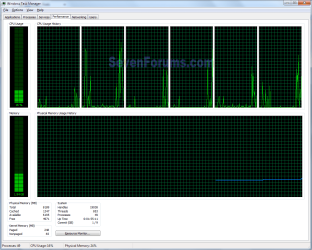
It's the average CPU usage as Mickey said. If one core is 45% and the other is 60% you'd have 105% usage which is impossible to be above 100%. The total CPU use is misnamed, in the above case it would be shown as 53% due to rounding up by CPU gauges.In this snip, usage is shown as 16% with one core over 50% and one is at zero.
Untitled.png
 

My Computer

Computer type
PC/Desktop
Computer Manufacturer/Model Number
Home Built Desktop By DataTech
OS
Windows 7 Ultimate X64 SP1
CPU
Intel i5-2550K, Differing ~4.4-4.8GHz No built in GPU
Motherboard
ASUS P8Z68-V PRO/GEN3
Memory
16GB G.Skill Sniper 1866MHz @ 2133MHz 2x8GB
Graphics Card(s)
ASUS GTX650TIB-DC2OC-2GD5, (650TI Boost)
Sound Card
Onboard Realtek 5-1
Monitor(s) Displays
Samsung P2570HD
Screen Resolution
1920x1080
Hard Drives
Samsung 840 Pro 256GB SSD for OS, 500GB Seagate Constellation (Enterprise drive) for Data
PSU
Corsair HX650W
Case
Inwin Dragon Rider
Cooling
Hyper 212 EVO w/two Noctua fans, push-pull, @1300 RPM
Keyboard
E-Z Eyes, bright yellow keys with large characters
Mouse
steelseries SENSEI Laser Pro Gaming
Internet Speed
48-51Mbs Mbs down, 11 Mbs up Xfinity Cable
Antivirus
Norton Internet Security 2013
Browser
IE 10, Opera, Pale Moon if needed
Other Info
4 case fans, LG BluRay-RE, ASUS DVD-RW, Mr. Fusion power supply, 1.21 gigawatts.
Back
Top