tbonecopper
New member
- Local time
- 11:21 AM
- Messages
- 2
I'm attempting to downgrade my laptop from Windows 8.1 Pro to Windows 7 64-bit. I have a Fujitsu U904; since it's an ultrabook there's no DVD drive.. and I have no access to an external (last resort, I'll buy one).
I'm attempting to use the guide here: UEFI Bootable USB Flash Drive - Create in Windows and I'm stuck.
On the last bit, where it mentions the step you must do only if you are creating a Windows 7 64bit uefi bootable usb, my folder structure doesn't match the one in the images.
This bit: C) In 7-Zip, navigate to the sources\install.wim\1\Windows\Boot\EFI\bootmgfw.efi on the USB flash drive, select the bootmgfw.efi file, copy it to your desktop, click/tap on OK, and close 7-Zip.
My sources folder includes:
dlmanifests
en-us
etwproviders
inf
license
replacementmanifests
servicing
servicingstackmisc
And a litany of individual files.
Any suggestions on this or where to proceed?
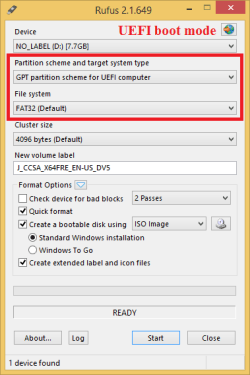
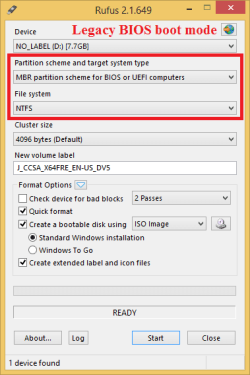
I've tried with rufus and the windows 7 usb tool (the one from the microsoftstore.com), and the laptop will not boot. The windows 7 tool states it couldn't made the usb drive bootable, and when using a drive imaged with rufus, the laptop says boot error (bios error; not win 7's install app)
I'm attempting to use the guide here: UEFI Bootable USB Flash Drive - Create in Windows and I'm stuck.
On the last bit, where it mentions the step you must do only if you are creating a Windows 7 64bit uefi bootable usb, my folder structure doesn't match the one in the images.
This bit: C) In 7-Zip, navigate to the sources\install.wim\1\Windows\Boot\EFI\bootmgfw.efi on the USB flash drive, select the bootmgfw.efi file, copy it to your desktop, click/tap on OK, and close 7-Zip.
My sources folder includes:
dlmanifests
en-us
etwproviders
inf
license
replacementmanifests
servicing
servicingstackmisc
And a litany of individual files.
Any suggestions on this or where to proceed?
I've tried with rufus and the windows 7 usb tool (the one from the microsoftstore.com), and the laptop will not boot. The windows 7 tool states it couldn't made the usb drive bootable, and when using a drive imaged with rufus, the laptop says boot error (bios error; not win 7's install app)
My Computer
- Computer type
- Laptop
- Computer Manufacturer/Model Number
- Fujitsu Lifebook U904 and a custom desktop
- OS
- Win 7 Ultimate 64 bit and Win 8.1 Pro 64 bit