
You are using an out of date browser. It may not display this or other websites correctly.
You should upgrade or use an alternative browser.
You should upgrade or use an alternative browser.
Currency Gadget
- Thread starter krs123
- Start date

zigzag3143
Account closed by request
Windows 7 Professional versions: I have one PC that loads the Currency Gadget with "Bad Number!" each time. The other PC loads the last number used "1". How can I get the Bad number! to default to 1? had the same problem with RC version.
Hi KRS and welcome
More likely the gadget than the OS. has it ever worked in win 7? or in vista?
Might want to look for another gadget that is win 7 compatible
ken J+
My Computer
- Computer Manufacturer/Model Number
- HP Pavillion dv-7 1005 Tx
- OS
- Win 8 Release candidate 8400
- Memory
- 4 gigs
- Graphics Card(s)
- Nvidia 9600M
- Sound Card
- HD built-in
- Monitor(s) Displays
- 17" Wxga
- Screen Resolution
- 1440x900
- Cooling
- none
- Internet Speed
- 45Mb down 5Mb up
If you read my post I have one machine that holds the number the other two do not. The difference is the machine that holds the number has a clean installed retail copy of Windows 7 Professional the other two have Acer Windows 7 Professional upgrades from Windows XP Pro one (Netbook) was a clean install the other (Desktop) not. If I could locate where the data is stored I assume I could manually force the number from "Bad number!" to 1.
My Computer
- OS
- Windows 7 Pro

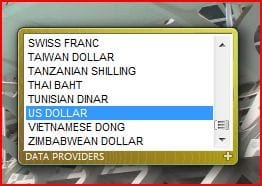
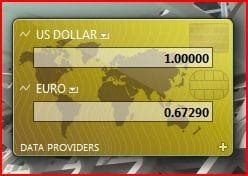
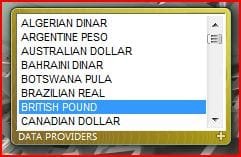
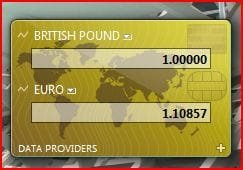
That I understand. I have US Dollar and South African Rand as the currency but the gadget does not hold the number 1 for US Dollar both currencies show "Bad number!" after Restart or Shutdown/Start. The number 1 does not hold. One PC I have DOES hold the number 1 without the "Bad number!". Two other machines do not hold 1. Even if I select US Dollar, South African Rand and British pound I get the same problem. I know how to use the gadget currency selection what I want is for the gadget to remember the number 1 for the primary currency.
My Computer
- OS
- Windows 7 Pro
SOLVED. I was having this issue as well in Windows 7. The issue was that under Currency in the Regional Settings in the Control Panel, I had set the decimal separate to be " " (just a blank space), instead of . or ,
I had intended to change the digits separator and not the decimal separator to a blank space instead of a comma (I must not have looked at the label close enough as they are similar looking). For some reason a comma is the default for English (Canada) -- despite the fact that a blank space is the correct way to do it, and what is more commonly used in Canada.
I had intended to change the digits separator and not the decimal separator to a blank space instead of a comma (I must not have looked at the label close enough as they are similar looking). For some reason a comma is the default for English (Canada) -- despite the fact that a blank space is the correct way to do it, and what is more commonly used in Canada.
My Computer
- OS
- Windows 7 Professional N x64
- CPU
- AMD 7850
- Motherboard
- ASUS M2N-SLI Deluxe
- Memory
- 4 GB DDR2-800
- Graphics Card(s)
- ATI Radeon 5450 1 GB PCIe (Sapphire)
- Sound Card
- Integrated SoundMax to Yamaha RX-V800 via TOSLINK
- Monitor(s) Displays
- SHARP Aquos 32" LC32
- Hard Drives
- KINGSTON SSD Now V Gen 2 128 GB - SNV425S2, WD20EADS 2 TB
- PSU
- Antec 85+ 380 W
- Case
- Silverstone LC16M
- Cooling
- Thermaltake Silent Boost + Acrtic Silver II
Brilliant! This has frustrated me from RC of Win7. The problem is related to Windows 7 from Acer upgrade from XP. It does not happen with the full Microsoft Windows 7 Pro install. Your solution works I am sure there are thousands of Acer up-graders with the frustration I had, not any more with your solution.
My Computer
- OS
- Windows 7 Pro
reinstall Deleted Gadgets in Win 7
How to reinstall Deleted Gadgets in Windows 7
go to
Explorer - Organize - Folder and search options - View
click on: Show Hidden files, folders and drives -(now you can see the Hidden Files and Folders)
when you done go back and click on: do not show Hidden files and Folder -don't forget!!!!!)
go to
c:\Program Files\Windows Sidebar\Gadgets - from her you copy the Gadgets you need or wan't to reinstall
and please I said COPY and not CUT!!!!!!!!??????
copy them to:
c:\Users\(your name)\AppData\Local\Microsoft\Windows Sidebar\Gadgets
after you have done this restart the Computer - right click the Desktop - click on Gadgets and Install all the one You like or need
When you like to use the Currency Gadget you have to go to the Clock - change Date and Time settings - Additional settings - Currency
and make by Decimal Symbol a Dot - click apply and Ok, till all the windows are closed
How to reinstall Deleted Gadgets in Windows 7
go to
Explorer - Organize - Folder and search options - View
click on: Show Hidden files, folders and drives -(now you can see the Hidden Files and Folders)
when you done go back and click on: do not show Hidden files and Folder -don't forget!!!!!)
go to
c:\Program Files\Windows Sidebar\Gadgets - from her you copy the Gadgets you need or wan't to reinstall
and please I said COPY and not CUT!!!!!!!!??????
copy them to:
c:\Users\(your name)\AppData\Local\Microsoft\Windows Sidebar\Gadgets
after you have done this restart the Computer - right click the Desktop - click on Gadgets and Install all the one You like or need
When you like to use the Currency Gadget you have to go to the Clock - change Date and Time settings - Additional settings - Currency
and make by Decimal Symbol a Dot - click apply and Ok, till all the windows are closed
My Computer
- OS
- Windows 7
reinstall Deleted Gadgets in Win 7
RE: When you like to use the Currency Gadget you have to go to the Clock - change Date and Time settings - Additional settings - Currency
and make by Decimal Symbol a Dot - click apply and Ok, till all the windows are closed
Yes this removes Bad number! BUT an accounting package that requires the comma like Pastel fails.
RE: When you like to use the Currency Gadget you have to go to the Clock - change Date and Time settings - Additional settings - Currency
and make by Decimal Symbol a Dot - click apply and Ok, till all the windows are closed
Yes this removes Bad number! BUT an accounting package that requires the comma like Pastel fails.
My Computer
- OS
- Windows 7 Pro