Solved Cursor slows down randomly...

Nyen

New member
Local time
5:56 PM
Messages
2
Hello all.

I have a little problem with my mouse for about a month now. I've tried looking around the internet but found no solution. During normal usage the mouse cursor would randomly slow down to a crawl then a split second later the cursor would twitch back in to "position" to where it was suppose to be. (I've noticed this is more likely to happen if the processor is busy ie: click on a link, loading page etc) I've tried everything I could think of, changing mouses, re-installing the drivers, resetting and even reformatting. But the issue always seems to come back.

I am currently using my logitech G500, however this issue is present with the razer deathadder that I borrowed from a friend.
I am using a ASUS K53SC.

Any ideas?
Thanks.
 

My Computer

Computer Manufacturer/Model Number
Asus K53S
OS
Windows 7 Premium 64 bit
CPU
Intel Core I7 - 2670QM, 2.2GHz
Motherboard
K53S
Memory
4GB
Graphics Card(s)
nvidia geFORCE GT 520MX
Sound Card
Cheap one
Monitor(s) Displays
Over 9000
Hard Drives
254 GB
254 GB
500 GB
And more (forgot)
PSU
Whats a PSU?
Case
Asus laptop case
Cooling
Fan
http://support.asus.com/download.aspx?SLanguage=en&p=3&s=295&m=K53SC&os=&hashedid=3mxEvf3TFaWwIvxq

Try to update your nvidia graphics driver.
Select OS "Windows 7 64 bit", expand VGA to get it.

Update the touchpad driver, too, under Touchpad.

Also, we need to see one more thing, if it is there or not.


My Computer

Computer type
PC/Desktop
Computer Manufacturer/Model Number
Self Assembled
OS
Microsoft Windows 10 Pro Insider Preview 64-bit
CPU
Intel(R) Core(TM) i3-4130 CPU @ 3.40GHz
Motherboard
Gigabyte Technology Co., Ltd. B85M-D3H
Memory
Corsair Vengence 4GB x2 (8.00GB Dual-Channel DDR3 @ 798MHz)
Graphics Card(s)
2047MB GeForce GTS 450 (ZOTAC International)
Sound Card
Onboard (Realtek High Definition Audio)
Monitor(s) Displays
LG Flatron E2040T
Screen Resolution
1600x900
Hard Drives
Western Digital 1 TB
Seagate 500 GB
PSU
Corsair VS550
Case
Cooler Master K380
Cooling
Cooler Master Seidon 120V Plus
Keyboard
Logitech MK260r
Mouse
Logitech MK260r
Internet Speed
PMPL Broadband
Antivirus
Windows Defender + MBAM
Browser
Firefox
Other Info
Dell Studio 15" Laptop
Thank you for your response, but I have already fixed the issue, apparently a program named "whatpulse" was stuffing up my mouse movements. what pulse is a software that records number of clicks, keyboard presses, network activity etc.
 

My Computer

Computer Manufacturer/Model Number
Asus K53S
OS
Windows 7 Premium 64 bit
CPU
Intel Core I7 - 2670QM, 2.2GHz
Motherboard
K53S
Memory
4GB
Graphics Card(s)
nvidia geFORCE GT 520MX
Sound Card
Cheap one
Monitor(s) Displays
Over 9000
Hard Drives
254 GB
254 GB
500 GB
And more (forgot)
PSU
Whats a PSU?
Case
Asus laptop case
Cooling
Fan
Hi Arc, i used win 7 32bit and I had a same problem like Nyen can you please check it for me, thank you.View attachment startup.txt
 

My Computer

Computer type
PC/Desktop
Computer Manufacturer/Model Number
Custom Build
OS
Windows 7 Ultimate 32bit
CPU
E8400
Motherboard
EG41MF-US2H
Memory
3072 Mbytes
Graphics Card(s)
Sapphire HD 7770 Vapor-X
Sound Card
Creative sb0220
Screen Resolution
1280x768
Hard Drives
Hitachi 500 gB
PSU
Cooler Master 350w Extreme Power Plus
Keyboard
Dell AT101W
Mouse
Cosair M60
Antivirus
Kaspersky
Browser
Google Chorme
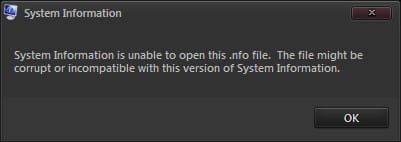
Some more info will be needed .... upload your MSINFO32.nfo file.

  1. Click on the start button
  2. Type "msinfo32" (without quotes) in the search bar of the start menu, click the resulting link. It will open the System Information window.
  3. File>Save. In the "File Name" filed, put "MSINFO32" (without Quote), give the save location to desktop, and click the "save" button.
  4. Give the time for processing, it will save a .nfo file on your desktop.
  5. Zip it, and upload it following the instruction.
 

My Computer

Computer type
PC/Desktop
Computer Manufacturer/Model Number
Self Assembled
OS
Microsoft Windows 10 Pro Insider Preview 64-bit
CPU
Intel(R) Core(TM) i3-4130 CPU @ 3.40GHz
Motherboard
Gigabyte Technology Co., Ltd. B85M-D3H
Memory
Corsair Vengence 4GB x2 (8.00GB Dual-Channel DDR3 @ 798MHz)
Graphics Card(s)
2047MB GeForce GTS 450 (ZOTAC International)
Sound Card
Onboard (Realtek High Definition Audio)
Monitor(s) Displays
LG Flatron E2040T
Screen Resolution
1600x900
Hard Drives
Western Digital 1 TB
Seagate 500 GB
PSU
Corsair VS550
Case
Cooler Master K380
Cooling
Cooler Master Seidon 120V Plus
Keyboard
Logitech MK260r
Mouse
Logitech MK260r
Internet Speed
PMPL Broadband
Antivirus
Windows Defender + MBAM
Browser
Firefox
Other Info
Dell Studio 15" Laptop

My Computer

Computer type
PC/Desktop
Computer Manufacturer/Model Number
Custom Build
OS
Windows 7 Ultimate 32bit
CPU
E8400
Motherboard
EG41MF-US2H
Memory
3072 Mbytes
Graphics Card(s)
Sapphire HD 7770 Vapor-X
Sound Card
Creative sb0220
Screen Resolution
1280x768
Hard Drives
Hitachi 500 gB
PSU
Cooler Master 350w Extreme Power Plus
Keyboard
Dell AT101W
Mouse
Cosair M60
Antivirus
Kaspersky
Browser
Google Chorme

My Computer

Computer type
PC/Desktop
Computer Manufacturer/Model Number
Self Assembled
OS
Microsoft Windows 10 Pro Insider Preview 64-bit
CPU
Intel(R) Core(TM) i3-4130 CPU @ 3.40GHz
Motherboard
Gigabyte Technology Co., Ltd. B85M-D3H
Memory
Corsair Vengence 4GB x2 (8.00GB Dual-Channel DDR3 @ 798MHz)
Graphics Card(s)
2047MB GeForce GTS 450 (ZOTAC International)
Sound Card
Onboard (Realtek High Definition Audio)
Monitor(s) Displays
LG Flatron E2040T
Screen Resolution
1600x900
Hard Drives
Western Digital 1 TB
Seagate 500 GB
PSU
Corsair VS550
Case
Cooler Master K380
Cooling
Cooler Master Seidon 120V Plus
Keyboard
Logitech MK260r
Mouse
Logitech MK260r
Internet Speed
PMPL Broadband
Antivirus
Windows Defender + MBAM
Browser
Firefox
Other Info
Dell Studio 15" Laptop
I already unblock and Run as administrator but it keep said access is denied denied.png
 

My Computer

Computer type
PC/Desktop
Computer Manufacturer/Model Number
Custom Build
OS
Windows 7 Ultimate 32bit
CPU
E8400
Motherboard
EG41MF-US2H
Memory
3072 Mbytes
Graphics Card(s)
Sapphire HD 7770 Vapor-X
Sound Card
Creative sb0220
Screen Resolution
1280x768
Hard Drives
Hitachi 500 gB
PSU
Cooler Master 350w Extreme Power Plus
Keyboard
Dell AT101W
Mouse
Cosair M60
Antivirus
Kaspersky
Browser
Google Chorme
I push my mouse to the keyboard several times and it worked! LOL
 

My Computer

Computer type
PC/Desktop
Computer Manufacturer/Model Number
Lenovo
OS
Windows 7 Ultimate 32 bit
CPU
Intel Core i5-2310 2.9Ghz
Motherboard
Gigabyte GA-H61M-S2-B3
Memory
4GB DDR3 RAM
Graphics Card(s)
NVIDIA GeForce GT 220
Hard Drives
SAMSUNG HD253GJ
TSSTcorp CDDVDW SH-222AB
Back
Top