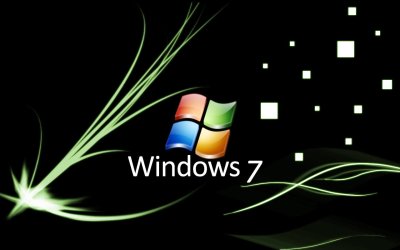
Custom Bios Splash Screens!

Jbag669

New member
Local time
5:22 AM
Messages
2
Hey everyone I want to know who is using custom Splash screens and if you can post some.. I have an intel board and getting very sick of the oem screen. Please post screens people!!!!! Thank you, ot post links to other threads with splash screens.......Thanks!!!!
 

My Computer

Computer Manufacturer/Model Number
Me
OS
Windows 7 Ult
CPU
Intel 940
Motherboard
DX58SO
Memory
6 gb
Graphics Card(s)
ati 4870
Sound Card
on board
Monitor(s) Displays
24inch acer
Hard Drives
intel SSD 80gb x25
PSU
850 hx
Case
haf 922
Cooling
H50
HUH?

How Do You Do That???:huh:
 

My Computer

OS
Win 7/Vista/XP/Ubuntu10.4/Mac OSX Leopard All I One System

My Computer

OS
Windows 7 home premium 64 bit
CPU
AMD X6 1090T
Motherboard
GA-890GPA-UD3H
Memory
Corsair DDR3 1600
Graphics Card(s)
ATI 5870
Sound Card
Xonar DX1
Monitor(s) Displays
LG 23" TFT
Hard Drives
2 X 2250 WD HARD DRIVES
PSU
Be Quiet 650W
Case
Silverstone Fortress F01
Cooling
3 X 120mm Xigmatec fans 1 X silverstone 140MM
I guess this is what you need
Intel® Desktop Board DX58SO - Tools & Software (for your motherboard)
You can find the Intel® Integrator Assistant at the bottom.

Honestly, why would you want to change something you see for only 2 seconds :)
Just hide the OEM display and show the original POST ;)

PS. Its risky
 

My Computer

Computer type
Laptop
Computer Manufacturer/Model Number
HP EliteBook 8530w Mobile Workstation
OS
Windows 7 Ultimate x64 (XP, 98SE, 95, 3.11, DOS 7.10 on VM) + Ubuntu 10.04 LTS Lucid Lynx
CPU
Intel Core 2 Duo Processor P8600 (2.40 GHz, 3 MB L2 cache)
Motherboard
Mobile Intel PM45 Express Chipset ICH9M-Enhanced
Memory
4GB 800 MHz DDR2 SDRAM
Graphics Card(s)
ATI Mobility FireGL V5700 with 256 MB
Sound Card
SoundMAX Integrated Digital HD Audio
Monitor(s) Displays
15.4-inch WXGA anti-glare (1280 x 800 resolution)
Screen Resolution
1280 x 800
Hard Drives
500GB + 1TB
Mouse
Synaptics PS/2 Port Touchpad, USB Mouse
Internet Speed
4 Mbps
Antivirus
MSE
Browser
Firefox, Chrome, IE
Other Info
Authentec AES2810 Fingerprint Reader
I'm pretty experienced but I am not going to touch this.

I have a bios password so all I see is my password login and then it starts loading my OS.

Really I do not see my Gateway bios. I see the thing loading both hard drives saying 2 hard drives but it's like 1 millionth of a second so really it's not see-able.
 

My Computer

Computer Manufacturer/Model Number
Gateway
OS
Windows 7
CPU
Intel dual core 2.8GHZ
Motherboard
Intel Corporation OEMD975XLAG1 (J3E1)
Memory
3.0GB Single-Channel DDR2 @ 266MHz (4-4-4-12)
Graphics Card(s)
AL1916 @ 1280x1024 256MB GeForce 6800 (nVidia)
Sound Card
SigmaTel High Definition Audio CODEC
Monitor(s) Displays
Acer AL1916 19inch.
Screen Resolution
1280x1024. My screen goes up another step but my card doesnt
Hard Drives
Hitachi 79GIG Main C: OS
Barricuda 39GIG Storage D:
Case
Gateway GT5448E
Cooling
Fan on CPU, GPU. There is no extra case fans. Runs a bit hot
Keyboard
Logitech basic keyboard. With gaming/audio controls.
Mouse
Microsoft Sidewinder x8. - Got 4 free.
Internet Speed
3,552KBPS Download - 384KBPS Upload. Sucks, I know.
Other Info
I have Logitech Z323 speakers.
Logitech Webcam.
Logitech Headset.
I too won't mess with my BIOS loading, and I like to see my boot sequence. But I understand people wanting to tweak everything :D

A Guy
 

My Computer

Computer type
PC/Desktop
OS
Windows 10 Home x64
CPU
INTEL Core i5-750 Quad-Core 3.37GHz
Motherboard
ASUS P7P55D
Memory
HyperX Fury Black Series 8GB (2 x 4GB) 1866Mhz
Graphics Card(s)
EVGA GeForce GTX 750 Superclocked 1GB 128-Bit GDDR5
Monitor(s) Displays
LG 32MA68HY 32" IPS
Screen Resolution
1920 x 1080
Hard Drives
Samsung 840 Evo 120GB, SEAGATE 500GB Barracuda® 7200.12, SATA 3 Gb/s, 7200 RPM, 16MB cache
PSU
ANTEC TruePower New TP-550, 80 PLUS, 550W
Case
ANTEC Three Hundred Illusion
Cooling
COOLER MASTER Hyper 212 Plus, 4 x 120mm 1 x 140mm Noctua's
Internet Speed
85 + Mbps
Antivirus
Avast
Browser
Vivaldi
I used the ASUS MyLogo 2 utility to change the BIOS boot logo on my M2N68-AM SE2. I was going flash anyway so I changed the boot logo before hand. I used this screen windows_7_wallpaper_by_dizynes.jpg
 

My Computer

Computer type
PC/Desktop
Computer Manufacturer/Model Number
Home Built
OS
Windows 10 Education 64 bit
CPU
AMD Phenom II X4 980 Black Edition Deneb 3.7GHz
Motherboard
Asus M4N68T-M V2 µATX Motherboard
Memory
8GB 4GBx2 Kingston PC10600 DDR3 1333 Memory
Graphics Card(s)
Zotac NVIDIA Geforce GT640 2 Gig DDR3 PCIe
Sound Card
VIA VT1708s High Definition Audio 8-channel Onboard

Monitor(s) Displays
22" LG E2242 1080p and 2 19" I-INC AG191D
Screen Resolution
1280x1024 - 1920x1080 - 1280x1024
Hard Drives
Crucial M100 256 GB SSD and 500 GB WD Blue SATA
PSU
Thermaltake TR 620
Case
Power Up Black ATX Mid-Tower Case
Cooling
Stock heatsink and fan
Keyboard
Logitech Wireless K350 Wave
Mouse
Logitech Wireless M570 Trackman Wheel
Internet Speed
80 Mbps Down 30 Mbps Up
Antivirus
Windows Defender
Browser
Internet Explorer 11
Other Info
HP DVD1040e Lightscribe - External USB2
Back
Top