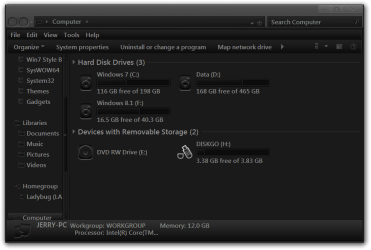
I want to add a custom icon to a sub-folder on an external portable USB storage device
and retain the custom icon irrespective of the PC the HD is "attached" to.
I have created an autorun.inf file
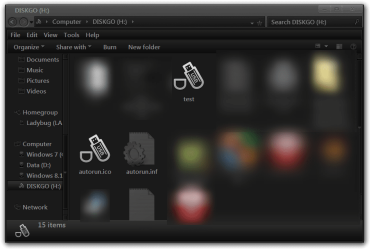
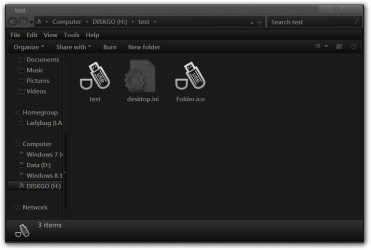
Both the INF and ICO files are located in the target folder. eg, F ortableUSB\Folder1\Folder2
"Folder2" is to display the custom-icon
Disconnected > reconnected the USB storage device, but the icon has not worked.
The "autorun.inf" was saved as ANSI and not Unicode format.
I have found Permanent Custom Folder Icon? ... and ... Rename a Drive in ~ Win7 ~
But not what I am looking for.
I want to apply my custom icon (Square_blue.ico) to any sub-folder in my portable USB HD, and hopefully in the odd folder in thumb-drives too.
What am I dong wrong or am I expecting the impossible ?
-----
Is there an easy way of applying the custom icon randomly to other folders.
Copy paste the INF and ICO files into another folder ?
I would be grateful for any help
-------
SPECS
Toshiba Satellite C665
OS:= Windows 7 Home Premium (32-bit), sp1 (Build 7601) OEM
UI:=Classic Shell Start + Classic Explorer
Windows Indexing = disabled (I am using FileSearchEX + Everything apps)
and retain the custom icon irrespective of the PC the HD is "attached" to.
I have created an autorun.inf file
Code:
[autorun]
ICON=Square_blue.ico"Folder2" is to display the custom-icon
Disconnected > reconnected the USB storage device, but the icon has not worked.
The "autorun.inf" was saved as ANSI and not Unicode format.
I have found Permanent Custom Folder Icon? ... and ... Rename a Drive in ~ Win7 ~
But not what I am looking for.
I want to apply my custom icon (Square_blue.ico) to any sub-folder in my portable USB HD, and hopefully in the odd folder in thumb-drives too.
What am I dong wrong or am I expecting the impossible ?
-----
Is there an easy way of applying the custom icon randomly to other folders.
Copy paste the INF and ICO files into another folder ?
I would be grateful for any help
-------
SPECS
Toshiba Satellite C665
OS:= Windows 7 Home Premium (32-bit), sp1 (Build 7601) OEM
UI:=Classic Shell Start + Classic Explorer
Windows Indexing = disabled (I am using FileSearchEX + Everything apps)
My Computer
- Computer type
- PC/Desktop
- Computer Manufacturer/Model Number
- Toshiba, Lenovo (laptops) + 4 rigs
- OS
- XP Pro (x86) | 7 HP (x86) & (x64) | 7 Pro (x64)