- Local time
- 8:39 PM
- Messages
- 31
Hi all,
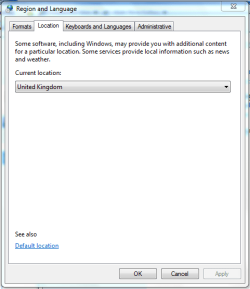
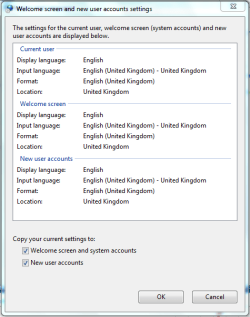
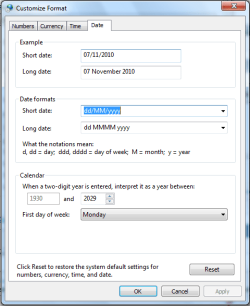
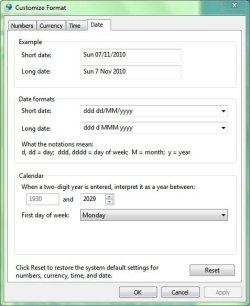
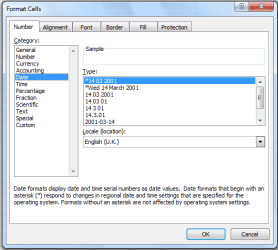
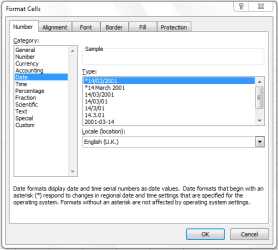
I'm new to Windows 7 (Home Premium 32-bit) and I just can't figure out what's going on here! Basically I want my short date format to be dd/mm/yyyy (UK format) e.g. 05/11/2010, but when I key a date into Excel 2002 it is appearing as 05 11 2010. In Control Panel I have the short date format set to ddd dd/MM/yyyy and the example is shown as Fri 05/11/2010, but in Excel all the date formats are shown with space separators, e.g. 14 03 2001! I don't think it's an Excel problem though as in Windows Task Scheduler the dates are shown with spaces there e.g. '19:25 on Mon 01 11 2010'. The date by the clock though is shown correctly with slash separators!
I know in Windows XP you can select the date separator from a drop-down list, but this option seems to be absent in Windows 7. Under HKEY_CURRENT_USER\Control Panel\International in the registry, sDate was set to a space, but changing that to a slash (and rebooting) didn't fix the problem.
Does anyone have any ideas please what's wrong and how to fix it?
Thanks
Steven
I'm new to Windows 7 (Home Premium 32-bit) and I just can't figure out what's going on here! Basically I want my short date format to be dd/mm/yyyy (UK format) e.g. 05/11/2010, but when I key a date into Excel 2002 it is appearing as 05 11 2010. In Control Panel I have the short date format set to ddd dd/MM/yyyy and the example is shown as Fri 05/11/2010, but in Excel all the date formats are shown with space separators, e.g. 14 03 2001! I don't think it's an Excel problem though as in Windows Task Scheduler the dates are shown with spaces there e.g. '19:25 on Mon 01 11 2010'. The date by the clock though is shown correctly with slash separators!
I know in Windows XP you can select the date separator from a drop-down list, but this option seems to be absent in Windows 7. Under HKEY_CURRENT_USER\Control Panel\International in the registry, sDate was set to a space, but changing that to a slash (and rebooting) didn't fix the problem.
Does anyone have any ideas please what's wrong and how to fix it?
Thanks
Steven
My Computer
- Computer Manufacturer/Model Number
- Home built
- OS
- Windows 7 Home Premium 32-bit
- CPU
- AMD Phenom II X4 955 Black 3.2GHz
- Motherboard
- Asus M4A88TD-M EVO/USB3
- Memory
- GEIL 4GB DDR3 Black Dragon
- Graphics Card(s)
- ATI Radeon HD 4250