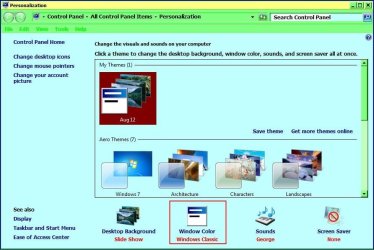
I have a terrible problem I just cannot find a solution to.. I'm trying to use Windows Live Mail, not the web access version, and whenever it opens an email, either one I receive or one I am drafting, it displays it with a dark blue background, and usually blue or black text. It is almost impossible to read and very straining. The emails I describe are not sent that way by the sender, as I have opened them in other programs and they display normally with white background/black text.
The other panes of Windows Live Mail, i.e. the message list, etc., display normally with a white background and black text. Everything I have researched indicates Windows live mail should always display a white background by default, and in fact, it doesn't allow for any background aside from white. Yet somehow I have dark blue.
I suspect it may be a larger problem with the Windows 7 Professional, 64 Bit OS I am running, since I will also have the exact same blue background/blue text problem with other windows I open. For example, if I go under control panel/appearance resolution/display/screen resolution, and click the link "what display settings should I choose?", it pops up a window with the exact same nearly unreadable blue background/blue text.
Please accept my sincere thanks and gratitude for any help or advice you can suggest for this problem. This is really killing me. I also apologize for the long post.
Thanks,
Mike
The other panes of Windows Live Mail, i.e. the message list, etc., display normally with a white background and black text. Everything I have researched indicates Windows live mail should always display a white background by default, and in fact, it doesn't allow for any background aside from white. Yet somehow I have dark blue.
I suspect it may be a larger problem with the Windows 7 Professional, 64 Bit OS I am running, since I will also have the exact same blue background/blue text problem with other windows I open. For example, if I go under control panel/appearance resolution/display/screen resolution, and click the link "what display settings should I choose?", it pops up a window with the exact same nearly unreadable blue background/blue text.
Please accept my sincere thanks and gratitude for any help or advice you can suggest for this problem. This is really killing me. I also apologize for the long post.
Thanks,
Mike
My Computer
- OS
- Windows 7 Professional 64 Bit