
Solved defrag, msconfig not working

emfril

New member
Local time
11:35 PM
Messages
5
When I click to start defragmenter the window appears but when I then click Analyse or Defragment the window stops responding.

When I click to start msconfig nothing happens.

The AVG antivirus did not find any virus.

Malwarebytes found a file in a temp directory and removed it, but this had no effect on the problem

HitmanPro did not find anything.

When I close Windows, I sometimes get a dialog saying that there are too many files open and I could increase the number or something like this. The dialog does not stay long enough to read it through and note it down.

What should I do?
 
Last edited:

My Computer

Computer type
Laptop
Computer Manufacturer/Model Number
Lenovo
OS
Windows 7 Ultimate 6.1.7601 X86-based PC
Further complication: When closing Windows, I saw the blue screen telling me not to close the computer or turn off power while 2 Windows updates were being installed. I left the laptop running for 4 or 5 hours, and then found out that the same screen was on, so I had to turn of the computer...
 

My Computer

Computer type
Laptop
Computer Manufacturer/Model Number
Lenovo
OS
Windows 7 Ultimate 6.1.7601 X86-based PC
Further complication: When closing Windows, I saw the blue screen telling me not to close the computer or turn off power while 2 Windows updates were being installed. I left the laptop running for 4 or 5 hours, and then found out that the same screen was on, so I had to turn of the computer...

You could try a http://www.sevenforums.com/tutorials/3413-repair-install.html You need to have a Win 7 disk. If you don't have one, you can make one. Go to Windows 7 Direct Download Links, Official Disk Images from Digital River and download the ISO file. You will need to go about half way down the page to find the English version. You also need to be sure to get the correct version (Home Premium, Pro, etc,) Also be sure to get the correct 32-bit or 64-bit version. You then burn the ISO to a DVD and you have a Windows disk. From that you can do the Repair Install and also a Clean Install of Win 7 if you need to later.
 

My Computer

Computer type
PC/Desktop
Computer Manufacturer/Model Number
Custom Build
OS
Windows 7 Home Premium 32-Bit - Build 7600 SP1
CPU
Intel Core i3-2120 3.30Ghz
Motherboard
Asus P8Z68-V LX Intel Z68 Socket H2 ATX
Memory
Kingston 4 GB DDR3 1333 mhz
Graphics Card(s)
AMD Radeon HD6670
Sound Card
Sound Blaster Audigy SE 24-Bit
Monitor(s) Displays
Asus VE228
Screen Resolution
1440 X 900
Hard Drives
OCZ Vertex 3 120 GB Sata 3 SSD ==
Kingston SH103/S3 120 G Hyper X 120 GB SSD ==
Western Digital 500 GB Caviar Green 7200 RPM ==
PSU
Corsair CX600M == 600 Watt
Case
NZXT Apollo - Silver with Clear Side Panel
Cooling
Three 120 mm Fans
Keyboard
Microsoft Natural 4000
Mouse
Microsoft Custom Optical 3000
Internet Speed
AT&T Fiber Optic Wireless Network
Antivirus
Microsoft Security Essentials
Browser
Chrome
Other Info
120 mm Blue LED Fan -- Three Blue LED Lazer Light Sticks
Thanks. I have Windows 7 Ultimate, Service Pack 6.1.7601. Is the

Windows 7 Ultimate x86 SP1 U (media refresh)

file that I need? (There is also the SP1 (Old), the RTM, and the RTM (not bootable)...)
 

My Computer

Computer type
Laptop
Computer Manufacturer/Model Number
Lenovo
OS
Windows 7 Ultimate 6.1.7601 X86-based PC
Thanks. I have Windows 7 Ultimate, Service Pack 6.1.7601. Is the

Windows 7 Ultimate x86 SP1 U (media refresh)

file that I need?

Yes, that is it if you have a 32-bit OS. The files starting with X17-5xxxxx.iso is what you want.
 

My Computer

Computer type
PC/Desktop
Computer Manufacturer/Model Number
Custom Build
OS
Windows 7 Home Premium 32-Bit - Build 7600 SP1
CPU
Intel Core i3-2120 3.30Ghz
Motherboard
Asus P8Z68-V LX Intel Z68 Socket H2 ATX
Memory
Kingston 4 GB DDR3 1333 mhz
Graphics Card(s)
AMD Radeon HD6670
Sound Card
Sound Blaster Audigy SE 24-Bit
Monitor(s) Displays
Asus VE228
Screen Resolution
1440 X 900
Hard Drives
OCZ Vertex 3 120 GB Sata 3 SSD ==
Kingston SH103/S3 120 G Hyper X 120 GB SSD ==
Western Digital 500 GB Caviar Green 7200 RPM ==
PSU
Corsair CX600M == 600 Watt
Case
NZXT Apollo - Silver with Clear Side Panel
Cooling
Three 120 mm Fans
Keyboard
Microsoft Natural 4000
Mouse
Microsoft Custom Optical 3000
Internet Speed
AT&T Fiber Optic Wireless Network
Antivirus
Microsoft Security Essentials
Browser
Chrome
Other Info
120 mm Blue LED Fan -- Three Blue LED Lazer Light Sticks
Thanks. I have Windows 7 Ultimate, Service Pack 6.1.7601. Is the

Windows 7 Ultimate x86 SP1 U (media refresh)

file that I need? (There is also the SP1 (Old), the RTM, and the RTM (not bootable)...)

I replied to you in the Windows 7 General newsgroup, but it is much easier to use this forum and it's the one I prefer. It appears you are going to try a repair install, so I won't bother explaining how to use the "Event Viewer".

I believe the following link will provide the information you need, if I am reading your question correctly;

http://www.sevenforums.com/tutorials/3413-repair-install.html

HTH
 

My Computer

Computer type
PC/Desktop
Computer Manufacturer/Model Number
Custom Built
OS
Windows 7 Professional x64
CPU
Intel i5 quad processor
Motherboard
DP67BG
Memory
16 GB
Graphics Card(s)
Radeon HD 5770
Sound Card
Realtek High Definition Audio
Monitor(s) Displays
Samsung SyncMaster
Screen Resolution
1920X1080
Hard Drives
WD 2TB (SATA Internal)
WD 1TB (USB External)
PSU
Corsair GS800
Case
Tower (Generic)
Cooling
3 Internal Fans
Keyboard
MS Wireless
Mouse
MS Optical Wired
Internet Speed
54 mbps
Antivirus
Emsisoft
Browser
IE-Version 9, Palemoon-Version 24.2.0
Just to make sure I understand correctly the directions. When I have finished downloading the Windows 7 Ultimate x86 SP1 U (media refresh) file, I'll open it in 7-Zip, and then extract it, but where? Is it OK to extract it in a USB flash drive? Or to a DVD? I'd rather not get mixed up with partitions.
 

My Computer

Computer type
Laptop
Computer Manufacturer/Model Number
Lenovo
OS
Windows 7 Ultimate 6.1.7601 X86-based PC
Just to make sure I understand correctly the directions. When I have finished downloading the Windows 7 Ultimate x86 SP1 U (media refresh) file, I'll open it in 7-Zip, and then extract it, but where? Is it OK to extract it in a USB flash drive? Or to a DVD? I'd rather not get mixed up with partitions.

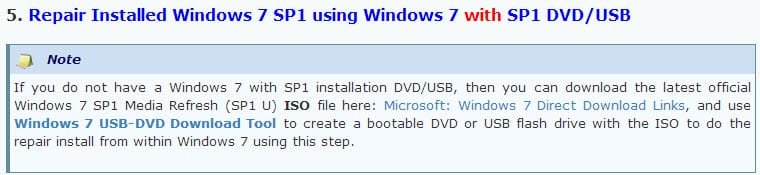
I always use a DVD. The image below is from the link I provided earlier;

Repair Install.jpg

HTH
 

My Computer

Computer type
PC/Desktop
Computer Manufacturer/Model Number
Custom Built
OS
Windows 7 Professional x64
CPU
Intel i5 quad processor
Motherboard
DP67BG
Memory
16 GB
Graphics Card(s)
Radeon HD 5770
Sound Card
Realtek High Definition Audio
Monitor(s) Displays
Samsung SyncMaster
Screen Resolution
1920X1080
Hard Drives
WD 2TB (SATA Internal)
WD 1TB (USB External)
PSU
Corsair GS800
Case
Tower (Generic)
Cooling
3 Internal Fans
Keyboard
MS Wireless
Mouse
MS Optical Wired
Internet Speed
54 mbps
Antivirus
Emsisoft
Browser
IE-Version 9, Palemoon-Version 24.2.0
OK! I wasn't, however, prepared that the process would take a couple of hours... It seems that the problem was with the .NET Framework that needed to be repaired. Thanks everybody for your help.
 

My Computer

Computer type
Laptop
Computer Manufacturer/Model Number
Lenovo
OS
Windows 7 Ultimate 6.1.7601 X86-based PC
Back
Top