fsufan0025
New member
- Local time
- 11:24 PM
- Messages
- 14
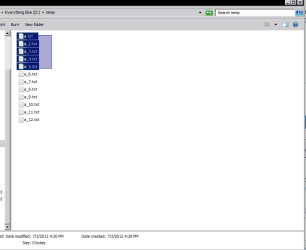
I'm sure this will be a simple problem for most of you, but I'd love to learn how to do it !! Lets say that I open the My Documents file on my computer. There's hundreds of files, and I want to move or delete 40 of them. How do I do that without doing it 1 by 1 ?? Now, I right click the file and choose either delete or move to, and do it like that. But -- there HAS to be a way that I can choose all the files, and do them all at once !! If I'm, doing them all, that's simple to do. I click on select all and do that, but how do I do it if I'm not doing them all !! Thanks !!
My Computer
- Computer type
- PC/Desktop
- Computer Manufacturer/Model Number
- custom
- OS
- windows 7 64 bit
- CPU
- amd 8120 8 core
- Motherboard
- asrock 990 killer
- Memory
- g skill 2x8 1600
- Graphics Card(s)
- pny gtx960 4 gig gddr5
- Sound Card
- onboard
- Monitor(s) Displays
- samsung 65 inch ultra hi def
- Screen Resolution
- 3840x2160
- Hard Drives
- pny 240 gig ssd sata 6 and sandisk 240 gig ssd sata6
- PSU
- evga 750 watt modular
- Case
- in win grone
- Cooling
- 10 x 120 mm corsair red led
- Keyboard
- logitech wireless k810
- Mouse
- logitech wireless trackball m570
- Internet Speed
- 60 mps
- Antivirus
- microsoft defender
- Browser
- chrome
- Other Info
- Vantec 3.5 media card reader