Hi folks
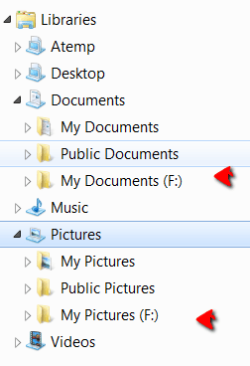
After trying several registry fixes to either disable, remove, hide libary or remove library pane I finally got so pissed I simply deleted the libary folder in C:\Users\Bruker\AppData\Roaming\Microsoft\Windows. To my great relief I suddenly had no problems saving documents or images in my documents or images, which was suggested in the Save to menu. No Save to library "popping up" all the time, and no library removing my choosen folder every so often so that I had to check every time I saved a document or image that the library had not taken over from my already choosen folder.
However, after I got rid of the library, every time I want to create a new folder, rename a folder, create a new file or rename a file, and some times also move a folder/file I get a error message telling me the folder/file is not found in it's location. The folders or files are where they are supposed to be, but explorer don't seem to "see" them. However, when I click the Retry button (that is retry the folder/file move, rename, creation, etc) things work out.
This "funny" error message and retry process are time consuming, and a bit bothersome, so I wonder if anybody know what to do to correct it? I Guess explorer somehow relates to the deleted library function, instead of looking to itself, but have no idea what to do about it. If nobody know about a solution I'll live with this rather than have the library horror back.
Thanks for any reply, and have fun
Also, thanks to many posters for answers and tweaks, I have learned a lot from those when I have been browsing this forum!
Jacey
After trying several registry fixes to either disable, remove, hide libary or remove library pane I finally got so pissed I simply deleted the libary folder in C:\Users\Bruker\AppData\Roaming\Microsoft\Windows. To my great relief I suddenly had no problems saving documents or images in my documents or images, which was suggested in the Save to menu. No Save to library "popping up" all the time, and no library removing my choosen folder every so often so that I had to check every time I saved a document or image that the library had not taken over from my already choosen folder.
However, after I got rid of the library, every time I want to create a new folder, rename a folder, create a new file or rename a file, and some times also move a folder/file I get a error message telling me the folder/file is not found in it's location. The folders or files are where they are supposed to be, but explorer don't seem to "see" them. However, when I click the Retry button (that is retry the folder/file move, rename, creation, etc) things work out.
This "funny" error message and retry process are time consuming, and a bit bothersome, so I wonder if anybody know what to do to correct it? I Guess explorer somehow relates to the deleted library function, instead of looking to itself, but have no idea what to do about it. If nobody know about a solution I'll live with this rather than have the library horror back.
Thanks for any reply, and have fun
Also, thanks to many posters for answers and tweaks, I have learned a lot from those when I have been browsing this forum!
Jacey
My Computer
- OS
- Win 7, 64 bit, Home Premium