Dell 1535 Bios Drivers

EdvardasK

New member
Local time
6:36 AM
Messages
11
Hi, I'm trying to install Dell Studio 1535 Bios drivers from A02 to A06 , but i get error : Error! The BIOS update could not be performed ,because a valid ROM image file could not be found . If can it be , because Windows 7 can't read this driver?
 

My Computer

Computer Manufacturer/Model Number
Dell Studio 1535
OS
Windows 7 x64
CPU
Intel(R) Core(TM)2 Duo T5750 @ 2.00 GHz
Memory
4.00 GB
Graphics Card(s)
ATI Mobility Radeon HD 3400 Series
Sound Card
ATI High Definition Audio Device
Monitor(s) Displays
Generic PnP Monitor
Screen Resolution
1280x800
you might have a corrupted download
try downloading again
 

My Computer

Computer Manufacturer/Model Number
dell latitude e6400
OS
windows 7 64bit
CPU
p8600
Motherboard
dell
Memory
2x2gb samsung hynix ddr2 800
Graphics Card(s)
intel g4500 chipset
Hard Drives
seagate 7200 rpm 500gb
I downloaded this driver from official Dell webpage few times , but no changes... What would be if I try to install Studio 1555 Bios driver , but it is A08 ;/
 
Last edited:

My Computer

Computer Manufacturer/Model Number
Dell Studio 1535
OS
Windows 7 x64
CPU
Intel(R) Core(TM)2 Duo T5750 @ 2.00 GHz
Memory
4.00 GB
Graphics Card(s)
ATI Mobility Radeon HD 3400 Series
Sound Card
ATI High Definition Audio Device
Monitor(s) Displays
Generic PnP Monitor
Screen Resolution
1280x800
Ed, the original A02 bios release for your Dell laptop was on 6/26/08. A03 was released 7/7/08, and A05 was released 7/31/08. The A06 version released 12/8/08. There haven't been any bios versions released for Windows 7 for that laptop.

If A06 won't install, you can always try one of the earlier versions listed on Dell's site. But bios updates should only be applied to address specific problems on your system. Dell lists all three of the bios updates for your 1535 as "recommended", and not as "critical".

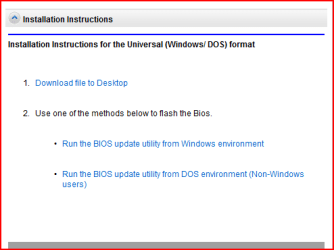
This page Drivers and Downloads says to download the A06 bios update to your desktop, and then run it from either a Windows or DOS environment per the listed instructions. If you can't run it from the DOS environment, you could always flash the bios from the Windows environment. However, if the power is interrupted during the flash, that could render your system unusuable.

My suggestion is to start a new thread to describe the specific problem(s) you want fixed.
 

My Computer

Computer Manufacturer/Model Number
Dell XPS 9000 Desktop
OS
Windows 7 Home Premium, 64-bit
CPU
Intel Core i7-920 processor (8 MB L3 cache, 2.66 GHz)
Memory
8 GB Dual Channel DDR3 SDRAM at 1066 MHz – 4 DIMMs
Graphics Card(s)
ATI Radeon HD 5450 1GB DDR3
Sound Card
Integrated 7.1 channel audio
Monitor(s) Displays
Dell UltraSharp 2007FP with AS501 Sound Bar
Hard Drives
640 GB 7200 rpm SATA hard drive
FreeAgent Go 320 GB external hard drive
Internet Speed
AT&T 3G wireless via Sierra Wireless USBConnect device
Other Info
Microsoft Security Essentials
Windows Firewall
I had this same issue and it was because the program used to flash the BIOS expected a .WPH (the extension of my BIOS revision) to be BIOS.WPH and ONLY THAT...

Open the program and see the name of the file it is requesting...make sure the revision you downloaded is the exact same name
 

My Computer

Computer Manufacturer/Model Number
Compal JFT02 (Custom Build Laptop)
OS
Windows 7 Home Premium x64 - Mac OS X 10.6.4 x64
CPU
Intel Core 2 Duo T9300 2.5 GHz
Motherboard
JFT02
Memory
4GB Kingston DDR2-800
Graphics Card(s)
NVIDIA Geforce 8600M GT (512MB Model)
Sound Card
Realtek HD Audio
Monitor(s) Displays
WUXGA Standard Laptop Display
Screen Resolution
1680*1050
Hard Drives
Toshiba 320GB 5400RPM Laptop HD
PSU
Standard Laptop Power Supply
Case
Standard Laptop Case
Cooling
Standard Laptop Cooling
Keyboard
Standard Laptop 105 Key-Keyboard
Mouse
Synaptics Touchpad
Internet Speed
Verizion Online DSL 3360/864 kbs (dl/up)
Thanks Zidane24 & jekeesl , I updated my Dell Studio 1535 Bios from A02 to A06 and all works great , now i have no problem with my Dell. Now my laptop works 100 % capacity.Thanks a lot. ;)
 

My Computer

Computer Manufacturer/Model Number
Dell Studio 1535
OS
Windows 7 x64
CPU
Intel(R) Core(TM)2 Duo T5750 @ 2.00 GHz
Memory
4.00 GB
Graphics Card(s)
ATI Mobility Radeon HD 3400 Series
Sound Card
ATI High Definition Audio Device
Monitor(s) Displays
Generic PnP Monitor
Screen Resolution
1280x800
I had this same issue and it was because the program used to flash the BIOS expected a .WPH (the extension of my BIOS revision) to be BIOS.WPH and ONLY THAT...

Open the program and see the name of the file it is requesting...make sure the revision you downloaded is the exact same name
Can you explain a liitle more for me. I am having the same issue. Do I change the file name of the bios update I downloaded? It is named 1535_A06.


I double clicked that file to run the bios update, but don't see the file name it is requesting. - just that i want to to update from A03 to A06 and then click OK to update and reboot.

Thanks
 

My Computer

Computer Manufacturer/Model Number
Dell Studio 1535
OS
Windows 7 x64 (enterprise)
CPU
intel core 2 duo T8100
Memory
4G
Thanks Zidane24 & jekeesl , I updated my Dell Studio 1535 Bios from A02 to A06 and all works great , now i have no problem with my Dell. Now my laptop works 100 % capacity.Thanks a lot. ;)
I have Dell Studio 1535 and the same problem, too. How did you succeed to update your BIOS from A03 to A06? Please tell me, thanks!
 

My Computer

OS
Windows 7 (32bit)
Thanks Zidane24 & jekeesl , I updated my Dell Studio 1535 Bios from A02 to A06 and all works great , now i have no problem with my Dell. Now my laptop works 100 % capacity.Thanks a lot. ;)
I have Dell Studio 1535 and the same problem, too. How did you succeed to update your BIOS from A03 to A06? Please tell me, thanks!


hi mangacemal , welcome to the forums, here is a link to the AO6 bios Drivers & Downloads
read the instructions carefully , a bad flash can render you're laptop useless ;)
 

My Computer

Computer type
PC/Desktop
Computer Manufacturer/Model Number
self build
OS
win 7 ultimate32bit, Win8.1pro wmc 32bit
CPU
amd phenom x4 9600
Motherboard
asus m2n32-sli deluxe
Memory
corsair twinxs 2x2gb
Graphics Card(s)
2x nvidia 1gb 8500gt
Sound Card
onboard
Monitor(s) Displays
23" PB Viseo 233d
Screen Resolution
1920x1080
Hard Drives
maxtor sata 500gb
maxtor sata 320gb
fujitsu sata200gb
PSU
oryxx tornado 750w
Case
thermaltake xaser lll
Cooling
artic freezer64 pro + 7 case fans
hi mangacemal , welcome to the forums, here is a link to the AO6 bios Drivers & Downloads
read the instructions carefully , a bad flash can render you're laptop useless ;)

Thanks. Firstly, we can download a manager from this link. When I download and run the manager, it says that:
ade7a4fc47402f1bc744b177d3f0d23d.png


I download BIOS file from ftp.dell.com/*** (It is 1535_A06.exe) When I run the file, there is a window:
d36f56a6c5479cdf957f59244c34049e.png


When I click the "Continue" buton, Windows restarts and when it starts again it says "Error! The BIOS update could not be performed ,because a valid ROM image file could not be found ." This is a problem which EdvardasK has had before. So, I asked him how he succeeded.

Thanks for your help. And EdvardasK, I am still waiting for your answer :)
 

My Computer

OS
Windows 7 (32bit)
Thanks for your help.. Finally I succeeded!
Actually, I had run the BIOS update utility from a bootable usb disk before I wrote it, but it didn't work. Now, I tried again and it worked. :)
Thanks again...
 

My Computer

OS
Windows 7 (32bit)
Thanks for your help.. Finally I succeeded!
Actually, I had run the BIOS update utility from a bootable usb disk before I wrote it, but it didn't work. Now, I tried again and it worked. :)
Thanks again...

good for you, thank you for posting back :thumbsup:
 

My Computer

Computer type
PC/Desktop
Computer Manufacturer/Model Number
self build
OS
win 7 ultimate32bit, Win8.1pro wmc 32bit
CPU
amd phenom x4 9600
Motherboard
asus m2n32-sli deluxe
Memory
corsair twinxs 2x2gb
Graphics Card(s)
2x nvidia 1gb 8500gt
Sound Card
onboard
Monitor(s) Displays
23" PB Viseo 233d
Screen Resolution
1920x1080
Hard Drives
maxtor sata 500gb
maxtor sata 320gb
fujitsu sata200gb
PSU
oryxx tornado 750w
Case
thermaltake xaser lll
Cooling
artic freezer64 pro + 7 case fans
Thanks Zidane24 & jekeesl , I updated my Dell Studio 1535 Bios from A02 to A06 and all works great , now i have no problem with my Dell. Now my laptop works 100 % capacity.Thanks a lot. ;)

I know this is an old thread but I've been trying to fix the same problem for several days now so I figured I'd ask on this thread. I tried creating a DOS boot CD by building an ISO file containing the 1535_A06.EXE Bios file and then booting from the CD but the Bios file doesn't show up in the file list after I boot even though I can see the file on the CD when I'm in Windows. I've tried creating several boot CDs following several different methods I found online but the Bios file never appears in the file list on the CD so that I can execute it.

EdvardasK, I get the exact same error as you when I try to update it from Windows 7 which was "The BIOS update could not be performed because a valid ROM image file could not be found". How exactly did you resolve this? All you indicated in your reply was that you were able to successfully update the Bios.

Thanks in advance.
 

My Computer

OS
Windows 7 Home Premium 64bit
Hi Sam K ,welcome to the forums, why can't you the the bios .exe from windows? I'm running win7 and was able to upgrade the bios file of my XPS from within win7 ;)
 

My Computer

Computer type
PC/Desktop
Computer Manufacturer/Model Number
self build
OS
win 7 ultimate32bit, Win8.1pro wmc 32bit
CPU
amd phenom x4 9600
Motherboard
asus m2n32-sli deluxe
Memory
corsair twinxs 2x2gb
Graphics Card(s)
2x nvidia 1gb 8500gt
Sound Card
onboard
Monitor(s) Displays
23" PB Viseo 233d
Screen Resolution
1920x1080
Hard Drives
maxtor sata 500gb
maxtor sata 320gb
fujitsu sata200gb
PSU
oryxx tornado 750w
Case
thermaltake xaser lll
Cooling
artic freezer64 pro + 7 case fans
Hi Sam K ,welcome to the forums, why can't you the the bios .exe from windows? I'm running win7 and was able to upgrade the bios file of my XPS from within win7 ;)

Thanks for welcoming me to the forums.

When I run the bios .exe from Windows 7 I get the exact same error as indicated in the OP which is "Error! The BIOS update could not be performed because a valid ROM image file could not be found." I've been trying to simply put it on a boot cd and run it from there but the file doesn't show up on the cd when I list the files using the "dir" command after the boot. I can see the file on the CD from Windows after I built the boot cd.

Here's what I did to try and make the bios .exe file available on a boot cd to execute.

1) Downloaded a bootable iso file (AllBootDisks ISO Image Downloads | AllBootDisks - Providing Free Boot Disks from MS-DOS to Windows XP.)
2) Opened the file in UltraISO.
3) Added the 1535_A06.EXE to the iso file.
4) Saved the file under a new file name.
5) Burned the iso file onto CD.
6) Boot using the boot CD.
 

My Computer

OS
Windows 7 Home Premium 64bit
Did you try downloading/installing directly from Dell?

Drivers & Downloads=

If you have something other than the Studio 1535 go to the driver home page and input your correct info.
 

My Computer

Computer type
Laptop
Computer Manufacturer/Model Number
Sony Vaio VPCEB47GM Laptop
OS
Win 7 Pro 64-bit
CPU
Intel i5 2.4 Ghz
Memory
8GB DDR3
Graphics Card(s)
Intel HD 3000
Sound Card
IDT High Definition
Monitor(s) Displays
15.6 WGXA Anti-Glare LED
Screen Resolution
1280x800
Hard Drives
640Gb 7200rpm
Antivirus
MSE
Browser
Opera (primary) with IE9 backup
Did you try downloading/installing directly from Dell?

Drivers & Downloads=

Of course. I downloaded the bios file directly from Dell and then simply tried installing it (i.e. running the 1535_A06.EXE file) and that's when I got the same error that was reported by a few people in this thread.

Yes I have a Studio 1535 and I googled the bios update error and that's how I found this thread.
 

My Computer

OS
Windows 7 Home Premium 64bit
Sorry. My bad. I thought for some reason you got the driver from a 3rd party site other than Dell. Have you tried installing in compatibility mode?
 

My Computer

Computer type
Laptop
Computer Manufacturer/Model Number
Sony Vaio VPCEB47GM Laptop
OS
Win 7 Pro 64-bit
CPU
Intel i5 2.4 Ghz
Memory
8GB DDR3
Graphics Card(s)
Intel HD 3000
Sound Card
IDT High Definition
Monitor(s) Displays
15.6 WGXA Anti-Glare LED
Screen Resolution
1280x800
Hard Drives
640Gb 7200rpm
Antivirus
MSE
Browser
Opera (primary) with IE9 backup
Sorry. My bad. I thought for some reason you got the driver from a 3rd party site other than Dell. Have you tried installing in compatibility mode?

No need to apologize. I really appreciate that you're trying to help me.

I didn't try compatibility mode. I'm going to try that now. Thanks.
 

My Computer

OS
Windows 7 Home Premium 64bit
Back
Top