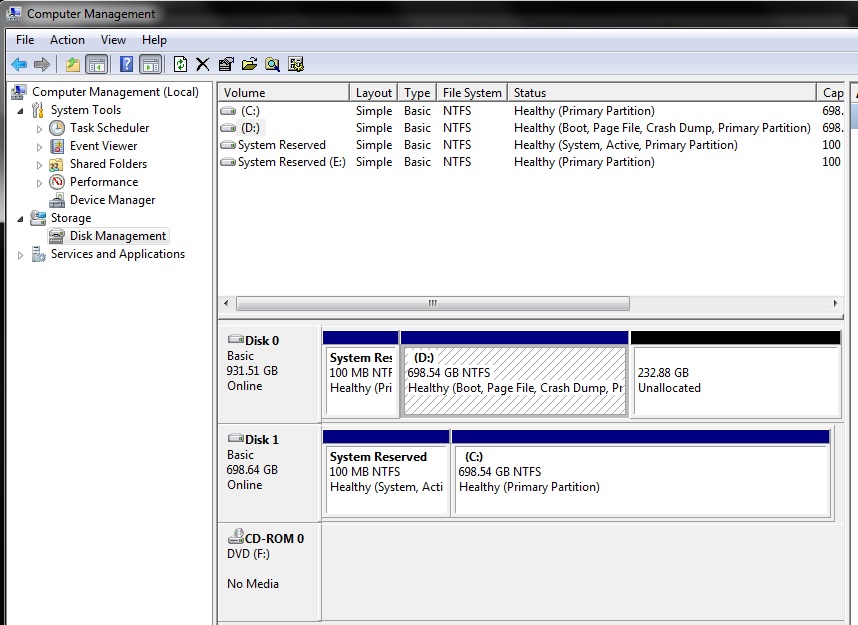
Dell XPS 17, L702x, latest firmware, BIOS version of A19. I've had 2 HDD in it, both 2.5". Both had Win7 and I cloned the primary boot HDD into the second HDD. Using Macrium Reflect. I made the disk bootable by bcdedit/bcdboot. And confirmed by EasyBCD.
Now I repeated the same procedure with a SSD installed, Samsung EVO 960 1TB 2.5" and the machine, while it sees the drive in Computer Management/Disk Management and elsewhere such as BIOS, just does not want to boot off of it. I swapped the disk with the HDD still in there, rearranged the boot order in BIOS, all to no avail.
The machine is in the AHCI mode.
I have taken out the HDD with just the SSD in there and instead of booting off that SSD, the cursor is at the upper left hand corner and is blinking fast and that's it. Doesn't go anywhere. This is very strange as at least I should see the BIOS boot entry selection as before (Operating system 1, operating system 2)
Now I repeated the same procedure with a SSD installed, Samsung EVO 960 1TB 2.5" and the machine, while it sees the drive in Computer Management/Disk Management and elsewhere such as BIOS, just does not want to boot off of it. I swapped the disk with the HDD still in there, rearranged the boot order in BIOS, all to no avail.
The machine is in the AHCI mode.
I have taken out the HDD with just the SSD in there and instead of booting off that SSD, the cursor is at the upper left hand corner and is blinking fast and that's it. Doesn't go anywhere. This is very strange as at least I should see the BIOS boot entry selection as before (Operating system 1, operating system 2)
My Computer
At a glance
Windows 7 64 bit.
- Computer type
- PC/Desktop
- Computer Manufacturer/Model Number
- Dell E6400
- OS
- Windows 7 64 bit.