DELL LATITUDE E6430 I5 pro

2009joseph

New member
Member
VIP
Local time
6:44 PM
Messages
244
hello there not sure if this is windows related.well i have installed speedfan software and this laptop i have is at 55-60 running and the fan is quiet kind of i was wondering is there any way of speeding up my fan at lower temperatures.i cant figger out this speedfan settings and im afraid of frying my laptop.here is what i think is my fan maybe DELL $3E8 on ISA then it shows temperature 1 offset not sure what i should put that to.
 

My Computer

Computer type
Laptop
Computer Manufacturer/Model Number
dell latitude e6430
OS
WINDOWS 7 64BIT ultimate
Memory
8GB
Hard Drives
sandisk extreme pro 480gb ssd
Antivirus
free avast
Many (most) Dell's do not have user fan speed control. Its what it is. Laptops, in general, tend to run warm as they sacrifice extra cooling for reduction in fan noise.
 

My Computer

Computer type
PC/Desktop
Computer Manufacturer/Model Number
My Own Build
OS
Windows 10 64 bit
CPU
Intel i7 6700K
Motherboard
ASUS ROG Maximus VIII Hero
Memory
16GB Corsair Dominator
Graphics Card(s)
Intel CPU Graphics
Sound Card
RealTek
Monitor(s) Displays
27" Dell S2719dgf
Screen Resolution
2560X1440
Hard Drives
1 TB Samsung 850 EVO SSD for Win 10 Pro
500GB Samsung 850 EVO SSD for Win 10 Insider
2 TB drive for backup
PSU
EVGA Supernova 750G2
Case
BeQuiet Silent Base 600
Cooling
Deepcool Captain 120EX
Keyboard
Microsoft Wireless 2000
Mouse
Microsoft wireless
Internet Speed
100 MB/sec (Cable)
Antivirus
Microsoft Defender and Malwarebytes
Browser
Edge/Firefox
Other Info
Cakewalk (Sonar) by BandLab and Studio One 4.1 Pro recording studio software. MOTU 896Mk3 Hybrid recording interface, Frontier Tranzport wireless control unit, Behringer X-Touch Control Surface.
Five USB connected optical drives for CD Audio production using Nero BurningROM
I've been in the same situation and can't help you on that. There is another solution, though, Notebook Fancontrol, and there is a help file available here.
 

My Computer

Computer type
PC/Desktop
Computer Manufacturer/Model Number
dell precision t3400 tower
OS
Linux Lite 3.2 x64; Windows 7, 8.1
CPU
Core2Duo 2.4
Memory
6GB ddr2
Graphics Card(s)
nVidia
Hard Drives
120gb SSD, 1TB HD, 2TB HD; sata II
Internet Speed
12/2
Browser
Vivaldi, Slimjet (Chromium) x64
Hi,
You'll need to check your bios and see if it has a smart fan feature.
Disabling it might give a rpm listing to adjust ?

Most laptops act like pretty good vacuum cleaners you might need to clean it out.
 

My Computer

Computer type
PC/Desktop
Computer Manufacturer/Model Number
Custom assembled by me :}
OS
Win-7-Pro64bit 7-H-Prem-64bit
CPU
i7-5930K 2nd i9-9940x both water blocked VRM's too
Motherboard
ASUS SABERTOOTH X99 2nd ASUS x299 Apex
Memory
Trident-z 3200C14 2nd Trident-z 3600C16
Graphics Card(s)
EVGA 1080ti ftw3 2nd Titan Xp both water blocked
Sound Card
Built-in Realtek
Monitor(s) Displays
1-AOC G2460PG 24"G-Sync 144Hz/ 2nd 1-ASUS VG248QE 24" 144Hz
Screen Resolution
1920 x 1080 144Hz
Hard Drives
2-Samsung M.2 Evo & Evo Plus
2-Samsung 850 EVO 500GB SSD's/ 3-2.5 W.D. Black 1tb-&3-1tb/3-3.5 WD Black 1tb hdd's
PSU
EVGA SuperNOVA 1000-P2 2nd 1200-P2
Case
2-Corsair Obsidian Series 450D Black ATX Mid Tower
Cooling
Custom water loops
Keyboard
Logitech G710+/ 2nd Logitech G910
Mouse
2-RedDragon M901 Perdition 16400 dpi Gaming mouse = wired
Internet Speed
Comcast Ping 19ms 89.31mbps download speed 6.12mbps upload
Antivirus
Malwarebytes Pro/ Superantispyware Pro
Browser
FireFox & Pale moon
Other Info
2nd ASUS X299 Apex/Intel i9-9940x with Custom water loop/7H-Prem-x64/Corsair 450D case/Ram Trident-z 3600C16 4x8gb / Samsung970Evo plus 500gb SSD/Dual ssd EZ swap evo/PSU EVGA SuperNova 1200w-P2 80+Platinum/GPU Titan Xp /8-ML-140 on push-pull on 2-280GTX rads
thanks all you guys for this info i know this laptop is clean as i have pulled the back off its good in there.i was looking on my dell e6430 and its only got one copper pipe in it do u think i can put the 2 pipe one in there and do away with the thermal pad and put in a copper shim in there instead.thanks guys love if this might work currently its running at 55-60 Celsius.and the fan is really quiet.
 

My Computer

Computer type
Laptop
Computer Manufacturer/Model Number
dell latitude e6430
OS
WINDOWS 7 64BIT ultimate
Memory
8GB
Hard Drives
sandisk extreme pro 480gb ssd
Antivirus
free avast
If the fan is quiet you have headroom to work with, if you can get NBFC to work. The e6430 apparently has a rep for overheating. The pad is used to allow for MB flexing between the cpu and gpu. You will have to determine if that can be ignored. Or maybe use a thinner pad with the shim.
 

My Computer

Computer type
PC/Desktop
Computer Manufacturer/Model Number
dell precision t3400 tower
OS
Linux Lite 3.2 x64; Windows 7, 8.1
CPU
Core2Duo 2.4
Memory
6GB ddr2
Graphics Card(s)
nVidia
Hard Drives
120gb SSD, 1TB HD, 2TB HD; sata II
Internet Speed
12/2
Browser
Vivaldi, Slimjet (Chromium) x64
If the fan is quiet you have headroom to work with, if you can get NBFC to work. The e6430 apparently has a rep for overheating. The pad is used to allow for MB flexing between the cpu and gpu. You will have to determine if that can be ignored. Or maybe use a thinner pad with the shim.

thanks you are maybe right about the flexing thats what i guessed.just thought maybe .can u please step me through the NBFC to work process. i have got this core temp software working only thing is just dont know what way to work it as all my looking up onj the net it different than what i got
 

My Computer

Computer type
Laptop
Computer Manufacturer/Model Number
dell latitude e6430
OS
WINDOWS 7 64BIT ultimate
Memory
8GB
Hard Drives
sandisk extreme pro 480gb ssd
Antivirus
free avast
hello again sorry to be a pain ive tried everything to ajust this dell e6430 fan and its driving me nuts seems like its only got 2 speeds.slow and fast i cant ajust it any way and ive tried hw64_510 also that dont work either and i think this bios dont have any way to change it either im wondering am i doing anything wrong
 

My Computer

Computer type
Laptop
Computer Manufacturer/Model Number
dell latitude e6430
OS
WINDOWS 7 64BIT ultimate
Memory
8GB
Hard Drives
sandisk extreme pro 480gb ssd
Antivirus
free avast
I've not cracked that nut yet either. Now that I have the instructions for NBFC that I linked to I intend to try it again sometime, but I'm not there yet.
 

My Computer

Computer type
PC/Desktop
Computer Manufacturer/Model Number
dell precision t3400 tower
OS
Linux Lite 3.2 x64; Windows 7, 8.1
CPU
Core2Duo 2.4
Memory
6GB ddr2
Graphics Card(s)
nVidia
Hard Drives
120gb SSD, 1TB HD, 2TB HD; sata II
Internet Speed
12/2
Browser
Vivaldi, Slimjet (Chromium) x64
I've not cracked that nut yet either. Now that I have the instructions for NBFC that I linked to I intend to try it again sometime, but I'm not there yet.

Pardon my ignorance not sure what NBFC is. I've looked through my bios to see if I can turn up the fan but no joy in bios it says fan rpm and with 3 settings like slow medium and high and TBH there all the same nearly around 3700rpm :( I google it 2 to no avail either
 

My Computer

Computer type
Laptop
Computer Manufacturer/Model Number
dell latitude e6430
OS
WINDOWS 7 64BIT ultimate
Memory
8GB
Hard Drives
sandisk extreme pro 480gb ssd
Antivirus
free avast
Notebook Fancontrol
 

My Computer

Computer type
PC/Desktop
Computer Manufacturer/Model Number
dell precision t3400 tower
OS
Linux Lite 3.2 x64; Windows 7, 8.1
CPU
Core2Duo 2.4
Memory
6GB ddr2
Graphics Card(s)
nVidia
Hard Drives
120gb SSD, 1TB HD, 2TB HD; sata II
Internet Speed
12/2
Browser
Vivaldi, Slimjet (Chromium) x64
I've not cracked that nut yet either. Now that I have the instructions for NBFC that I linked to I intend to try it again sometime, but I'm not there yet.
So ur telling me then there is no way of turning up the rpm on the bios settings or laptop. Can't understand why dell would want this.what u think is safe temps because I tried googling didn't come up with much do u recon 70c 75c is 2 hot as mine goes up to that when I tried a stress test to which the fan was still quiet :( also what would be a good rpm speed for the fan as I think 27,000 29,000 seem 2 quiet
 

My Computer

Computer type
Laptop
Computer Manufacturer/Model Number
dell latitude e6430
OS
WINDOWS 7 64BIT ultimate
Memory
8GB
Hard Drives
sandisk extreme pro 480gb ssd
Antivirus
free avast
Hi,
I believe going into the 70c+ range is a bad thing :)
Take some pictures of the bios settings you show.
 

My Computer

Computer type
PC/Desktop
Computer Manufacturer/Model Number
Custom assembled by me :}
OS
Win-7-Pro64bit 7-H-Prem-64bit
CPU
i7-5930K 2nd i9-9940x both water blocked VRM's too
Motherboard
ASUS SABERTOOTH X99 2nd ASUS x299 Apex
Memory
Trident-z 3200C14 2nd Trident-z 3600C16
Graphics Card(s)
EVGA 1080ti ftw3 2nd Titan Xp both water blocked
Sound Card
Built-in Realtek
Monitor(s) Displays
1-AOC G2460PG 24"G-Sync 144Hz/ 2nd 1-ASUS VG248QE 24" 144Hz
Screen Resolution
1920 x 1080 144Hz
Hard Drives
2-Samsung M.2 Evo & Evo Plus
2-Samsung 850 EVO 500GB SSD's/ 3-2.5 W.D. Black 1tb-&3-1tb/3-3.5 WD Black 1tb hdd's
PSU
EVGA SuperNOVA 1000-P2 2nd 1200-P2
Case
2-Corsair Obsidian Series 450D Black ATX Mid Tower
Cooling
Custom water loops
Keyboard
Logitech G710+/ 2nd Logitech G910
Mouse
2-RedDragon M901 Perdition 16400 dpi Gaming mouse = wired
Internet Speed
Comcast Ping 19ms 89.31mbps download speed 6.12mbps upload
Antivirus
Malwarebytes Pro/ Superantispyware Pro
Browser
FireFox & Pale moon
Other Info
2nd ASUS X299 Apex/Intel i9-9940x with Custom water loop/7H-Prem-x64/Corsair 450D case/Ram Trident-z 3600C16 4x8gb / Samsung970Evo plus 500gb SSD/Dual ssd EZ swap evo/PSU EVGA SuperNova 1200w-P2 80+Platinum/GPU Titan Xp /8-ML-140 on push-pull on 2-280GTX rads
I've never seen a laptop bios give that kind of fan control. A desktop, maybe. But it could well be hidden in some advanced bios settings if you could find the way to access them. In Windows, Read/Write Everything might do it, but it's advanced stuff. I just looked up a random i5 cpu and the max temp was 66.35C, so you may be in dangerous territory at max load, it seems. Another trick is to oil the fan, to get max rpm out of it. But here that may be marginal since it's already quiet.
 

My Computer

Computer type
PC/Desktop
Computer Manufacturer/Model Number
dell precision t3400 tower
OS
Linux Lite 3.2 x64; Windows 7, 8.1
CPU
Core2Duo 2.4
Memory
6GB ddr2
Graphics Card(s)
nVidia
Hard Drives
120gb SSD, 1TB HD, 2TB HD; sata II
Internet Speed
12/2
Browser
Vivaldi, Slimjet (Chromium) x64
So ur telling me then there is no way of turning up the rpm on the bios settings or laptop. Can't understand why dell would want this.what u think is safe temps because I tried googling didn't come up with much do u recon 70c 75c is 2 hot as mine goes up to that when I tried a stress test to which the fan was still quiet :( also what would be a good rpm speed for the fan as I think 27,000 29,000 seem 2 quiet
My Latitude E6540 fan would run up and down and distract me; dunno if your 6430 is compatible but mine has Dell's Command | Power Manager utility installed, and it has a Thermal Management tab therein, and while it's labeled "Customize system thermal and fan settings" it instead has only Radio boxes to select from among 4 options. The last one is "Ultra Performance" whereby "fan speed is increased".
 

My Computer

Computer type
Laptop
Computer Manufacturer/Model Number
Dell Latitude E6540 Laptop
OS
Windows 7 Professional 64bit
CPU
Intel Core i7 4600M @ 2.90GHz
Motherboard
Dell Inc. 0CYT5F (SOCKET 0)
Memory
16.0GB Dual-Channel DDR3 @ 797MHz (11-11-11-28)
Graphics Card(s)
Intel HD Graphics 4600 (Dell) 2048MB ATI AMD Radeon HD 8790M
Sound Card
Realtek High Definition Audio
Monitor(s) Displays
HP ZR30w (2560x1600@60Hz)
Hard Drives
256GB LITEONIT LMT-256M6M-41 mm SATA (SSD)
1TB Samsung SSD 860 EVO mSATA SATA (SSD)
2TB USB 3.0 USB Device
115GB SanDisk Ultra Fit USB
Other Info
Multiple Dell E-Port Plus II Port Replicator/Docking Stations 0Y72NH USB 3.0 + 130W AC Adapters
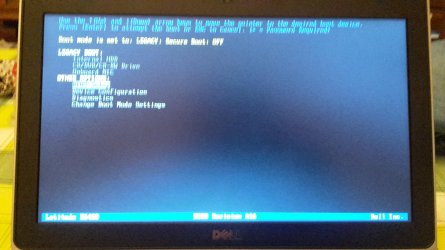
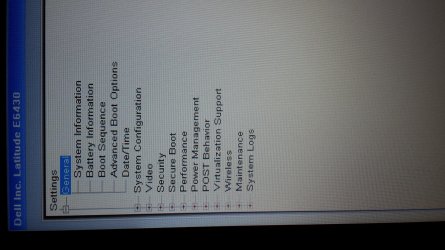
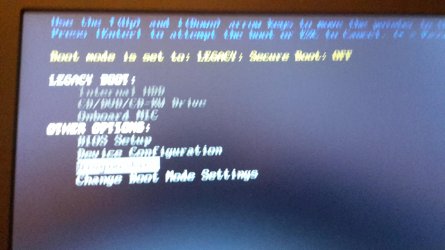
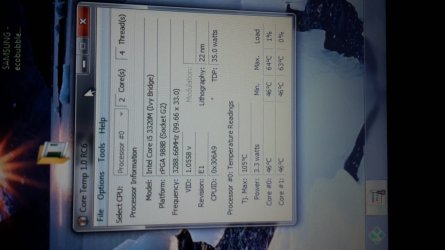
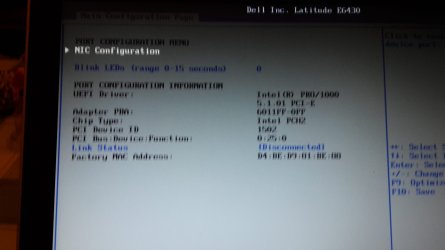
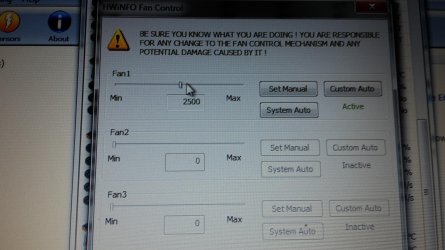
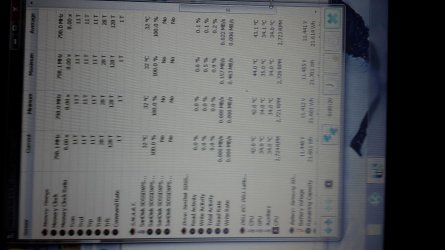
here is my pictures if they help its all my bios ones im not sure how to change it anyways.currently my temp is 55-60c with no stress on this laptop and fan hardly working.heat coming out of the vent.was wondering could i buy one of those twin copper pipe heatsink instead on the single one on this one will it help
 

Attachments

  • 20151219_162658.jpg
    20151219_162658.jpg
    524.6 KB · Views: 0
  • 20151219_162705.jpg
    20151219_162705.jpg
    467.5 KB · Views: 0
  • 20151219_162730.jpg
    20151219_162730.jpg
    1.1 MB · Views: 0
  • 20151219_162812.jpg
    20151219_162812.jpg
    484.7 KB · Views: 0
  • 20151219_162853.jpg
    20151219_162853.jpg
    1.7 MB · Views: 0
  • 20151219_163359.jpg
    20151219_163359.jpg
    511.8 KB · Views: 0
  • 20151219_163342.jpg
    20151219_163342.jpg
    1.9 MB · Views: 0
  • 20151219_162946.jpg
    20151219_162946.jpg
    1.5 MB · Views: 0
  • 20151219_163653.jpg
    20151219_163653.jpg
    934.3 KB · Views: 0
  • 20151219_163631.jpg
    20151219_163631.jpg
    796.9 KB · Views: 0
  • 20151219_163605.jpg
    20151219_163605.jpg
    515.4 KB · Views: 0
  • 20151219_163550.jpg
    20151219_163550.jpg
    958.2 KB · Views: 0
  • 20151219_163538.jpg
    20151219_163538.jpg
    715.5 KB · Views: 0
  • 20151219_163659.jpg
    20151219_163659.jpg
    809.8 KB · Views: 0
  • 20151219_163717.jpg
    20151219_163717.jpg
    710.8 KB · Views: 0

My Computer

Computer type
Laptop
Computer Manufacturer/Model Number
dell latitude e6430
OS
WINDOWS 7 64BIT ultimate
Memory
8GB
Hard Drives
sandisk extreme pro 480gb ssd
Antivirus
free avast
So ur telling me then there is no way of turning up the rpm on the bios settings or laptop. Can't understand why dell would want this.what u think is safe temps because I tried googling didn't come up with much do u recon 70c 75c is 2 hot as mine goes up to that when I tried a stress test to which the fan was still quiet :( also what would be a good rpm speed for the fan as I think 27,000 29,000 seem 2 quiet
My Latitude E6540 fan would run up and down and distract me; dunno if your 6430 is compatible but mine has Dell's Command | Power Manager utility installed, and it has a Thermal Management tab therein, and while it's labeled "Customize system thermal and fan settings" it instead has only Radio boxes to select from among 4 options. The last one is "Ultra Performance" whereby "fan speed is increased".

thanks there i tried to download this and install it (Dell's Command | Power Manager utility installed) but no joy.but i downloaded this instead (Dell Command | Update) dut not sure if can change settings in that.temps now are still about 55-65c with near fan hardly working :(
 

My Computer

Computer type
Laptop
Computer Manufacturer/Model Number
dell latitude e6430
OS
WINDOWS 7 64BIT ultimate
Memory
8GB
Hard Drives
sandisk extreme pro 480gb ssd
Antivirus
free avast
What does "no joy" mean? Does the app not launch and display for you? Command| Update is for finding driver/app updates only.

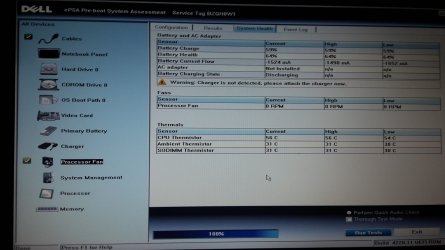
It seems your fan may need replacement. At least, of the pics you posted I can make out in one that CPU Fan is 0 RPM (Diagnostics, I think). I wouldn't expect the CPU Fan to ever be off. Can you run a memory test and immediately after look at that screen again--if still 0 RPM then I think you have a hardware problem.

EDIT: I just rebooted this E6540 that I am using and when I run the Diagnostics page, which looks akin to your 5th pic above, I see the CPU fan at 3180 RPM (before any stress really) and then it runs the Stress Test and the fan goes to 3200 RPM and the temp to 61C.

I think your fan may be dead. :(

Though I think a dead fan is better than a dead driver on the motherboard, another distinct possibility I suppose. :eek:
 

My Computer

Computer type
Laptop
Computer Manufacturer/Model Number
Dell Latitude E6540 Laptop
OS
Windows 7 Professional 64bit
CPU
Intel Core i7 4600M @ 2.90GHz
Motherboard
Dell Inc. 0CYT5F (SOCKET 0)
Memory
16.0GB Dual-Channel DDR3 @ 797MHz (11-11-11-28)
Graphics Card(s)
Intel HD Graphics 4600 (Dell) 2048MB ATI AMD Radeon HD 8790M
Sound Card
Realtek High Definition Audio
Monitor(s) Displays
HP ZR30w (2560x1600@60Hz)
Hard Drives
256GB LITEONIT LMT-256M6M-41 mm SATA (SSD)
1TB Samsung SSD 860 EVO mSATA SATA (SSD)
2TB USB 3.0 USB Device
115GB SanDisk Ultra Fit USB
Other Info
Multiple Dell E-Port Plus II Port Replicator/Docking Stations 0Y72NH USB 3.0 + 130W AC Adapters
What does "no joy" mean? Does the app not launch and display for you? Command| Update is for finding driver/app updates only.

It seems your fan may need replacement. At least, of the pics you posted I can make out in one that CPU Fan is 0 RPM (Diagnostics, I think). I wouldn't expect the CPU Fan to ever be off. Can you run a memory test and immediately after look at that screen again--if still 0 RPM then I think you have a hardware problem.

EDIT: I just rebooted this E6540 that I am using and when I run the Diagnostics page, which looks akin to your 5th pic above, I see the CPU fan at 3180 RPM (before any stress really) and then it runs the Stress Test and the fan goes to 3200 RPM and the temp to 61C.

I think your fan may be dead. :(

Though I think a dead fan is better than a dead driver on the motherboard, another distinct possibility I suppose. :eek:

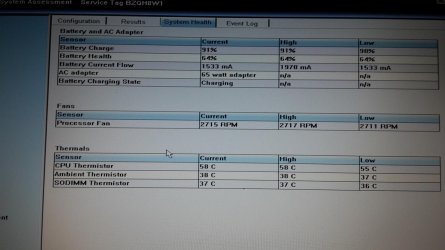
hi there i did the dell stress test on the fan and it passed no problem. i did the dell diagnostics test also a day ago to all came back ok. the only reason was rpm a 0 was i switched it on from cold and took a few pic here it the fan test when my dell e6430 is warm 55c
 

Attachments

  • 20151219_214345.jpg
    20151219_214345.jpg
    512.9 KB · Views: 1

My Computer

Computer type
Laptop
Computer Manufacturer/Model Number
dell latitude e6430
OS
WINDOWS 7 64BIT ultimate
Memory
8GB
Hard Drives
sandisk extreme pro 480gb ssd
Antivirus
free avast
i have not did any hard testing on this laptop as heavy gaming as i dont use it for that only usual things.all i know is the fan is working great its really clean and when i did the dell test on bios on the fan i hear it reving up ok but dont stay reved up long.the problem i have that dell has this fan running 2 slow than what i like i want to to be spinning fast enough that will not damage the fan when my laptop gets warm and flat out when my laptop is hot.this is my main problem with dell and this laptop.i have tried all to try to change the setting in this fan to come on when i want at my temps that i think the fan should be going faster
 

My Computer

Computer type
Laptop
Computer Manufacturer/Model Number
dell latitude e6430
OS
WINDOWS 7 64BIT ultimate
Memory
8GB
Hard Drives
sandisk extreme pro 480gb ssd
Antivirus
free avast
Back
Top