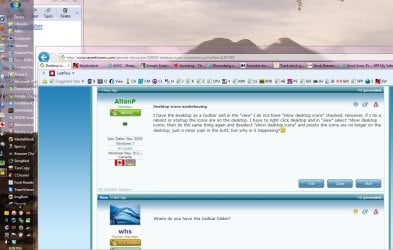
Desktop icons misbehaving

AllanP

New member
Power User
Local time
4:44 PM
Messages
79
Location
Nanoose Bay, B.C., Canada
I have the Desktop as a toolbar and in the "view" I do not have "show desktop icons" checked. However, if I do a reboot or startup the icons are on the desktop. I have to right click desktop and in "view" select "show desktop icons; then do the same thing again and deselect "show desktop icons" and presto the icons are no longer on the desktop; just a minor pain in the butt, but why is it happening?:confused:
 

My Computer

Computer Manufacturer/Model Number
Dell Studio Laptop 1747
OS
Windows 7
CPU
1.6GHz Intel Core i7 720
Motherboard
Dell 0J509P
Memory
6GB
Graphics Card(s)
ATI Radeon HD 4640
Sound Card
ATI High Def
Monitor(s) Displays
Generic PNP 17
Screen Resolution
1600 x 900
Hard Drives
500GB
Case
Laptop
Mouse
Synaptics Touchpad
Internet Speed
Hi Speed Cable
Where do you have the toolbar folder?
 

My Computer

Computer Manufacturer/Model Number
HP, Dell, Gateway, Toshiba - 4 laptops and 2 desktops
OS
Vista, Windows7, Mint Mate, Zorin, Windows 8
CPU
from 1.6GHz Duo to i7
Monitor(s) Displays
2x HP w2207
Hard Drives
5x HDD, 7x SSD, 12x Externals
Keyboard
with trackball - no mices
Mouse
Trackball mice
Internet Speed
DSL 6000

Attachments

  • Toolbar.JPG
    Toolbar.JPG
    131.4 KB · Views: 43

My Computer

Computer Manufacturer/Model Number
Dell Studio Laptop 1747
OS
Windows 7
CPU
1.6GHz Intel Core i7 720
Motherboard
Dell 0J509P
Memory
6GB
Graphics Card(s)
ATI Radeon HD 4640
Sound Card
ATI High Def
Monitor(s) Displays
Generic PNP 17
Screen Resolution
1600 x 900
Hard Drives
500GB
Case
Laptop
Mouse
Synaptics Touchpad
Internet Speed
Hi Speed Cable

My Computer

Computer Manufacturer/Model Number
Dell Studio Laptop 1747
OS
Windows 7
CPU
1.6GHz Intel Core i7 720
Motherboard
Dell 0J509P
Memory
6GB
Graphics Card(s)
ATI Radeon HD 4640
Sound Card
ATI High Def
Monitor(s) Displays
Generic PNP 17
Screen Resolution
1600 x 900
Hard Drives
500GB
Case
Laptop
Mouse
Synaptics Touchpad
Internet Speed
Hi Speed Cable
I have my toolbar folder on the desktop - for easy maintenance. But you could have stuck it into Documents or wherever.
 

My Computer

Computer Manufacturer/Model Number
HP, Dell, Gateway, Toshiba - 4 laptops and 2 desktops
OS
Vista, Windows7, Mint Mate, Zorin, Windows 8
CPU
from 1.6GHz Duo to i7
Monitor(s) Displays
2x HP w2207
Hard Drives
5x HDD, 7x SSD, 12x Externals
Keyboard
with trackball - no mices
Mouse
Trackball mice
Internet Speed
DSL 6000
I have my toolbar folder on the desktop - for easy maintenance. But you could have stuck it into Documents or wherever.
Where ever it is, is where Windows 7 put it. I haven't moved it. I did a search and there are tons of toolbars, but off hand couldn't see any related to Desktop.
 

My Computer

Computer Manufacturer/Model Number
Dell Studio Laptop 1747
OS
Windows 7
CPU
1.6GHz Intel Core i7 720
Motherboard
Dell 0J509P
Memory
6GB
Graphics Card(s)
ATI Radeon HD 4640
Sound Card
ATI High Def
Monitor(s) Displays
Generic PNP 17
Screen Resolution
1600 x 900
Hard Drives
500GB
Case
Laptop
Mouse
Synaptics Touchpad
Internet Speed
Hi Speed Cable
simple just restore thumbnail cache in win7

just follow this

start> type cmd, press enter and then copy this lines followed by ENTER

taskkill /IM explorer.exe /F

CD /d %userprofile%\AppData\Local

DEL IconCache.db /a

shutdown /r
 

My Computer

OS
Windows 7 Home Premium 32bit
CPU
intel e5400 2.7ghz fsb 800mhz
Motherboard
asus p5kpl am/ps
Memory
2*1 gb 800mhz
Graphics Card(s)
not installed, using internal(g31 chipset)
Sound Card
realtek
Monitor(s) Displays
acer (1366*768)
Screen Resolution
1366*768
Hard Drives
seagate bracuda 250gb 7200rpm
PSU
450 watt
Case
foxin
Cooling
intel package with processor
Keyboard
microsoft ps/2
Mouse
microsoft usb
Internet Speed
mobile dail-up connection
Other Info
frontech headfone, creative 2.0 speaker,

My Computer

Computer Manufacturer/Model Number
HP, Dell, Gateway, Toshiba - 4 laptops and 2 desktops
OS
Vista, Windows7, Mint Mate, Zorin, Windows 8
CPU
from 1.6GHz Duo to i7
Monitor(s) Displays
2x HP w2207
Hard Drives
5x HDD, 7x SSD, 12x Externals
Keyboard
with trackball - no mices
Mouse
Trackball mice
Internet Speed
DSL 6000
A little something I do because I have Icons on my desk top where I spend very little time on. At the very right side of the task bar right of the clock is a vertical bar. While I'm on line and want to open a program with a Icon I just tick it and it show my desktop. If I hit the chevron( >> ) it gives me a list of programs I have on the desktop. Does Windows 7 come this way or on one crazy night did I change things?
 

My Computer

Computer type
PC/Desktop
Computer Manufacturer/Model Number
Home made Desktop
OS
Windows 10 Pro. 64/ version 1709 Windows 7 Pro/64
CPU
Intel i7-6800K @ 4.3
Motherboard
ASUS X-99 Deluxe II
Memory
Corsair Platinum 16 gig @2400
Graphics Card(s)
EVGA GTX 1070 OC
Monitor(s) Displays
Asus 27" LED LCD/VE278Q
Screen Resolution
1920-1080 or 1280-720 HDMI
Hard Drives
INTEL SSD 730-240 Gb Sata 3.0/
PSU
EVGA Platium 1200W
Case
Phanteks Luxe Tempered Glass 8 fans/ one radiator
Cooling
XSPC/ Water Cooled CPU
Keyboard
Das 4 Professional
Mouse
Logitech M705/MX Anywhere 2-S
Internet Speed
100 mbits
Antivirus
Microsoft Security Essentials/ Malwarebytes Premium 3.0/ SAS
Browser
I.E. 11 default/Firefox/ ISP Time Warner Cable/Spectrum
Other Info
LG BluRay Burner/
Sound system-KLipsch-THX/
Icy Dock ssd Hot Swap bays.
A little something I do because I have Icons on my desk top where I spend very little time on. At the very right side of the task bar right of the clock is a vertical bar. While I'm on line and want to open a program with a Icon I just tick it and it show my desktop. If I hit the chevron( >> ) it gives me a list of programs I have on the desktop. Does Windows 7 come this way or on one crazy night did I change things?

The default setting to "Show Desktop". I use a vertical taskbar, and it's at the bottom;


If you have your desktop in a toolbar, then it shows whatever is in it when you click on that toolbar.


Regards....Mike Connor
 

My Computer

OS
Several, including Windows 7 x64 Ultimate
simple just restore thumbnail cache in win7

just follow this

start> type cmd, press enter and then copy this lines followed by ENTER

taskkill /IM explorer.exe /F

CD /d %userprofile%\AppData\Local

DEL IconCache.db /a

shutdown /r

Nope that didn't work. Icons on desktop after reboot. Have to rt click deskto/view/click show desktop icons; go through it all again and de select show desktop icons. Show desktop icons is not selected, but to get rid of the icons I have to select it and then de select it; weird huh?
 

My Computer

Computer Manufacturer/Model Number
Dell Studio Laptop 1747
OS
Windows 7
CPU
1.6GHz Intel Core i7 720
Motherboard
Dell 0J509P
Memory
6GB
Graphics Card(s)
ATI Radeon HD 4640
Sound Card
ATI High Def
Monitor(s) Displays
Generic PNP 17
Screen Resolution
1600 x 900
Hard Drives
500GB
Case
Laptop
Mouse
Synaptics Touchpad
Internet Speed
Hi Speed Cable
I don't have that true launch bar, nothing there to check.
 

My Computer

Computer type
PC/Desktop
Computer Manufacturer/Model Number
Home made Desktop
OS
Windows 10 Pro. 64/ version 1709 Windows 7 Pro/64
CPU
Intel i7-6800K @ 4.3
Motherboard
ASUS X-99 Deluxe II
Memory
Corsair Platinum 16 gig @2400
Graphics Card(s)
EVGA GTX 1070 OC
Monitor(s) Displays
Asus 27" LED LCD/VE278Q
Screen Resolution
1920-1080 or 1280-720 HDMI
Hard Drives
INTEL SSD 730-240 Gb Sata 3.0/
PSU
EVGA Platium 1200W
Case
Phanteks Luxe Tempered Glass 8 fans/ one radiator
Cooling
XSPC/ Water Cooled CPU
Keyboard
Das 4 Professional
Mouse
Logitech M705/MX Anywhere 2-S
Internet Speed
100 mbits
Antivirus
Microsoft Security Essentials/ Malwarebytes Premium 3.0/ SAS
Browser
I.E. 11 default/Firefox/ ISP Time Warner Cable/Spectrum
Other Info
LG BluRay Burner/
Sound system-KLipsch-THX/
Icy Dock ssd Hot Swap bays.
It isn't a fix, but a workaround. Try Iconoid, it hides the icons and shows them for a selected amount of time when you click the desktop. A Guy
 

My Computer

Computer type
PC/Desktop
OS
Windows 10 Home x64
CPU
INTEL Core i5-750 Quad-Core 3.37GHz
Motherboard
ASUS P7P55D
Memory
HyperX Fury Black Series 8GB (2 x 4GB) 1866Mhz
Graphics Card(s)
EVGA GeForce GTX 750 Superclocked 1GB 128-Bit GDDR5
Monitor(s) Displays
LG 32MA68HY 32" IPS
Screen Resolution
1920 x 1080
Hard Drives
Samsung 840 Evo 120GB, SEAGATE 500GB Barracuda® 7200.12, SATA 3 Gb/s, 7200 RPM, 16MB cache
PSU
ANTEC TruePower New TP-550, 80 PLUS, 550W
Case
ANTEC Three Hundred Illusion
Cooling
COOLER MASTER Hyper 212 Plus, 4 x 120mm 1 x 140mm Noctua's
Internet Speed
85 + Mbps
Antivirus
Avast
Browser
Vivaldi
Back
Top