
Hey =)
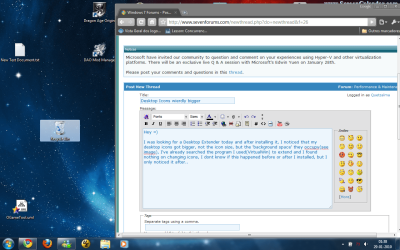
I was looking for a Desktop Extender today and after installing it, I noticed that my desktop icons got bigger, not the icon size, but the 'background space' they occupy(see the image), I've already searched the program I used(VirtualWin) to extend and I found nothing on changing icons, I dont know if this happened before or after I installed, but I only noticed it after..
Things I've tried:
(Some are stupid I know, but I tried anything I could remember to change the desktop)
Auto Arranging Icons
Changing Icon Size(thru the right-click menu and by holding CTRL + Mouse Wheel)
Changing Background
Restarting
Uninstalling VirtualWin and restarting
Changing Resolution
Change DPI
Any ideas on how to turn them back to their original size?
Much Appreciated
Quetzalma
I was looking for a Desktop Extender today and after installing it, I noticed that my desktop icons got bigger, not the icon size, but the 'background space' they occupy(see the image), I've already searched the program I used(VirtualWin) to extend and I found nothing on changing icons, I dont know if this happened before or after I installed, but I only noticed it after..
Things I've tried:
(Some are stupid I know, but I tried anything I could remember to change the desktop)
Auto Arranging Icons
Changing Icon Size(thru the right-click menu and by holding CTRL + Mouse Wheel)
Changing Background
Restarting
Uninstalling VirtualWin and restarting
Changing Resolution
Change DPI
Any ideas on how to turn them back to their original size?
Much Appreciated
Quetzalma
Attachments
My Computer
- OS
- Windows XP(Desktop) | Windows 7(Laptop)


