Desktop Issues - Basic mode and icons missing after reboot !!

Altomar718

New member
Local time
4:17 PM
Messages
14
I really hope someone can help - I have been at this for 5 days almost non stop !!

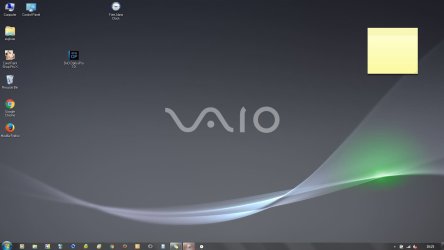
The laptop runs perfectly but when I shut down or hibernate, it restarts in a basic mode with icons missing from the desktop and in a basic mode, the font is low resolution, items missing from the context menu such as Send to :- and icon in the system tray missing and sometimes, the desktop is black without the Vaio logo ...... If I boot in Safe mode - everything is there and if I check the drives, all files are there and if the *.exe is double clicked in a prgram folder, the program starts ...... It is easier to demonstrate with a couple of screenshots. I have tried three North Ghost images (which normally sorts problems) but all of them show the same problem. I have got latest drivers etc. This is not just an icon issue, but the desktop failing to show items
 

Attachments
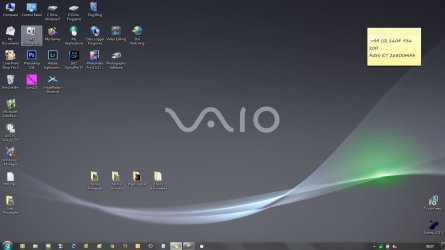
  • Desktop Normal.JPG
    Desktop Normal.JPG
    98.5 KB · Views: 4
  • Desktop when reset.JPG
    Desktop when reset.JPG
    65.4 KB · Views: 3

My Computer

Computer type
Laptop
Computer Manufacturer/Model Number
Sony Vaio
OS
64bit Windows 7
Hi,
Weird might be a memory issue it is mostly hibernation dependent I believe ?
Use Clean boot,
Troubleshoot Application Conflicts by Performing a Clean Startup
Click Start and type in the search box,
msconfig
Click on the suggestion on top or hit the Enter key,
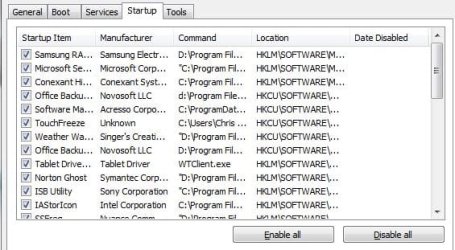
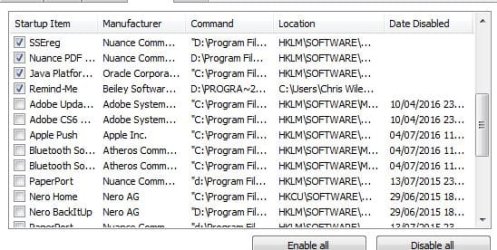
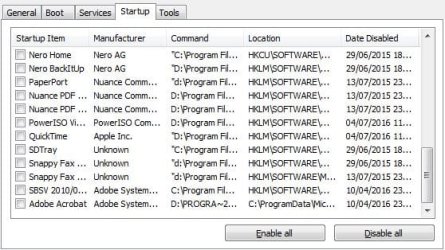
Go to the Startup section and take some screen shots for a complete list,
Go to the Services section and on the bottom left Check the box to Hide All Microsoft services,
Repeat the screen shots.
 

My Computer

Computer type
PC/Desktop
Computer Manufacturer/Model Number
Custom assembled by me :}
OS
Win-7-Pro64bit 7-H-Prem-64bit
CPU
i7-5930K 2nd i9-9940x both water blocked VRM's too
Motherboard
ASUS SABERTOOTH X99 2nd ASUS x299 Apex
Memory
Trident-z 3200C14 2nd Trident-z 3600C16
Graphics Card(s)
EVGA 1080ti ftw3 2nd Titan Xp both water blocked
Sound Card
Built-in Realtek
Monitor(s) Displays
1-AOC G2460PG 24"G-Sync 144Hz/ 2nd 1-ASUS VG248QE 24" 144Hz
Screen Resolution
1920 x 1080 144Hz
Hard Drives
2-Samsung M.2 Evo & Evo Plus
2-Samsung 850 EVO 500GB SSD's/ 3-2.5 W.D. Black 1tb-&3-1tb/3-3.5 WD Black 1tb hdd's
PSU
EVGA SuperNOVA 1000-P2 2nd 1200-P2
Case
2-Corsair Obsidian Series 450D Black ATX Mid Tower
Cooling
Custom water loops
Keyboard
Logitech G710+/ 2nd Logitech G910
Mouse
2-RedDragon M901 Perdition 16400 dpi Gaming mouse = wired
Internet Speed
Comcast Ping 19ms 89.31mbps download speed 6.12mbps upload
Antivirus
Malwarebytes Pro/ Superantispyware Pro
Browser
FireFox & Pale moon
Other Info
2nd ASUS X299 Apex/Intel i9-9940x with Custom water loop/7H-Prem-x64/Corsair 450D case/Ram Trident-z 3600C16 4x8gb / Samsung970Evo plus 500gb SSD/Dual ssd EZ swap evo/PSU EVGA SuperNova 1200w-P2 80+Platinum/GPU Titan Xp /8-ML-140 on push-pull on 2-280GTX rads
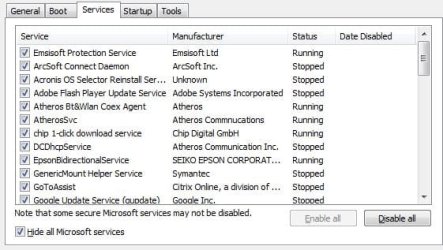
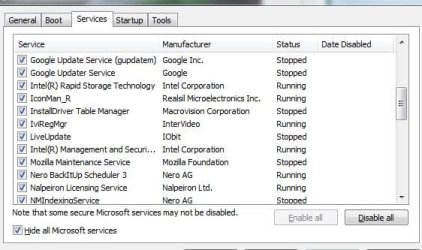
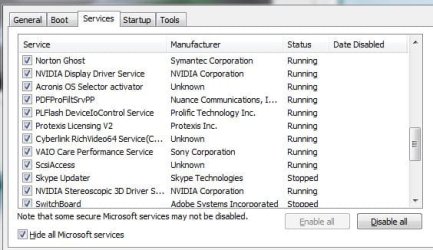
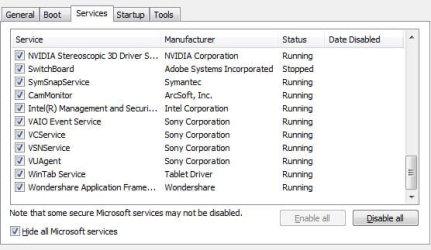
Thanks Thrash Zone - The box will not resize, so had to do several screenshots - First 4 are START UP and the others are SERVICES ... Thanks for the help
 

Attachments

  • Capture.JPG
    Capture.JPG
    60.4 KB · Views: 18
  • Capture2.JPG
    Capture2.JPG
    61.1 KB · Views: 18
  • Capture3.JPG
    Capture3.JPG
    67.4 KB · Views: 18
  • Capture4.JPG
    Capture4.JPG
    53 KB · Views: 18

My Computer

Computer type
Laptop
Computer Manufacturer/Model Number
Sony Vaio
OS
64bit Windows 7
Services
 

Attachments

  • Capture5.JPG
    Capture5.JPG
    51.1 KB · Views: 18
  • Capture6.JPG
    Capture6.JPG
    54 KB · Views: 18
  • Capture7.JPG
    Capture7.JPG
    47.1 KB · Views: 18

My Computer

Computer type
Laptop
Computer Manufacturer/Model Number
Sony Vaio
OS
64bit Windows 7
Solved

If anyone should happen to read this thread, I have solved it - It was a corrupt user profile. I created another profile and made it Administrator and then copied all the files from C:/USERS/(first profile) into C:/USERS/(new profile) and then booted into the new one ....... a few issues with email accounts and a few passwords, but all working fine - delete first profile.
 

My Computer

Computer type
Laptop
Computer Manufacturer/Model Number
Sony Vaio
OS
64bit Windows 7
Back
Top