thepersiancat
New member
- Local time
- 9:36 PM
- Messages
- 4
Hi everyone.
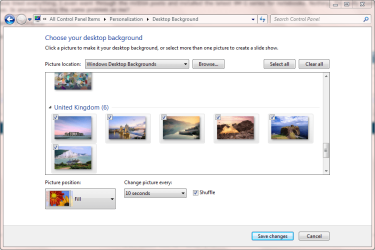
I bought an Acer Aspire 4530-6039 one week ago and it came with Vista. I was going to switch over to my previous version of XP, but the techie said I should try the new Windows 7. So I did and for a few days it was fine, but when I started playing around with the desktop wallpaper and trying to change it, I realized that the center of the monitor is not aligned with the physical center of my laptop screen.
Basically, there is a big gap in the right hand side and the bottom of my desktop, where the background image should be. None of the wallpapers that come with Windows 7 or the ones that I downloaded myself work. The only one that seems to 'fit', and barely, is the original fish backdrop that is the standard image when Win7 is first installed.
I have tried everything. I even went through the nVIDIA posts and installed the latest 9M G series for notebooks. Nothing. I'm really frustrated about this issue. Is anyone having the same problem as me?
Thanks in advance.
//Goldie
I bought an Acer Aspire 4530-6039 one week ago and it came with Vista. I was going to switch over to my previous version of XP, but the techie said I should try the new Windows 7. So I did and for a few days it was fine, but when I started playing around with the desktop wallpaper and trying to change it, I realized that the center of the monitor is not aligned with the physical center of my laptop screen.
Basically, there is a big gap in the right hand side and the bottom of my desktop, where the background image should be. None of the wallpapers that come with Windows 7 or the ones that I downloaded myself work. The only one that seems to 'fit', and barely, is the original fish backdrop that is the standard image when Win7 is first installed.
I have tried everything. I even went through the nVIDIA posts and installed the latest 9M G series for notebooks. Nothing. I'm really frustrated about this issue. Is anyone having the same problem as me?
Thanks in advance.
//Goldie
My Computer
- OS
- Windows 7