Solved Disable right-click menu for Taskbar application icons only?

Orcadian

New member
Member
Local time
12:37 AM
Messages
37
- I do want Explorer's desktop, file & folder right-click menus to be visible.
- I do want the PC to remember my recent files, which I can view by going to C:\Users\Me\AppData\Roaming\Microsoft\Windows\Recent.

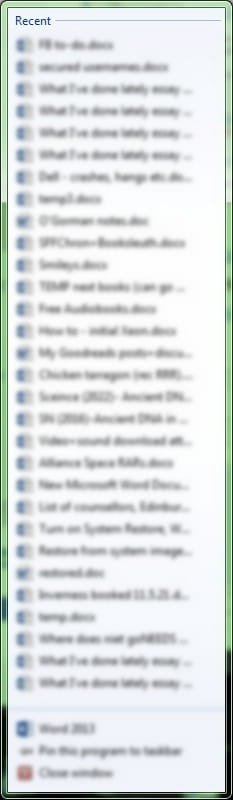
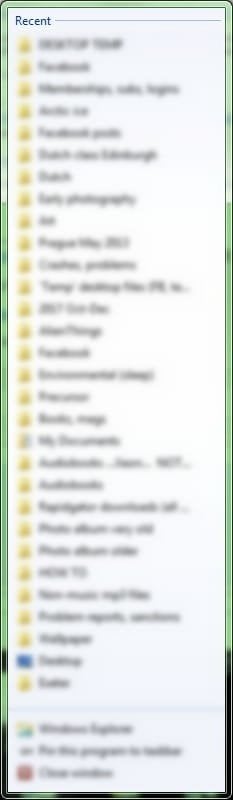
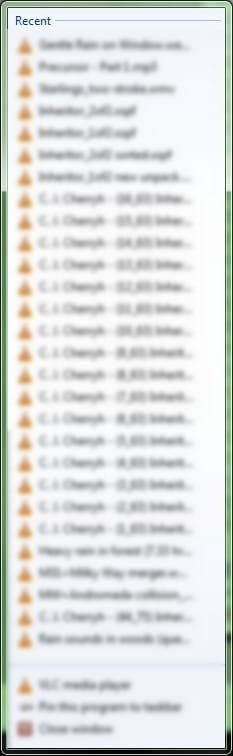
But I do not want to see the long list of ‘recent files’/’most visited’ that springs up when I right-click on an application icon on the taskbar. See screenshot examples.

Is there any way of achieving these three things at the same time? I have read gadzillions of posts/suggestions on this but no luck so far.
 

Attachments
  • recent-VLC.jpg
    recent-VLC.jpg
    21.4 KB · Views: 0
  • recent-docs.jpg
    recent-docs.jpg
    22.1 KB · Views: 0
  • recent-folders.jpg
    recent-folders.jpg
    18.4 KB · Views: 0

My Computer My Computer

Computer type
PC/Desktop
Computer Manufacturer/Model Number
Dell Precision
OS
Windows 7 Pro 64 bit and Windows 10 Pro 64 bit

My Computer My Computer

Computer type
PC/Desktop
Computer Manufacturer/Model Number
Self built custom
OS
64-bit Windows 11 Pro for Workstations
CPU
Intel i7-8700K OC'd to 5 GHz
Motherboard
ASUS ROG Maximus XI Formula Z390
Memory
64 GB (4x16GB) G.SKILL TridentZ RGB DDR4 3600 MHz
Graphics Card(s)
ASUS ROG-STRIX-GTX1080TI-O11G-GAMING
Sound Card
Integrated
Monitor(s) Displays
2 x Samsung Odyssey G7 27"
Screen Resolution
2560x1440
Hard Drives
1TB Samsung 990 PRO M.2,
4TB Samsung 990 PRO PRO M.2,
TerraMaster F8 SSD Plus NAS
PSU
Seasonic Prime Titanium 850W
Case
Thermaltake Core P3
Cooling
Corsair Hydro H115i
Keyboard
Logitech wireless K800
Mouse
Logitech MX Master 4
Internet Speed
2 Gb/s Download and 100 Mb/s Upload
Antivirus
Malwarebyte Anti-Malware Premium
Browser
Google Chrome
Other Info
Logitech Z625 speaker system,
Logitech BRIO 4K Pro webcam,
HP Color LaserJet Pro MFP M477fdn,
APC SMART-UPS RT 1000 XL - SURT1000XLI,
Galaxy S23 Plus phone
Hi Brink. Thanks for the suggestion. I am afraid that changing the 'jump list' size might erase all the entries in C:\Users\Me\AppData\Roaming\Microsoft\Windows\Recent. I find those shortcuts incredibly useful, as my memory is very poor. There are around 100 shortcuts in there at the moment.

In April (via Start menu\Properties) I tried turning off 'Store and display recently opened items in the Start menu and Taskbar' - but this erased all my Recent shortcuts.

Can you confirm that this will not happen again if I adjust the 'jump list'?
 

My Computer My Computer

Computer type
PC/Desktop
Computer Manufacturer/Model Number
Dell Precision
OS
Windows 7 Pro 64 bit and Windows 10 Pro 64 bit
It will not delete them, but it will limit how many will show.
 

My Computer My Computer

Computer type
PC/Desktop
Computer Manufacturer/Model Number
Self built custom
OS
64-bit Windows 11 Pro for Workstations
CPU
Intel i7-8700K OC'd to 5 GHz
Motherboard
ASUS ROG Maximus XI Formula Z390
Memory
64 GB (4x16GB) G.SKILL TridentZ RGB DDR4 3600 MHz
Graphics Card(s)
ASUS ROG-STRIX-GTX1080TI-O11G-GAMING
Sound Card
Integrated
Monitor(s) Displays
2 x Samsung Odyssey G7 27"
Screen Resolution
2560x1440
Hard Drives
1TB Samsung 990 PRO M.2,
4TB Samsung 990 PRO PRO M.2,
TerraMaster F8 SSD Plus NAS
PSU
Seasonic Prime Titanium 850W
Case
Thermaltake Core P3
Cooling
Corsair Hydro H115i
Keyboard
Logitech wireless K800
Mouse
Logitech MX Master 4
Internet Speed
2 Gb/s Download and 100 Mb/s Upload
Antivirus
Malwarebyte Anti-Malware Premium
Browser
Google Chrome
Other Info
Logitech Z625 speaker system,
Logitech BRIO 4K Pro webcam,
HP Color LaserJet Pro MFP M477fdn,
APC SMART-UPS RT 1000 XL - SURT1000XLI,
Galaxy S23 Plus phone
Thanks.. Let's hope so! It's late here (UK) now but I will try this and report back.
 

My Computer My Computer

Computer type
PC/Desktop
Computer Manufacturer/Model Number
Dell Precision
OS
Windows 7 Pro 64 bit and Windows 10 Pro 64 bit
Hello Brink, and anyone else reading this thread. Reporting back, as promised.

Sorry for the delay; I've had some issues with Restore - needed it, only to discover that it is turned off by default, and must be switched on manually by the user. :mad: Anyway, all fine now.

So I made a copy of my Recent Items folder, just in case.
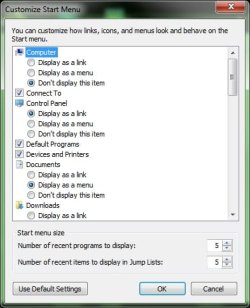
Then I did right-click on Start Menu \ Properties \ Customise.
Then I set 'recent items in Jump Lists' to 5.

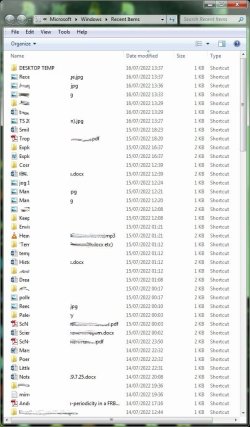
And after this, the 'jump list' is indeed much shorter - and (joy) Recent Items is indeed not empty (though some items that I have not touched today are mysteriously no longer there. Hmmm.) I have not yet rebooted but if anything changes post-reboot, I'll post that here.

All in all, I'd count that a success, so thanks for the help!
 

Attachments

  • Start-RI-5.jpg
    Start-RI-5.jpg
    35.5 KB · Views: 2
  • RI-post-change.jpg
    RI-post-change.jpg
    90.3 KB · Views: 0

My Computer My Computer

Computer type
PC/Desktop
Computer Manufacturer/Model Number
Dell Precision
OS
Windows 7 Pro 64 bit and Windows 10 Pro 64 bit
Glad it will work for you. :party:
 

My Computer My Computer

Computer type
PC/Desktop
Computer Manufacturer/Model Number
Self built custom
OS
64-bit Windows 11 Pro for Workstations
CPU
Intel i7-8700K OC'd to 5 GHz
Motherboard
ASUS ROG Maximus XI Formula Z390
Memory
64 GB (4x16GB) G.SKILL TridentZ RGB DDR4 3600 MHz
Graphics Card(s)
ASUS ROG-STRIX-GTX1080TI-O11G-GAMING
Sound Card
Integrated
Monitor(s) Displays
2 x Samsung Odyssey G7 27"
Screen Resolution
2560x1440
Hard Drives
1TB Samsung 990 PRO M.2,
4TB Samsung 990 PRO PRO M.2,
TerraMaster F8 SSD Plus NAS
PSU
Seasonic Prime Titanium 850W
Case
Thermaltake Core P3
Cooling
Corsair Hydro H115i
Keyboard
Logitech wireless K800
Mouse
Logitech MX Master 4
Internet Speed
2 Gb/s Download and 100 Mb/s Upload
Antivirus
Malwarebyte Anti-Malware Premium
Browser
Google Chrome
Other Info
Logitech Z625 speaker system,
Logitech BRIO 4K Pro webcam,
HP Color LaserJet Pro MFP M477fdn,
APC SMART-UPS RT 1000 XL - SURT1000XLI,
Galaxy S23 Plus phone
Post-reboot update

Well, Recent Items is largely still there* - but most of the jpg shortcuts have disappeared. Oddly, the png ones are still there! I'm wondering if there is some other parameter somewhere that needs to be set, i.e. whether there are separate 'quotas' (or expiry dates?) for different sorts of shortcut?

The oldest shortcuts were 14 Jun 2022, mp3 and .webm - and those are still there. There are 145 items on my Copy Recent Items folder. (Recent Items itself has a larger number of shortcuts, owing - I'm told - to invisible system files.)

I do not know what the default number of Recent Items is, or whether that can be changed? I'd like to set it to as large a value as possible.


* In fact there are many small differences beween Recent Items now, and the copy I made yesterday. I have not re-opened any files, so the shortcuts should still have their original dates. Strange.
 
Last edited:

My Computer My Computer

Computer type
PC/Desktop
Computer Manufacturer/Model Number
Dell Precision
OS
Windows 7 Pro 64 bit and Windows 10 Pro 64 bit
Back
Top