"Display Devices and Installed Apps" tooltip keeps popping up randomly
Recently I have had a problem on my PC where in the lower third of the left hand of my screen a tooltip keeps popping up. The tooltip says "Display Devices and Installed Apps." This tooltip seems to override everything because if I'm full screen in another application it will still pop up. When I play a fullscreen game it will keep me out into windowed mode and show the tooltip. It's fairly annoying and it even prevents me from clicking on my shortcuts or things on webpages. The thing is, there is nothing there to display that tooltip. I moved all icons away from the area and it still shows up.
Does anyone know why this is occurring and how to stop it from occcurring? At this moment I'm thinking I may have to install a new OS and see if that works.
My Computer
At a glance
Windows 7 Home Premium 64bitAMD Quad-Core A8 3800 Accelerated Processor8GBSapphire Radeon R7 260X
I suspect you have install some bad software. Please respond so we know you still have this issue. Once you respond, I will require more qualified members assist you. Sorry for the delay in responding to your request for assistance.
My Computer
At a glance
Microsoft Windows 7 Ultimate 64-bit 7601 Mult...Intel(R) Core(TM) i7 CPU 950 @ 3.07GHz16.0GB Dual-Channel DDR3 @ 534MHz (8-8-8-20)1023MB NVIDIA GeForce GTX 650 (EVGA)
Computer type
PC/Desktop
Computer Manufacturer/Model Number
Custome Built
OS
Microsoft Windows 7 Ultimate 64-bit 7601 Multiprocessor Free Service Pack 1
CPU
Intel(R) Core(TM) i7 CPU 950 @ 3.07GHz
Motherboard
ASUSTeK Computer INC. SABERTOOTH X58 (LGA1366)
Memory
16.0GB Dual-Channel DDR3 @ 534MHz (8-8-8-20)
Graphics Card(s)
1023MB NVIDIA GeForce GTX 650 (EVGA)
Sound Card
(1) NVIDIA High Definition Audio (2) High Definition Audio
Monitor(s) Displays
HP W2072a LED Backlit
Screen Resolution
1920x1080@60Hz
Hard Drives
(1) SAMSUNG MMCRE28G5MXP-0VB SCSI Disk Device
(2) ST1000DM 003-1CH162 SCSI Disk Device
(3) WDC WD10EURX-73FH1Y0 SCSI Disk Device
PSU
XION XON-1000P14F
Cooling
Fans
Antivirus
Windows Security Essentials
Browser
Mozilla Firefox
Other Info
BIOS Version/Date
American Megatrends Inc. 1402, 8/9/2012
SMBIOS Version 2.5
I solved it. Issue annoyed me for a while, but I snooped around my apps and finally closed iFunbox from the taskbar. It's gone. Hope this helps!
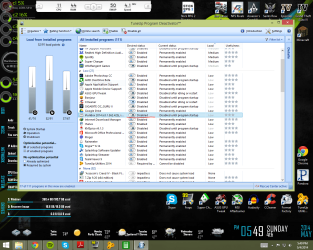
ps- When you need to use iFunbox again it should be able to turn on, and you can use TuneUp Utilites Program Deactivator to disable the app when it's not in use so it turns off when it's not needed.
Next time I need to read threads more closely. I took they solve it and just scrolled down to the bottom. And its funny because I always hate it when people don't read and just post. Looks like I have done it as well. Sorry about that....
You can uncheck each of your startup entries one by one to find out what program is coming up with those notifications. It will take a little bit to narrow it down, but far less hassle then reinstalling windows and then all your programs again.
My Computer
At a glance
Windows 10 ProAMD Ryzen 5 2400G Processor with Radeon RX Ve...G.SKILL Ripjaws V Series 16GB (2 x 8GB) 288-P...2047MB NVIDIA GeForce GTX 1060 6GB (EVGA)