Hi kikucis,
Please try to disable the 'firewall' (anti-virus) and check results. If that fixes the issue, 'restore firewall defaults' if possible. Else re-install it.
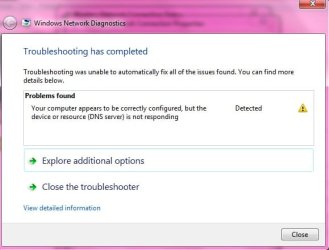
If changing 'firewall settings' does not impact the 'internet connectivity', try different DNS server settings:
- Go the 'Control Panel' > Click 'Network and Internet' , then 'Network and Sharing Center' , then 'Manage network connections' > Right-click 'Wireless Network Connection', and click 'Properties' > Select the 'Networking tab'; click 'Internet Protocol Version 4 (TCP/IPv4)' > click 'Properties' > Click 'Advanced' and select the 'DNS tab'.
- If there are any IP addresses listed in the Preferred DNS server or Alternate DNS server , write them down for future reference > Replace those addresses with the IP addresses of the Google DNS servers: 8.8.8.8 and 8.8.4.4 > Save settings and recheck results (Note: This work around has shown some positive results in some cases in similar situations)
Hope this helps.