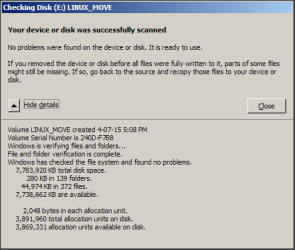
When I connect a USB thumb drive to my laptop this alert pops up

When I connect a USB portable spinner there is no popup
In Disable Scan and Fix for Removable Drives in Windows article by How-To-Geek, it "blames" the problem on failing to use "Safely remove"
- I use USB thumb drives to move files between a Linux machine and a Win7 PC.
- Linux Mint has a Safely Remove feature but it does not give an OK message (ever). Could that be a problem ?
- I always use "Safely remove", is it possible to fix the "Do you want to scan and fix" nag popup, without disabling AutoPlay ?
- The nag is an irritation when I am busy
Would appreciate any help.
When I connect a USB portable spinner there is no popup
In Disable Scan and Fix for Removable Drives in Windows article by How-To-Geek, it "blames" the problem on failing to use "Safely remove"
- I use USB thumb drives to move files between a Linux machine and a Win7 PC.
- Linux Mint has a Safely Remove feature but it does not give an OK message (ever). Could that be a problem ?
- I always use "Safely remove", is it possible to fix the "Do you want to scan and fix" nag popup, without disabling AutoPlay ?
- The nag is an irritation when I am busy
Would appreciate any help.
My Computer
At a glance
XP Pro (x86) | 7 HP (x86) & (x64) | 7 Pro (x64)
- Computer type
- PC/Desktop
- Computer Manufacturer/Model Number
- Toshiba, Lenovo (laptops) + 4 rigs
- OS
- XP Pro (x86) | 7 HP (x86) & (x64) | 7 Pro (x64)