
I've just realized that Windows 7 increases the default DPI (Text size) for displays with a High resolutin (seen 1650x1050).
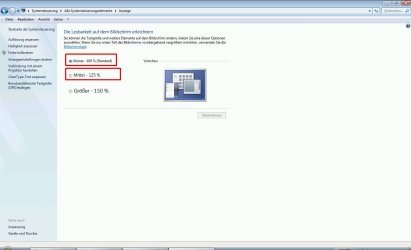
On a HP notbook with a resolution of 1650x1050 W7 makes the 150% to the default value.
http://www.sevenforums.com/attachment.php?attachmentid=93497&stc=1&d=1282862569
(not like in the Picture 100% (this is from a Notebook with Res of 1400x900))
So all the time (reboot) the Size is resetted to the default value of 150%.
So ist there a way to set the Defaultvalue back to 100% During StartUp in a proper easy managed way ? (i've to do this on about 20 Notebooks)
On a HP notbook with a resolution of 1650x1050 W7 makes the 150% to the default value.
http://www.sevenforums.com/attachment.php?attachmentid=93497&stc=1&d=1282862569
(not like in the Picture 100% (this is from a Notebook with Res of 1400x900))
So all the time (reboot) the Size is resetted to the default value of 150%.
So ist there a way to set the Defaultvalue back to 100% During StartUp in a proper easy managed way ? (i've to do this on about 20 Notebooks)
Attachments
My Computer
At a glance
Windows 7
- OS
- Windows 7
