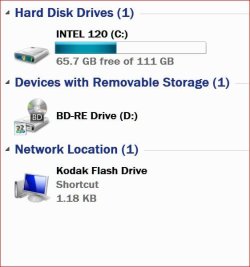
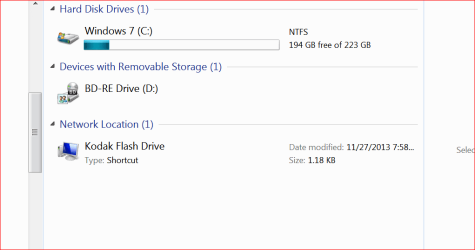
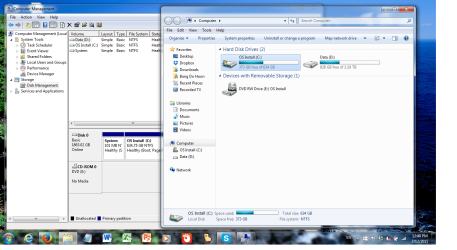
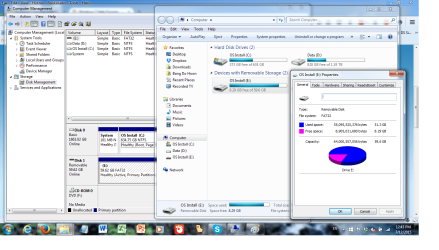
Hello, not sure if this is the correct area to ask, but I've noticed that my E drive's label is stuck as "OS Install" when there is no label assigned. I thought at first there was a label assigned to it and followed renaming labels option 3 on the forums (as a DVD drive was assigned to the letter). But when I assigned a USB drive to the E drive after switching out the dvd drive's letter, I noticed that it keeps the "OS Install" as default label instead of the normal "removable disk" when no label is assigned. This held true with the internal hard drive's partition as well. However when I assigned a drive label such as "CRUZER", it would change to the assigned label. As I like to have my E drive be the dvd drive, I don't want to see this weird label on it when I didn't assign it. If anyone knows a solution or can help me to try to find one, it would be great! I've attached pictures to explain better

Last edited:
My Computer
At a glance
Win 7 Ultimate x64 bit SP1Intel Core i5 4210M @ 2.60GHz16.0GB Dual-Channel DDR3 @ 798MHz (11-11-11-28)Intel HD Graphics 4600/NVIDIA GeForce 820M
- Computer type
- Laptop
- Computer Manufacturer/Model Number
- MSI CX61-2PC
- OS
- Win 7 Ultimate x64 bit SP1
- CPU
- Intel Core i5 4210M @ 2.60GHz
- Motherboard
- Micro-Star International Co., Ltd. MS-16GD (SOCKET 0)
- Memory
- 16.0GB Dual-Channel DDR3 @ 798MHz (11-11-11-28)
- Graphics Card(s)
- Intel HD Graphics 4600/NVIDIA GeForce 820M
- Sound Card
- Realtek High Definition Audio
- Screen Resolution
- 1366*768
- Hard Drives
- 1863GB Seagate ST2000LM ST2000LM003
- Antivirus
- Naver Vaccine
- Browser
- Firefox

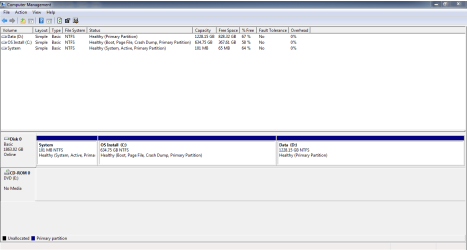
 OS Install". As I have never put in a label for the dvd drive, it should just say "DVD RW drive (E