CaptCrunch
New member
- Local time
- 4:36 PM
- Messages
- 9
This is pretty wierd.. Turning on the PC this morning takes me into startup repair, where it can't find any problems.
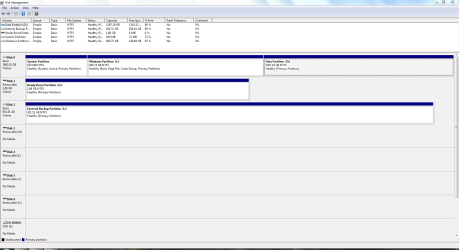
After a bit of exploration in the command window, it seems my c: drive (40GB SSD) is now called F:, and my data drive (500GB HDD data only) is now called c:
From looking at some of the diagnostic traces, I believe that Windows thinks the system drive is f: (technically correct now), but can't boot from it.
This system has been working fine for several months, and was shut down with no issues last night.
:banghead:
The BIOS can still see both drives, and the boot order is still correct (SSD, HDD).
How do I change the drive letters back to what they were yesterday - without botting into Windows? I've tried the recovery disk, but that couldn't see any problems. Thanks..
After a bit of exploration in the command window, it seems my c: drive (40GB SSD) is now called F:, and my data drive (500GB HDD data only) is now called c:
From looking at some of the diagnostic traces, I believe that Windows thinks the system drive is f: (technically correct now), but can't boot from it.
This system has been working fine for several months, and was shut down with no issues last night.
:banghead:
The BIOS can still see both drives, and the boot order is still correct (SSD, HDD).
How do I change the drive letters back to what they were yesterday - without botting into Windows? I've tried the recovery disk, but that couldn't see any problems. Thanks..
My Computer
At a glance
Win 7 Ultimate x64Quad core Intel 2.993Nvidia 460GTX * 2
- OS
- Win 7 Ultimate x64
- CPU
- Quad core Intel 2.993
- Graphics Card(s)
- Nvidia 460GTX * 2
- Hard Drives
- System Drive: 40GB OCZ Vertex 2 SSD
Data Drive: 2 * 500GB in RAID 1