Driver IRQL Not less than or Equal Error?

Spungeh

New member
Local time
10:10 AM
Messages
4
Bought an alienware a few months back, and everything was working fine.. Then suddendly kept getting blue screen with the error Driver_IRQL_Not_Less_That_Or_Equal. No idea what it is as never seen it before.

Ive got all paper work and original disks back at my uni apartment but at home at the momemnt, so anything online would be cool.

Cheers.
 

Attachments

Last edited:

My Computer

OS
Microsoft Windows 7 Home Premium (x64) Build 7600
CPU
i3
Motherboard
Alienware
Memory
3072MB
Graphics Card(s)
nVidia GeForce GT 240M
Sound Card
nVidia GeForce GT 240M

My Computer

Computer Manufacturer/Model Number
Self Built
OS
Windows 7 ultimate 64 bit / XP Home sp3
CPU
intel Core 2 Duo E8400 3.0ghz
Motherboard
Asus P5ND bios 1401
Memory
8 gigs 1066 OCZ Fata1ty
Graphics Card(s)
EVGA GTX 580 Call of Duty Black Ops Edition
Sound Card
Creative Soundblaster Audigy 2zs
Monitor(s) Displays
Asus 24in LCD's 2MS X2
Screen Resolution
1920x1080p @60Hz
Hard Drives
WD Caviar 500 Black/ WD Caviar 200 Blue
PSU
OCZ 700W GameXtreme
Case
NZXT Apollo
Cooling
Corsair H50 CPU/120mm x3 /60mm x2 /Corsair Dominator Ram
Keyboard
Logitech Bluetooth Wireless MX5000
Mouse
Logitech Bluetooth Wireless MX1000
Internet Speed
Download 19.83 Upload 0.97
Other Info
Logitech Z2300 Speakers/ Bose Noise Cancelling Headphones/Avermedia PCI-e Hybrid TV Bravo/Epson NX415 all in one/ 4 Port Powered USB Hub/ LG 10x Bluray Burner /TSST Corp DVDRW External
Hi..

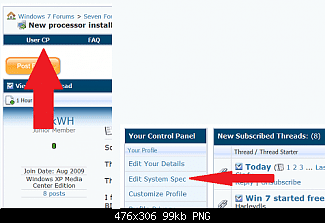
Think ive done it.. if not please say so..

Thanks.
 

My Computer

OS
Microsoft Windows 7 Home Premium (x64) Build 7600
CPU
i3
Motherboard
Alienware
Memory
3072MB
Graphics Card(s)
nVidia GeForce GT 240M
Sound Card
nVidia GeForce GT 240M
Anyone know the problem?
 

My Computer

OS
Microsoft Windows 7 Home Premium (x64) Build 7600
CPU
i3
Motherboard
Alienware
Memory
3072MB
Graphics Card(s)
nVidia GeForce GT 240M
Sound Card
nVidia GeForce GT 240M
You have Ram issues !
 

My Computer

Computer Manufacturer/Model Number
PVM900M
OS
Windows 7 Ultimate x32
CPU
Core2Duo
Motherboard
Mercury
Memory
2GB DDR2
Graphics Card(s)
NVIDEA GT
Hard Drives
360 GB
Whats the best way of fixing it?
 

My Computer

OS
Microsoft Windows 7 Home Premium (x64) Build 7600
CPU
i3
Motherboard
Alienware
Memory
3072MB
Graphics Card(s)
nVidia GeForce GT 240M
Sound Card
nVidia GeForce GT 240M
Your close on your system specs but if you look at mine you'll see their is still a bit missing.

Anyways if you think you have issues with your Ram you need to run memtest at leat 5-8 passes. with one stickk in at a time in the proer slot which can be found on the manufaturers site in the manual for ram placement.

Here's the skinny on memtest Memtest86 - Download Page
Fabe
 

My Computer

Computer Manufacturer/Model Number
Self Built
OS
Windows 7 ultimate 64 bit / XP Home sp3
CPU
intel Core 2 Duo E8400 3.0ghz
Motherboard
Asus P5ND bios 1401
Memory
8 gigs 1066 OCZ Fata1ty
Graphics Card(s)
EVGA GTX 580 Call of Duty Black Ops Edition
Sound Card
Creative Soundblaster Audigy 2zs
Monitor(s) Displays
Asus 24in LCD's 2MS X2
Screen Resolution
1920x1080p @60Hz
Hard Drives
WD Caviar 500 Black/ WD Caviar 200 Blue
PSU
OCZ 700W GameXtreme
Case
NZXT Apollo
Cooling
Corsair H50 CPU/120mm x3 /60mm x2 /Corsair Dominator Ram
Keyboard
Logitech Bluetooth Wireless MX5000
Mouse
Logitech Bluetooth Wireless MX1000
Internet Speed
Download 19.83 Upload 0.97
Other Info
Logitech Z2300 Speakers/ Bose Noise Cancelling Headphones/Avermedia PCI-e Hybrid TV Bravo/Epson NX415 all in one/ 4 Port Powered USB Hub/ LG 10x Bluray Burner /TSST Corp DVDRW External
Hello,

Seems like iaStor.sys also could be one of the cause. It's belong to "Intel Matrix Storage Manager driver" I would recommend to uninstall it and download a new copy from their website and install it.

If that didn't work go to C:\Windows\System32\Drivers and rename iaStor.sys to iaStor.old and reboot the System.

Then Run http://www.sevenforums.com/tutorials/1538-sfc-scannow-command-system-file-checker.html

Run a Hardware Diagnostic (Memory and Hard Drive) follow this link for instructions Hardware Diagnostic !! « Captain Debugger

Update the Following Drivers:


Code:
rixdpx64.sys Fri Jul 27 16:15:50 2007
rimspx64.sys Mon Mar 03 14:49:03 2008
rimmpx64.sys Fri Oct 03 12:09:15 2008
facap.sys    Thu Sep 25 08:04:31 2008
Follow this link for help Driver Troubleshooting !! « Captain Debugger

Bugcheck:

Code:
SYSTEM_THREAD_EXCEPTION_NOT_HANDLED_M (1000007e)
This is a very common bugcheck.  Usually the exception address pinpoints
the driver/function that caused the problem.  Always note this address
as well as the link date of the driver/image that contains this address.
Some common problems are exception code 0x80000003.  This means a hard
coded breakpoint or assertion was hit, but this system was booted
/NODEBUG.  This is not supposed to happen as developers should never have
hardcoded breakpoints in retail code, but ...
If this happens, make sure a debugger gets connected, and the
system is booted /DEBUG.  This will let us see why this breakpoint is
happening.
Arguments:
Arg1: ffffffffc0000005, The exception code that was not handled
Arg2: fffff880010ef57e, The address that the exception occurred at
Arg3: fffff880033f7948, Exception Record Address
Arg4: fffff880033f71b0, Context Record Address

Debugging Details:
------------------


EXCEPTION_CODE: (NTSTATUS) 0xc0000005 - The instruction at "0x%08lx" referenced memory at "0x%08lx". The memory could not be "%s".

FAULTING_IP: 
iaStor+7257e
fffff880`010ef57e 8901            mov     dword ptr [rcx],eax

EXCEPTION_RECORD:  fffff880033f7948 -- (.exr 0xfffff880033f7948)
ExceptionAddress: fffff880010ef57e (iaStor+0x000000000007257e)
   ExceptionCode: c0000005 (Access violation)
  ExceptionFlags: 00000000
NumberParameters: 2
   Parameter[0]: 0000000000000000
   Parameter[1]: ffffffffffffffff
Attempt to read from address ffffffffffffffff

CONTEXT:  fffff880033f71b0 -- (.cxr 0xfffff880033f71b0)
rax=0000000000008000 rbx=fffffa8003313fd0 rcx=ff7ff880035e4134
rdx=000000000000000f rsi=fffffa800860e600 rdi=fffffa800330d90f
rip=fffff880010ef57e rsp=fffff880033f7b80 rbp=000000000000000f
 r8=fffffa8003313fd0  r9=0000000000000000 r10=0000000000000001
r11=fffffa8003313fd0 r12=0000000000000001 r13=0000000000000000
r14=fffffa8003310000 r15=fffff880035e4000
iopl=0         nv up ei pl zr na po nc
cs=0010  ss=0018  ds=002b  es=002b  fs=0053  gs=002b             efl=00010246
iaStor+0x7257e:
fffff880`010ef57e 8901            mov     dword ptr [rcx],eax ds:002b:ff7ff880`035e4134=????????
Resetting default scope

CUSTOMER_CRASH_COUNT:  1

DEFAULT_BUCKET_ID:  VISTA_DRIVER_FAULT

PROCESS_NAME:  System

CURRENT_IRQL:  2

ERROR_CODE: (NTSTATUS) 0xc0000005 - The instruction at "0x%08lx" referenced memory at "0x%08lx". The memory could not be "%s".

EXCEPTION_PARAMETER1:  0000000000000000

EXCEPTION_PARAMETER2:  ffffffffffffffff

READ_ADDRESS: GetPointerFromAddress: unable to read from fffff80002ef10e0
 ffffffffffffffff 

FOLLOWUP_IP: 
iaStor+7257e
fffff880`010ef57e 8901            mov     dword ptr [rcx],eax

BUGCHECK_STR:  0x7E

LAST_CONTROL_TRANSFER:  from fffffa8003311000 to fffff880010ef57e

STACK_TEXT:  
fffff880`033f7b80 fffffa80`03311000 : fffffa80`03313fd0 fffffa80`0860e600 fffffa80`0330d900 fffffa80`0330d901 : iaStor+0x7257e
fffff880`033f7b88 fffffa80`03313fd0 : fffffa80`0860e600 fffffa80`0330d900 fffffa80`0330d901 fffff880`010ef70f : 0xfffffa80`03311000
fffff880`033f7b90 fffffa80`0860e600 : fffffa80`0330d900 fffffa80`0330d901 fffff880`010ef70f ff7ff880`035e4134 : 0xfffffa80`03313fd0
fffff880`033f7b98 fffffa80`0330d900 : fffffa80`0330d901 fffff880`010ef70f ff7ff880`035e4134 00000000`00000000 : 0xfffffa80`0860e600
fffff880`033f7ba0 fffffa80`0330d901 : fffff880`010ef70f ff7ff880`035e4134 00000000`00000000 fffffa80`033142f8 : 0xfffffa80`0330d900
fffff880`033f7ba8 fffff880`010ef70f : ff7ff880`035e4134 00000000`00000000 fffffa80`033142f8 fffff880`01081202 : 0xfffffa80`0330d901
fffff880`033f7bb0 ff7ff880`035e4134 : 00000000`00000000 fffffa80`033142f8 fffff880`01081202 00000000`00000000 : iaStor+0x7270f
fffff880`033f7bb8 00000000`00000000 : fffffa80`033142f8 fffff880`01081202 00000000`00000000 00000000`00000000 : 0xff7ff880`035e4134


SYMBOL_STACK_INDEX:  0

SYMBOL_NAME:  iaStor+7257e

FOLLOWUP_NAME:  MachineOwner

MODULE_NAME: iaStor

IMAGE_NAME:  iaStor.sys

DEBUG_FLR_IMAGE_TIMESTAMP:  4b8f2033

STACK_COMMAND:  .cxr 0xfffff880033f71b0 ; kb

FAILURE_BUCKET_ID:  X64_0x7E_iaStor+7257e

BUCKET_ID:  X64_0x7E_iaStor+7257e

Followup: MachineOwner
---------

Hope this helps,
Captain
 

My Computer

Computer Manufacturer/Model Number
Samsung NP550P5C-S02IN
OS
Windows 7 Ultimate - 64-bit | Windows 8 Pro - 64-bit
CPU
Intel® Core™ i7 Processor 3,610QM (2.30Hz, 6MB L3 Cach
Memory
8 GB
Graphics Card(s)
NVIDIA® GeForce® GT 650M 2GB Graphics, Optimus™ techno
Sound Card
SoundAlive™ JBL 3 Speakers (With sub-Woofer)
Monitor(s) Displays
39.62cm (15.6) SuperBright 300nit HD+ LED Display
Screen Resolution
1,600 x 900, Anti-Reflective
Hard Drives
1TB S-ATA II Hard Drive (5,400RPM)
Back
Top