- Local time
- 12:30 AM
- Messages
- 637
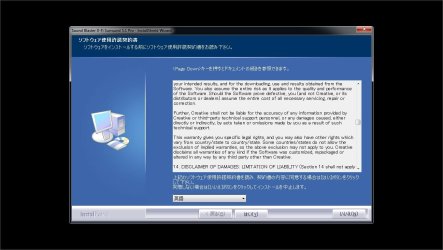
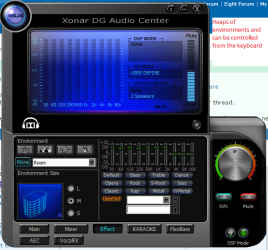
can someone please tell me how to get Creative drivers to install as english.. l made the mistake of having my locale set to japanese (l use allot of programs that require the locale) while installing, lve change back to english to install but its still installing under japanese the only difference being that this time all l see are ????? instead of japanese characters.
My Computer
- Computer type
- PC/Desktop
- Computer Manufacturer/Model Number
- Custom build
- OS
- Windows 7 Professional (64bit)
- CPU
- Intel i5 4440 3.10ghz
- Motherboard
- Gigabyte GA-H97M-D3H
- Memory
- Corsair 32GB (4x8GB) DDR3 1600MHz Vengeance Memory Kit 1.5V
- Graphics Card(s)
- Intel Graphics 4600 (on board)
- Sound Card
- External Creative Soundblaster
- Monitor(s) Displays
- 32" TV
- Screen Resolution
- 1360*768
- Hard Drives
- Kingston SSDNow UV400 240GB 2.5inch SATAIII SSD
1 1TB WD WD10EADS
3 1TB WD WD10EZEX
- PSU
- Coolermaster GM-Series 550W Semi Modular
- Case
- Aerocool X-Predator X1 Devil Red
- Cooling
- 5x 120mil (Arctic F12)
- Keyboard
- Microsoft Curve 2000 v1
- Mouse
- Trust MaxTrack Mini Mouse - 6 button(s) - wired - USB
- Internet Speed
- 34Meg
- Antivirus
- Bitdefender 2017
- Browser
- Firefox