Dual boot / Dual Drive queries

qwikpix

New member
Local time
3:22 PM
Messages
24
Hi

After struggling with a problem at my office for a while, a helpful member of these forums managed to sort it in a few minutes so I'm back for some advice on my home rig!

My home rig is basically split between work use and recreational use. Currently I have an OS drive with a couple of storage drives - all mechanical SATA drives. I decided that I was going to get myself an SSD and use that with a fresh installation of Windows 7 (Home Premium) as a gaming install. I need to leave my current Vista install intact because it has a number of programs set-up for my work and will continue to handle this side of things.

I was aware of multiboot setups, though I have never done one before, and as such have read a number of threads on the subject, including the great series of guides by Brink found on this site. At the moment I'm thinking of keeping the installs seperate, not technically a dual-boot I suppose, by removing all the other drives whilst I install Windows 7 to the SSD. Choosing the OS will then I believe be a process done within the BIOS by selecting the drive boot order.

I came across this mentioned in one thread:

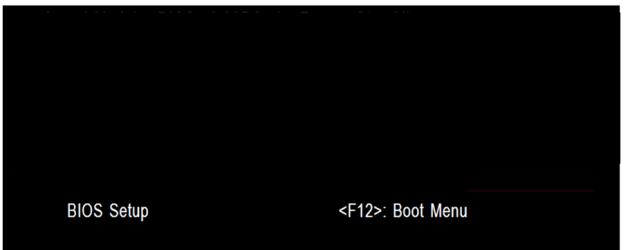
"Use the one-time BIOS Boot Menu key given on first boot screen to trigger the HD not set to boot first"

I think this means a key for choosing the boot order? I have an Asus X38 motherboard (Asus Maximus Formula) with an AMI bios and I can't seem to find anything at POST or in the documentation that suggests a key to get a boot sequence screen. Is anyone aware what it might be or if it isn't possible with this BIOS?

My main question is regarding the appearance of the other drives within each installation. For example, currently on my Vista install C is the OS drive, D is the optical, and E/F are storage drives. Whilst booted into Windows 7 on the SSD how will my Vista drive appear, and the other drives - will they maintain their drive letters C-F?

This brings me onto my other question. Since C is sort of the strandard designation for an OS drive will I need to pick a different drive letter for the Windows 7 install on the SSD, e.g. B or Z, so that it does not conflict with the drive running Vista which is currently assigned C?

I guess basically I'm trying to understand how the various drives in the machine will be recognised and appear in each of the Windows OSes and how they handle drive letter associations between the two.

Any clarification on these questions would be greatly appreciated.
 

My Computer My Computer

At a glance

Windows 7 Home Premum 32bitIntel P4 3.2GhzGeneric 2x512MB DDRNvidia Quadro FX 500 [NV34]
Computer Manufacturer/Model Number
Dell
OS
Windows 7 Home Premum 32bit
CPU
Intel P4 3.2Ghz
Motherboard
Unknown
Memory
Generic 2x512MB DDR
Graphics Card(s)
Nvidia Quadro FX 500 [NV34]
Sound Card
Onboard
Monitor(s) Displays
Dell
Hard Drives
Samsung F3 1Tb
PSU
Generic
Case
Dell
Cooling
Generic
Hello qwikpix, welcome to Seven Forums!


The BIOS hot-key to trigger the ASUS one-time boot menu is the F8 key at PC startup.

Both Vista and Windows 7 will use the C: drive letter while booted to each respectively and "the other" OS will have the next available drive letter in the booted OS.

The other partitions will have different drive letters between the 2 OS but you can reassign the letters as long as that won't break any installed prog/app associations by doing so.
 

My Computer My Computer

At a glance

W 7 64-bit UltimateIntel Q9550 Yorkfield8GB Dominator 8500C5DATI : XFX 5870
Computer Manufacturer/Model Number
* BFK Customs *
OS
W 7 64-bit Ultimate
CPU
Intel Q9550 Yorkfield
Motherboard
ASUS P5Q Pro
Memory
8GB Dominator 8500C5D
Graphics Card(s)
ATI : XFX 5870
Sound Card
Realtek HD Audio 7-1
Monitor(s) Displays
1x 47" LCD HDMI & 3x 26" LCD HDMI
Screen Resolution
1920x1080P & 1920x1200
Hard Drives
1x 80GB Intel X25-M G2 SSD : 1x 500GB & 1x 640GB WD Caviar Black(s)
PSU
Corsair 620HX
Case
Cooler Master RC-690
Cooling
Tuniq Tower 120, 2x 140mm and 3x 120mm case fans
Keyboard
Microsoft 500
Mouse
Razer Diamondback 3G
Internet Speed
14 Mb/s
Other Info
1x Koutech 3Gb/s SATA HDD Hot Swap Rack
First off...
You can install your drive and install Windows 7 on it. Windows 7 handles the dual boot configuration. When you start your computer you will be given a choice of which operating system you would like to start. Default configuration gives you about 30 seconds to decide.

Windows keep track of the boot information in the BCD (boot configuration data). This is a section of the drive that when the machine is started is looked at by the bootloader which gives you your selection of operating systems, if only one is installed then that one will be loaded by default unless other wise configured. BCD keeps track of the SID of each drive and where the load files are stored on the drive as well as drive letter and a host of other info related to the boot process.

When Windows 7 is loaded It will always be the C drive as will Vista. It is not like the old days with 2000, XP where your drive letter was fixed at time of install. MS realized that windows like being C drive and now it always is by default. You other drives will be sorted by letter either by their place on the controller or however you assigned non OS drive letters.

Clear as mud.
 

My Computer My Computer

At a glance

Windows 7; Server 08; Window Home Server; Vis...Intel E8400 @ 3.4Ghz8 Gb Patriot DDr2 800NVidia GTX460 OC
Computer Manufacturer/Model Number
Home Built
OS
Windows 7; Server 08; Window Home Server; Vista; XP
CPU
Intel E8400 @ 3.4Ghz
Motherboard
Gigabyte P35 DS3L
Memory
8 Gb Patriot DDr2 800
Graphics Card(s)
NVidia GTX460 OC
Sound Card
Onboard
Monitor(s) Displays
Samsung 21"
Screen Resolution
1920x1080
Hard Drives
Seagate 160Gb x2
Samsung 250Gb
PSU
Cooler Master 650w 52a on 12v
Case
Antec 300
Cooling
Stock
Keyboard
HP Standard USB
Mouse
Logitech 518
Internet Speed
25Mbit Down 1.5Mbit up
Other Info
http://www.speedtest.net/result/723924362.png
Separate HDD/SSD booting is much preferred as the OSs aren't tied together via a boot-loader and 1 OS can be remover if need be and there will be no need to do any startup repairs to correct for / (re)create the System boot files.

You just choose which HDD/OS to boot at PC startup.
 

My Computer My Computer

At a glance

W 7 64-bit UltimateIntel Q9550 Yorkfield8GB Dominator 8500C5DATI : XFX 5870
Computer Manufacturer/Model Number
* BFK Customs *
OS
W 7 64-bit Ultimate
CPU
Intel Q9550 Yorkfield
Motherboard
ASUS P5Q Pro
Memory
8GB Dominator 8500C5D
Graphics Card(s)
ATI : XFX 5870
Sound Card
Realtek HD Audio 7-1
Monitor(s) Displays
1x 47" LCD HDMI & 3x 26" LCD HDMI
Screen Resolution
1920x1080P & 1920x1200
Hard Drives
1x 80GB Intel X25-M G2 SSD : 1x 500GB & 1x 640GB WD Caviar Black(s)
PSU
Corsair 620HX
Case
Cooler Master RC-690
Cooling
Tuniq Tower 120, 2x 140mm and 3x 120mm case fans
Keyboard
Microsoft 500
Mouse
Razer Diamondback 3G
Internet Speed
14 Mb/s
Other Info
1x Koutech 3Gb/s SATA HDD Hot Swap Rack
Wow, firstly let me thank you both for your swift responses :D

It's great news that each installation seems intelligent enough so as to sort itself out alongside the other. Thank you for the info Bare Foot Kid, to add to what you mentioned about assigning drive letters, the other two drives are not used for programs and the only thing that I can think of that might require correct associations are indesign files in terms of their links. Am I correct in assuming that the drive letters as they appear in Vista now won't be changed, i.e. will the installation of the SSD take D for example and shunt the rest on or will it simply take the next available letter, G for example?

@ Haxcid, thanks for the info regarding BCD, I had gleaned from a couple of threads that this was the case, however I think it was something that I had seen mentioned by Bare Foot Kid that installing the OS without the other drives connected could potentially avoid boot issues. Using the BIOS isn't an issue for me if it will avoid some potential problems or are these conflicts less likely to be an issue when using two more modern OSes? The other reason I was considering running the install with the other drives disconnected was something I had read in the forums of the SSD:

"Windows 7
Be aware that Win 7 likes to install onto 'raw' unformatted space.
Default, it will create a 100MiB hidden System partition with Boot/Recovery files.
If the drive is pre-formatted, Win 7 just ignores the above.
It installs the Boot/Recovery files directly onto the C:\ partition in a hidden Folder.
If you have other drives attached at the same time..
Win 7 can install the hidden partition there.. so beware!!"


Thanks again for your advice :)
 

My Computer My Computer

At a glance

Windows 7 Home Premum 32bitIntel P4 3.2GhzGeneric 2x512MB DDRNvidia Quadro FX 500 [NV34]
Computer Manufacturer/Model Number
Dell
OS
Windows 7 Home Premum 32bit
CPU
Intel P4 3.2Ghz
Motherboard
Unknown
Memory
Generic 2x512MB DDR
Graphics Card(s)
Nvidia Quadro FX 500 [NV34]
Sound Card
Onboard
Monitor(s) Displays
Dell
Hard Drives
Samsung F3 1Tb
PSU
Generic
Case
Dell
Cooling
Generic
Have a look at the information that helps explain further.


   Information

  • If you do not want to create the new Windows 7 "System Reserved" partition use the outline in Step Two #2 to create, format and mark Active a single 100GB partition to do the installation to.
  • If you do want to create the "System Reserved" partition use the outline in Step Two #3 to create, format and mark Active the System Reserved partition and then create and format the 100GB partition to do the installation to.


My Computer My Computer

At a glance

W 7 64-bit UltimateIntel Q9550 Yorkfield8GB Dominator 8500C5DATI : XFX 5870
Computer Manufacturer/Model Number
* BFK Customs *
OS
W 7 64-bit Ultimate
CPU
Intel Q9550 Yorkfield
Motherboard
ASUS P5Q Pro
Memory
8GB Dominator 8500C5D
Graphics Card(s)
ATI : XFX 5870
Sound Card
Realtek HD Audio 7-1
Monitor(s) Displays
1x 47" LCD HDMI & 3x 26" LCD HDMI
Screen Resolution
1920x1080P & 1920x1200
Hard Drives
1x 80GB Intel X25-M G2 SSD : 1x 500GB & 1x 640GB WD Caviar Black(s)
PSU
Corsair 620HX
Case
Cooler Master RC-690
Cooling
Tuniq Tower 120, 2x 140mm and 3x 120mm case fans
Keyboard
Microsoft 500
Mouse
Razer Diamondback 3G
Internet Speed
14 Mb/s
Other Info
1x Koutech 3Gb/s SATA HDD Hot Swap Rack
First off...
You can install your drive and install Windows 7 on it. Windows 7 handles the dual boot configuration. When you start your computer you will be given a choice of which operating system you would like to start. Default configuration gives you about 30 seconds to decide.

Windows keep track of the boot information in the BCD (boot configuration data). This is a section of the drive that when the machine is started is looked at by the bootloader which gives you your selection of operating systems, if only one is installed then that one will be loaded by default unless other wise configured. BCD keeps track of the SID of each drive and where the load files are stored on the drive as well as drive letter and a host of other info related to the boot process.

When Windows 7 is loaded It will always be the C drive as will Vista. It is not like the old days with 2000, XP where your drive letter was fixed at time of install. MS realized that windows like being C drive and now it always is by default. You other drives will be sorted by letter either by their place on the controller or however you assigned non OS drive letters.

Clear as mud.
This is the second best choice. As BFK says, seperating the installation and switching via the BIOS is a much better deal.

As to the allocation of drive letters. There is nothing to worry about it. I still have Vista and it's recovery partition on this system. Below is a picture to show you how it may possibly look like. Note: I have one SSD and two HDDs on this system and there are some more partitions that do not show in the picture.
 

Attachments

  • 2011-07-28_1635.png
    2011-07-28_1635.png
    10 KB · Views: 32
Last edited:

My Computer My Computer

At a glance

Vista, Windows7, Mint Mate, Zorin, Windows 8from 1.6GHz Duo to i7
Computer Manufacturer/Model Number
HP, Dell, Gateway, Toshiba - 4 laptops and 2 desktops
OS
Vista, Windows7, Mint Mate, Zorin, Windows 8
CPU
from 1.6GHz Duo to i7
Monitor(s) Displays
2x HP w2207
Hard Drives
5x HDD, 7x SSD, 12x Externals
Keyboard
with trackball - no mices
Mouse
Trackball mice
Internet Speed
DSL 6000
I didn't post that information suggesting you wipe the new SSD, just a explanation of info. ;)
 

My Computer My Computer

At a glance

W 7 64-bit UltimateIntel Q9550 Yorkfield8GB Dominator 8500C5DATI : XFX 5870
Computer Manufacturer/Model Number
* BFK Customs *
OS
W 7 64-bit Ultimate
CPU
Intel Q9550 Yorkfield
Motherboard
ASUS P5Q Pro
Memory
8GB Dominator 8500C5D
Graphics Card(s)
ATI : XFX 5870
Sound Card
Realtek HD Audio 7-1
Monitor(s) Displays
1x 47" LCD HDMI & 3x 26" LCD HDMI
Screen Resolution
1920x1080P & 1920x1200
Hard Drives
1x 80GB Intel X25-M G2 SSD : 1x 500GB & 1x 640GB WD Caviar Black(s)
PSU
Corsair 620HX
Case
Cooler Master RC-690
Cooling
Tuniq Tower 120, 2x 140mm and 3x 120mm case fans
Keyboard
Microsoft 500
Mouse
Razer Diamondback 3G
Internet Speed
14 Mb/s
Other Info
1x Koutech 3Gb/s SATA HDD Hot Swap Rack
There is no reason to avoid the System Reserved boot partition. The fact that it places the Win7 Repair Console (normally only on the DVD or Repair CD) on the F8 Advanced Boot Options alone is enough reason to accept it during install to new SSD.

Clean Install Windows 7

Other tips to get a perfect install:

The installer is mostly driver-complete, with newer arriving quickly via optional Windows Updates. Just in case, have your Wireless driver on flash stick or CD so you can get online quickly. Then enable hardware driver auto-updating and check for optional Updates frequently.

Any drivers still missing in Device Manager can be found on the Support Downloads webpage for your model computer or device. Driver Install - Device Manager

Install updates and then programs slowly over time to gauge performance changes after each. Don't let any programs write themselves into msconfig>Startup as they slow startup, become freeloaders on your RAM/CPU and can spy on you. I only allow AV and gadgets. Startup Programs - Change

Use a lightweight free AV like MS Security Essentials which works perfectly with Windows 7 Firewall. http://www.microsoft.com/security_essentials/

When it is finished, clean and order the HD perfectly using state-of-the-art free CCleaner Disk and Registry tabs, then Puran boot-time defragger + full Disk Check after adding Intelligent Optimizer on Additional Operations tab:
CCleaner - Free software downloads and software reviews - CNET Download.com
http://download.cnet.com/Puran-Defra...-75115626.html

Finally save a Windows 7 Backup image externally so you never have to reinstall again, just reimage the HD (or replacement) using DVD/Repair CD with the stored image. Backup Complete Computer - Create an Image Backup
 

My Computer My Computer

At a glance

W 7 64-bit UltimateIntel Q9550 Yorkfield8GB Dominator 8500C5DATI : XFX 5870
Computer Manufacturer/Model Number
* BFK Customs *
OS
W 7 64-bit Ultimate
CPU
Intel Q9550 Yorkfield
Motherboard
ASUS P5Q Pro
Memory
8GB Dominator 8500C5D
Graphics Card(s)
ATI : XFX 5870
Sound Card
Realtek HD Audio 7-1
Monitor(s) Displays
1x 47" LCD HDMI & 3x 26" LCD HDMI
Screen Resolution
1920x1080P & 1920x1200
Hard Drives
1x 80GB Intel X25-M G2 SSD : 1x 500GB & 1x 640GB WD Caviar Black(s)
PSU
Corsair 620HX
Case
Cooler Master RC-690
Cooling
Tuniq Tower 120, 2x 140mm and 3x 120mm case fans
Keyboard
Microsoft 500
Mouse
Razer Diamondback 3G
Internet Speed
14 Mb/s
Other Info
1x Koutech 3Gb/s SATA HDD Hot Swap Rack
Thanks all for the information, for me it's nice to be able to head into uncharted territory with knowledge of what lies ahead. I've had a read through those links and found them very helpful, and I tend to agree, I don't think theres any reason to avoid the "system reserved" partition.

As it stands it looks like I will run the installation disc with only the SSD connected, that way keeping the Windows installations separate and ensuring the "system reserved" partition doesn't wander off onto another drive! I'm going to run through this procedure tomorrow, so it's goodnight for now but I'll report back on my progress :)
 

My Computer My Computer

At a glance

Windows 7 Home Premum 32bitIntel P4 3.2GhzGeneric 2x512MB DDRNvidia Quadro FX 500 [NV34]
Computer Manufacturer/Model Number
Dell
OS
Windows 7 Home Premum 32bit
CPU
Intel P4 3.2Ghz
Motherboard
Unknown
Memory
Generic 2x512MB DDR
Graphics Card(s)
Nvidia Quadro FX 500 [NV34]
Sound Card
Onboard
Monitor(s) Displays
Dell
Hard Drives
Samsung F3 1Tb
PSU
Generic
Case
Dell
Cooling
Generic
Be sure to post back here to keep us informed.
 

My Computer My Computer

At a glance

W 7 64-bit UltimateIntel Q9550 Yorkfield8GB Dominator 8500C5DATI : XFX 5870
Computer Manufacturer/Model Number
* BFK Customs *
OS
W 7 64-bit Ultimate
CPU
Intel Q9550 Yorkfield
Motherboard
ASUS P5Q Pro
Memory
8GB Dominator 8500C5D
Graphics Card(s)
ATI : XFX 5870
Sound Card
Realtek HD Audio 7-1
Monitor(s) Displays
1x 47" LCD HDMI & 3x 26" LCD HDMI
Screen Resolution
1920x1080P & 1920x1200
Hard Drives
1x 80GB Intel X25-M G2 SSD : 1x 500GB & 1x 640GB WD Caviar Black(s)
PSU
Corsair 620HX
Case
Cooler Master RC-690
Cooling
Tuniq Tower 120, 2x 140mm and 3x 120mm case fans
Keyboard
Microsoft 500
Mouse
Razer Diamondback 3G
Internet Speed
14 Mb/s
Other Info
1x Koutech 3Gb/s SATA HDD Hot Swap Rack
Hello qwikpix, welcome to Seven Forums!


The BIOS hot-key to trigger the ASUS one-time boot menu is the F8 key at PC startup.

Both Vista and Windows 7 will use the C: drive letter while booted to each respectively and "the other" OS will have the next available drive letter in the booted OS.

The other partitions will have different drive letters between the 2 OS but you can reassign the letters as long as that won't break any installed prog/app associations by doing so.

GA BIOS2.PNG

First check for all the Win XP drivers for your hardware on the manufacturer's web site.
If your Win XP CD, does not support your Sata Controller, you will need to load drivers to uses at F6.
Load Sata Controller drivers with a floppy disk is the best way.
http://www.sevenforums.com/tutorials/66010-sata-drivers-load-windows-xp-setup-dual-boot.html
OR
http://www.sevenforums.com/tutorials/72185-sata-drivers-slipstream-into-windows-xp-cd.html


http://www.sevenforums.com/tutorials/8057-dual-boot-installation-windows-7-xp.html?ltr=D

System Restore Points - Stop XP Dual Boot Delete - Vista Forums
 

My Computer My Computer

At a glance

ME/XP/Vista/Win7
OS
ME/XP/Vista/Win7
Hey guys

Been a busy weekend but managed to squeeze in some time to set up my SSD w/ Windows7. Installation went down without any apparent problems - I've loaded chipset, sata, gpu and other basic drivers and all seems well. Haven't had much time to test it out but it definitely felt much snappier all round.

I'm going to have to do some reading and tinkering over the coming days, making sure I've get the OS and any programs optimsed for SSD usage. I was a little surprised to see the Windows 7 install come in at just over 21Gb. I can't remember what it exactly it was when I installed Vista but I seem to remember it being closer to 12-13GB. I suppose it has the impression of being much larger with a 120Gb SSD over my 500Gb Vista boot drive which makes that look pretty insignificant. From a bit of a search it looks like I might be able to reduce this size by some tweaks and reductions of page file sizes and such.

Also, drive letters are, as you all assured me, no issue!

Got to thank you all for your help for making the whole process speedy and problem free ;D
 

My Computer My Computer

At a glance

Windows 7 Home Premum 32bitIntel P4 3.2GhzGeneric 2x512MB DDRNvidia Quadro FX 500 [NV34]
Computer Manufacturer/Model Number
Dell
OS
Windows 7 Home Premum 32bit
CPU
Intel P4 3.2Ghz
Motherboard
Unknown
Memory
Generic 2x512MB DDR
Graphics Card(s)
Nvidia Quadro FX 500 [NV34]
Sound Card
Onboard
Monitor(s) Displays
Dell
Hard Drives
Samsung F3 1Tb
PSU
Generic
Case
Dell
Cooling
Generic
- I've loaded chipset, sata, gpu and other basic drivers and all seems well.

Were these drivers missing after install and optional Updates?

This is not XP. There is no need to change out drivers given by the Win7 installer and then quickly updated by optional Windows Updates unless there are performance problems confirmed to be caused by those drivers.
 
@theog, thanks for those links, I'll definately give those a read :) In relation to the sector alignment, I've come across that mentioned in relation to SSDs before but from what it shows Windows 7 will hopefully handle the necessaries for SSDs? One thing that comes to mind is that with the newer 25nm SSDs the page file has gone from 4 to 8 but I don't think this will pose any problems?!?

@gregrocker, they weren't there after install - for example the AHCI drivers were only the standard Windows one rather than the Intel one which meant my SSD and optical drive were showing up in the "safely remove hardware" icon, installing the latest Matrix Storage Manager sorted it out though. Tbh the method you described using the windows update slipped my mind and I went into autopilot mode and dled the latest drivers from the respective sites, probably because the manual process is something I've become accustomed to on previous installs! I'm right with you when it comes to startup programs, I've always been careful to avoid unnecessary applications crawling into startup ;) One thing I was wondering about was what you mentioned about Puran boot-time defragger, is this an SSD consolidation tool, since defragging appears to be sort of obsolete on SSDs?
 

My Computer My Computer

At a glance

Windows 7 Home Premum 32bitIntel P4 3.2GhzGeneric 2x512MB DDRNvidia Quadro FX 500 [NV34]
Computer Manufacturer/Model Number
Dell
OS
Windows 7 Home Premum 32bit
CPU
Intel P4 3.2Ghz
Motherboard
Unknown
Memory
Generic 2x512MB DDR
Graphics Card(s)
Nvidia Quadro FX 500 [NV34]
Sound Card
Onboard
Monitor(s) Displays
Dell
Hard Drives
Samsung F3 1Tb
PSU
Generic
Case
Dell
Cooling
Generic
I would never defrag an SSD based on warnings read here.

Win7 is the authority on its own drivers. MS spent a fortune getting the drivers into the installer or quickly updated via Optional Updates, even paying manufacturers to build them under WHQL so they wouldn't holdout to force us to buy newer hardware as they did in Vista. So MS has them first in the installer and Updates.

Your SSD appears in Safely Remove Hardware because AHCI driver and BIOS setting enable hotplugging, and this is how many mobos allow safe hotplugging/unplugging.

There are new methods and tools with Win7 and this is the place to learn them since we've been sorting them out for several years now.
 
This is not XP. There is no need to change out drivers given by the Win7 installer and then quickly updated by optional Windows Updates unless there are performance problems confirmed to be caused by those drivers.

Hey, didn't see the second comment (I assumed you edited it in) What is the Windows Update tool like for GPU drivers?
 

My Computer My Computer

At a glance

Windows 7 Home Premum 32bitIntel P4 3.2GhzGeneric 2x512MB DDRNvidia Quadro FX 500 [NV34]
Computer Manufacturer/Model Number
Dell
OS
Windows 7 Home Premum 32bit
CPU
Intel P4 3.2Ghz
Motherboard
Unknown
Memory
Generic 2x512MB DDR
Graphics Card(s)
Nvidia Quadro FX 500 [NV34]
Sound Card
Onboard
Monitor(s) Displays
Dell
Hard Drives
Samsung F3 1Tb
PSU
Generic
Case
Dell
Cooling
Generic
I would never defrag an SSD based on warnings read here.

Win7 is the authority on its own drivers. MS spent a fortune getting the drivers into the installer or quickly updated via Optional Updates, even paying manufacturers to build them under WHQL so they wouldn't holdout to force us to buy newer hardware as they did in Vista. So MS has them first in the installer and Updates. You may have imported older or inferior drivers although the maker's SATA controller was likely a good solution.

There are new methods and tools with Win7 and this is the place to learn them since we've been sorting them out for several years now.

Yeah, it makes sense to really be stringent about up-to-date drivers when releasing a new OS. In my defence I went after the SATA drivers after noticing the strange appearance of my SSD in the remove hardware notification! I assume the Windows update process will retrospectively identify any older drivers I've installed and update them if necessary? Apart from the drivers I mentioned I only installed drivers for my soundcard and W7 sorted stuff out for my scanner and printer :-)

I will say I have had an interesting experience trying to get some older hardware to run on Windows 7 on our office setup - In one case Vista drivers came to the rescue and in the other a 3rd party solution so despite their efforts I don't think the manual drive installation process is entirely behind us yet.
 

My Computer My Computer

At a glance

Windows 7 Home Premum 32bitIntel P4 3.2GhzGeneric 2x512MB DDRNvidia Quadro FX 500 [NV34]
Computer Manufacturer/Model Number
Dell
OS
Windows 7 Home Premum 32bit
CPU
Intel P4 3.2Ghz
Motherboard
Unknown
Memory
Generic 2x512MB DDR
Graphics Card(s)
Nvidia Quadro FX 500 [NV34]
Sound Card
Onboard
Monitor(s) Displays
Dell
Hard Drives
Samsung F3 1Tb
PSU
Generic
Case
Dell
Cooling
Generic
Back
Top