
Dual Boot Issues

damoh

CSS Master. Clan SoYa
Power User
VIP
Local time
9:00 PM
Messages
410
Location
In a house
Hi all,
I seem to be having a right trauma with this lol. I originally had Vista installed. Then i installed 7 to another HDD and that worked fine. I could choose between the OS. Now, i want to get rid of vista and use 7 solely. Easy i thought. Remove the boot entry and format the partition. Thats where it went horrilby wrong :o
Upon reboot i got the dreaded BOOTMGR missing file do'h
Anyway long story short i manged to system restore and fixmbr to boot back into 7 (phew)
Now can anyone tell me of a way that i can ditch vista without the headache of this.
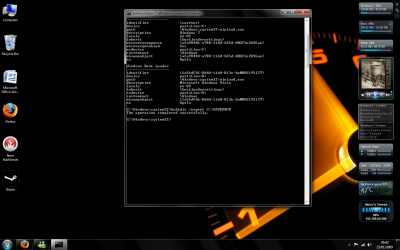
ive attached a screen shot of how things are layed out.

Plus can anyone recomend a good imaging program that i could use just incase my tinkering leads to something i cant repair lol

Thanks In Advance
Damo
 

Attachments
  • Untitled.png
    Untitled.png
    114.3 KB · Views: 99

My Computer

Computer Manufacturer/Model Number
Made by Mastercard
OS
Windows 7 RTM x64
CPU
Core 2 Quad, @3.8 on aircooling
Motherboard
XFX 750i Nforce
Memory
8 Gig Geil Black Dragon
Graphics Card(s)
Nvidia 8800GTX 512 x 2 in SLI
Sound Card
Razor Barracuda
Monitor(s) Displays
2 X 24 Inch Hannsg
Screen Resolution
1600x1050
Hard Drives
1X64 Gig Kingston SSD Drive
2X 320 sata
2X250 ide
1X 320 External. and lets not forget the 8 gig thumbdrive :)
and a partridge in a pear tree
PSU
600 Watt Coolermaster Elite Silent Pro
Case
Coolermaster Storm
Cooling
Coolermaster V8
Keyboard
Razor Lycosa
Mouse
Razor Mamba, sweet as candy
Internet Speed
Virgin 50MB.
Other Info
Zalman Guardian System Fan Controls
Aerocool Modern V system monitor.
And a nice bunch of stickers on the front!! All that money for something that glows blue. But thats why we do it kids. all for the bling!!

100mbit Seedbox, loving that!
Razor Destructor Gaming Mat, Razor Moray Headphones.

To much spare money perhaps? Nah, my mrs has shoes. I have a very expensive way of her shopping for
Hello Damo,

You can delete Vista from the boot manager in Windows first, then delete Vista itself and extend the Vista partition into Windows 7 if you want. If needed, you should be able to run a Startup Repair on Windows 7 to repair it's boot file.

Hope this helps,
Shawn
 

My Computer

Computer type
PC/Desktop
Computer Manufacturer/Model Number
Self built custom
OS
64-bit Windows 11 Pro for Workstations
CPU
Intel i7-8700K OC'd to 5 GHz
Motherboard
ASUS ROG Maximus XI Formula Z390
Memory
64 GB (4x16GB) G.SKILL TridentZ RGB DDR4 3600 MHz
Graphics Card(s)
ASUS ROG-STRIX-GTX1080TI-O11G-GAMING
Sound Card
Integrated
Monitor(s) Displays
2 x Samsung Odyssey G7 27"
Screen Resolution
2560x1440
Hard Drives
1TB Samsung 990 PRO M.2,
4TB Samsung 990 PRO PRO M.2,
TerraMaster F8 SSD Plus NAS
PSU
Seasonic Prime Titanium 850W
Case
Thermaltake Core P3
Cooling
Corsair Hydro H115i
Keyboard
Logitech wireless K800
Mouse
Logitech MX Master 4
Internet Speed
2 Gb/s Download and 100 Mb/s Upload
Antivirus
Malwarebyte Anti-Malware Premium
Browser
Google Chrome
Other Info
Logitech Z625 speaker system,
Logitech BRIO 4K Pro webcam,
HP Color LaserJet Pro MFP M477fdn,
APC SMART-UPS RT 1000 XL - SURT1000XLI,
Galaxy S23 Plus phone
Good point, Shawn.

You could also do the following:

1. Enter Windows 7.
2. Move your bootmanager from partition k: where it probably is now, to partition C. To do that:

Go to folder options, and select Show all hidden files and folders, and uncheck "Hide protected operating system files" so that you can view all files on the hard disk. Then , on partition K: you will find a folder "boot" and a file on root of K:\ called bootmgr. Copy or move the folder boot and the file bootmgr to the root of C:\

3. Change the bootloader location. To do that:

a. open CMD with administrative rights
b. Type bcdedit /set {bootmgr} device partition=C:

That's it.

It's now safe to delete the Vista partition and remove the boot entry.
 

My Computer

Computer Manufacturer/Model Number
ENIAC
OS
Windows 7 RC 7100 32bit/64bit
CPU
Intel Core2Duo E4500 2.20 GHz
Motherboard
ASUS P5LD2-X/1333
Memory
2x1GB Kinsgston DDR2 800MHz
Graphics Card(s)
Nvidia 8500GT
Sound Card
Onboard High Definition Audio Device
Monitor(s) Displays
Sony Bravia 42"
Case
LINKW 2222
Cooling
Standard Intel
Keyboard
Some cheap one
Mouse
Microsoft Intellimouse something
Internet Speed
24MBps ADSL
Thanks for your help, problem is it wont let me copy those two files over, keeps saying they are in use by the system. Ive tried a few things including safe mode, but nothing will copy lol
 

My Computer

Computer Manufacturer/Model Number
Made by Mastercard
OS
Windows 7 RTM x64
CPU
Core 2 Quad, @3.8 on aircooling
Motherboard
XFX 750i Nforce
Memory
8 Gig Geil Black Dragon
Graphics Card(s)
Nvidia 8800GTX 512 x 2 in SLI
Sound Card
Razor Barracuda
Monitor(s) Displays
2 X 24 Inch Hannsg
Screen Resolution
1600x1050
Hard Drives
1X64 Gig Kingston SSD Drive
2X 320 sata
2X250 ide
1X 320 External. and lets not forget the 8 gig thumbdrive :)
and a partridge in a pear tree
PSU
600 Watt Coolermaster Elite Silent Pro
Case
Coolermaster Storm
Cooling
Coolermaster V8
Keyboard
Razor Lycosa
Mouse
Razor Mamba, sweet as candy
Internet Speed
Virgin 50MB.
Other Info
Zalman Guardian System Fan Controls
Aerocool Modern V system monitor.
And a nice bunch of stickers on the front!! All that money for something that glows blue. But thats why we do it kids. all for the bling!!

100mbit Seedbox, loving that!
Razor Destructor Gaming Mat, Razor Moray Headphones.

To much spare money perhaps? Nah, my mrs has shoes. I have a very expensive way of her shopping for
Do they already exist on C:\? what do you mean copy over?
 

My Computer

Computer Manufacturer/Model Number
ENIAC
OS
Windows 7 RC 7100 32bit/64bit
CPU
Intel Core2Duo E4500 2.20 GHz
Motherboard
ASUS P5LD2-X/1333
Memory
2x1GB Kinsgston DDR2 800MHz
Graphics Card(s)
Nvidia 8500GT
Sound Card
Onboard High Definition Audio Device
Monitor(s) Displays
Sony Bravia 42"
Case
LINKW 2222
Cooling
Standard Intel
Keyboard
Some cheap one
Mouse
Microsoft Intellimouse something
Internet Speed
24MBps ADSL
Hi,

Does it not allow you to Copy and Paste ?

SIW2
 

My Computers

System One System Two

  • Computer type
    PC/Desktop
    OS
    7 X64
    CPU
    i5 8400
    Motherboard
    gigabyte b365m ds3h
    Memory
    2x8gb 3200mhz
    Hard Drives
    various
    PSU
    pure power 11 400w cm
    Case
    Coolermaster
    Cooling
    cryorig m9i
  • Computer type
    PC/Desktop
    OS
    7x64
    CPU
    g5400
    Motherboard
    ga b365m ds3h
    Memory
    8gb ddr4 2400
    PSU
    xfx pro 450w
hi
no there not already on my C drive,
SIW2 - no it wont let me copy and paste, It will copy all the files upto the BCD file then gives me the 'cannot copy file. File is in use by system' messge
 

My Computer

Computer Manufacturer/Model Number
Made by Mastercard
OS
Windows 7 RTM x64
CPU
Core 2 Quad, @3.8 on aircooling
Motherboard
XFX 750i Nforce
Memory
8 Gig Geil Black Dragon
Graphics Card(s)
Nvidia 8800GTX 512 x 2 in SLI
Sound Card
Razor Barracuda
Monitor(s) Displays
2 X 24 Inch Hannsg
Screen Resolution
1600x1050
Hard Drives
1X64 Gig Kingston SSD Drive
2X 320 sata
2X250 ide
1X 320 External. and lets not forget the 8 gig thumbdrive :)
and a partridge in a pear tree
PSU
600 Watt Coolermaster Elite Silent Pro
Case
Coolermaster Storm
Cooling
Coolermaster V8
Keyboard
Razor Lycosa
Mouse
Razor Mamba, sweet as candy
Internet Speed
Virgin 50MB.
Other Info
Zalman Guardian System Fan Controls
Aerocool Modern V system monitor.
And a nice bunch of stickers on the front!! All that money for something that glows blue. But thats why we do it kids. all for the bling!!

100mbit Seedbox, loving that!
Razor Destructor Gaming Mat, Razor Moray Headphones.

To much spare money perhaps? Nah, my mrs has shoes. I have a very expensive way of her shopping for
I use vista boot pro 3.3 this allows me to make a backup of the boot manager once saved you should then be able to restore it to drive C:/ but windows seven drive C:/ not vista drive C:/ before deleting vista I use acronis true image 11 to make backup copy of my os programs then you can delete and re-install at will, all you need to do is save them to a usb drive or second hard drive make a copy of true images bootable cd boot from that and restore to the drive that you want I lost both drive a couple of day ago and an hour later had then both running with backup copys like you I lost the boot manager i got around windows seven by installing a basic copy first then replaced it with the back up I also did a repare on my wife copy and used the windows dvd to repair missing boot manager on hers Do not know how it got lsot in the first place but it was easily restored
 

My Computer

Computer Manufacturer/Model Number
home built by me
OS
window 7 Professional 64bit
CPU
Intel(R) Core(TM)2 Quad CPU
Motherboard
ASUS P5WDG2 WS Pro
Memory
8192MB RAM
Graphics Card(s)
NVIDIA GeForce GTX 260
Sound Card
Logitech Z5500 Digital PC Multimedia Home Theatre Speakers
Monitor(s) Displays
Samsung SyncMaster913n 19"
Screen Resolution
1280x1024
Hard Drives
2 Seagate Barracuda 7200.12 500GB SATA-II 16MB Cache
PSU
Antec Signature Premium 650W Power Supply
Case
Antec P182 Super Midi Tower Case
Cooling
Zalman CNPS9700-NT nVidia Tritium CPU Cooler
Keyboard
Microsoft wireless laser mouse 6000 v2
Mouse
Microsoft wireless laser mouse 6000
Internet Speed
broadband 8meg
update time lol
i ended up removing all my other hdd's other then windows. So i know exactly what drive im working on. Now i run windows start disk and it says its repaired errors, but no dice still wont boot, after bios it just hangs. The same problem occurs if i run the 7 install disk also.
Im sure im missing something here lol
 

My Computer

Computer Manufacturer/Model Number
Made by Mastercard
OS
Windows 7 RTM x64
CPU
Core 2 Quad, @3.8 on aircooling
Motherboard
XFX 750i Nforce
Memory
8 Gig Geil Black Dragon
Graphics Card(s)
Nvidia 8800GTX 512 x 2 in SLI
Sound Card
Razor Barracuda
Monitor(s) Displays
2 X 24 Inch Hannsg
Screen Resolution
1600x1050
Hard Drives
1X64 Gig Kingston SSD Drive
2X 320 sata
2X250 ide
1X 320 External. and lets not forget the 8 gig thumbdrive :)
and a partridge in a pear tree
PSU
600 Watt Coolermaster Elite Silent Pro
Case
Coolermaster Storm
Cooling
Coolermaster V8
Keyboard
Razor Lycosa
Mouse
Razor Mamba, sweet as candy
Internet Speed
Virgin 50MB.
Other Info
Zalman Guardian System Fan Controls
Aerocool Modern V system monitor.
And a nice bunch of stickers on the front!! All that money for something that glows blue. But thats why we do it kids. all for the bling!!

100mbit Seedbox, loving that!
Razor Destructor Gaming Mat, Razor Moray Headphones.

To much spare money perhaps? Nah, my mrs has shoes. I have a very expensive way of her shopping for
I found this on technet hope it helps it should also work with windows 7

Method 1: Startup Repair from the Windows Recovery Environment (WinRE)
============================================
1. Insert the Windows Vista installation disc into the disc drive, and then start the computer.
2. Press a key when the message indicating "Press any key to boot from CD or DVD …". appears.
3. Select a language, a time and currency, and a keyboard or input method, and then click Next.
4. Click Repair your computer.
5. In the System Recovery Options dialog box, choose the drive of your Windows installation and click Next.
6. At the System Recovery Options Dialog Box, click on Repair your computer.
7. Click the operating system that you want to repair, and then click Next.
8. In the System Recovery Options dialog box, click Startup Repair.

Method 2: Rebuild BCD
============================================
1. Put the Windows Vista installation disc in the disc drive, and then start the computer.
2. Press a key when the message indicating "Press any key to boot from CD or DVD …". appears.
3. Select a language, a time, a currency, and a keyboard or another input method, and then click Next.
4. Click Repair your computer.
5. Click the operating system that you want to repair, and then click Next.
6. In the System Recovery Options dialog box, click Command Prompt.
7. Type Bootrec /RebuildBcd , and then press ENTER.

Method 3: Use the Windows Recovery Environment (WinRE) to run System Restore ============================================
1. Insert the Windows Vista installation disc into the disc drive, and then start the computer.
2. Press a key when the message indicating "Press any key to boot from CD or DVD …". appears.
3. Select a language, a time and currency, and a keyboard or input method, and then click Next.
4. Click Repair your computer.
5. In the System Recovery Options dialog box, choose the drive of your Windows installation and click Next
6. At the System Recovery Options Dialog Box, click on System Restore.
7. Follow the System Restore Wizard instruction as usual and choose the appropriate restore point.
8. Click Finish to restore the system.


also found this

try this
Boot from DVD -> setup recov. -> command prompt​
<bootdrive>\windows\setup\scripts\bootinst.exe /nt60 all​
should fix the bootmngr​
 

My Computer

Computer Manufacturer/Model Number
home built by me
OS
window 7 Professional 64bit
CPU
Intel(R) Core(TM)2 Quad CPU
Motherboard
ASUS P5WDG2 WS Pro
Memory
8192MB RAM
Graphics Card(s)
NVIDIA GeForce GTX 260
Sound Card
Logitech Z5500 Digital PC Multimedia Home Theatre Speakers
Monitor(s) Displays
Samsung SyncMaster913n 19"
Screen Resolution
1280x1024
Hard Drives
2 Seagate Barracuda 7200.12 500GB SATA-II 16MB Cache
PSU
Antec Signature Premium 650W Power Supply
Case
Antec P182 Super Midi Tower Case
Cooling
Zalman CNPS9700-NT nVidia Tritium CPU Cooler
Keyboard
Microsoft wireless laser mouse 6000 v2
Mouse
Microsoft wireless laser mouse 6000
Internet Speed
broadband 8meg
Back
Top