Hi all,
I have been trying for 4 days to do the following and have finally decided to ask for help.
System setup:
Windows 7 64-bit (Pre installed on laptop)
Alienware M15X
BIOS: ver A05 1.00
Processor: i7 CPU - M620 @ 2.67GHz (4 CPU)
RAM: 4GB
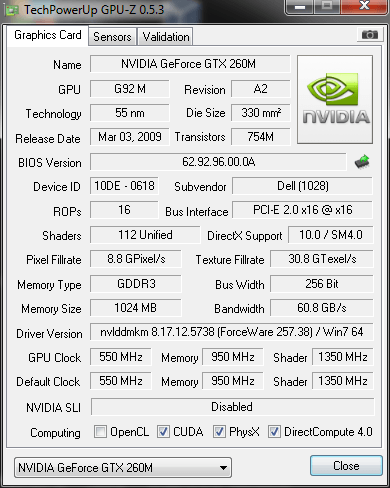
G-Card: Nvidia GTX 260M
Okay I have numerous issues in trying to setup XP with pre-installed Win 7 64 bit. When trying to install XP I get a blue screen of death(BSOD) after it loads all the files in, i.e. it doesn't get to the part where I can select the partition I want to install it on. After reading numerous guides it became apparent that you need to load the relevant SATA drives alongside the installation, so I made a disk which has the Intel(R) 82801HEM/HBM SATA AHCI Controller (Mobile ICH8M-E/M) included. Apparently that is the relevant SATA driver for my setup, if anyone can advise me if this is true that will be much appreciated, but when I try to install with this new disk it still gets a BSOD after loading the files.
So after that method failed I decided to install XP on the HDD using my desktop computer, I then downloaded all the software updates for XP before trying to connect it to my laptop once again. Upon connecting it the XP system is detected, when I try to boot it the windows loading screen appears, but after it has finished on the loading screen I get a BSOD. I then tried using the new disk with the Intel(R) 82801HEM/HBM SATA AHCI Controller (Mobile ICH8M-E/M) drivers but the same happens.
After more research people suggest turning the BIOS settings from SATA to IDE, and although this would have to be done every time I wanted to switch between the operating systems I thought that is better then not having it. Unfortunately my BIOS does not have the IDE option, so this is option is also ruled out.
I then gave up on the external HDD option and decided to partition my laptops HD, although this isn't what I wanted I thought it may be worth a try. Once again BSOD on trying to load the XP disk.
So now I am here!
Unfortunately as the laptop came with pre-installed win 7 I don't have the option of installing XP first. I guess the help I need is the following:
1) Any other ideas on how to try install it?
2) Can anyone confirm that Intel(R) 82801HEM/HBM SATA AHCI Controller (Mobile ICH8M-E/M) is the correct driver for the m15x system.
3) Although Win 7 is 64-bit, XP doesn't need to be does it?
4) After streamlining the SATA drivers into the installation, they should automatically be loaded alongside the setup, you don't need to press the external driver button when booting up the XP disk?
Thanks for any help in advanced.
Kind Regards,
TheDiablo
I have been trying for 4 days to do the following and have finally decided to ask for help.
System setup:
Windows 7 64-bit (Pre installed on laptop)
Alienware M15X
BIOS: ver A05 1.00
Processor: i7 CPU - M620 @ 2.67GHz (4 CPU)
RAM: 4GB
G-Card: Nvidia GTX 260M
Okay I have numerous issues in trying to setup XP with pre-installed Win 7 64 bit. When trying to install XP I get a blue screen of death(BSOD) after it loads all the files in, i.e. it doesn't get to the part where I can select the partition I want to install it on. After reading numerous guides it became apparent that you need to load the relevant SATA drives alongside the installation, so I made a disk which has the Intel(R) 82801HEM/HBM SATA AHCI Controller (Mobile ICH8M-E/M) included. Apparently that is the relevant SATA driver for my setup, if anyone can advise me if this is true that will be much appreciated, but when I try to install with this new disk it still gets a BSOD after loading the files.
So after that method failed I decided to install XP on the HDD using my desktop computer, I then downloaded all the software updates for XP before trying to connect it to my laptop once again. Upon connecting it the XP system is detected, when I try to boot it the windows loading screen appears, but after it has finished on the loading screen I get a BSOD. I then tried using the new disk with the Intel(R) 82801HEM/HBM SATA AHCI Controller (Mobile ICH8M-E/M) drivers but the same happens.
After more research people suggest turning the BIOS settings from SATA to IDE, and although this would have to be done every time I wanted to switch between the operating systems I thought that is better then not having it. Unfortunately my BIOS does not have the IDE option, so this is option is also ruled out.
I then gave up on the external HDD option and decided to partition my laptops HD, although this isn't what I wanted I thought it may be worth a try. Once again BSOD on trying to load the XP disk.
So now I am here!
Unfortunately as the laptop came with pre-installed win 7 I don't have the option of installing XP first. I guess the help I need is the following:
1) Any other ideas on how to try install it?
2) Can anyone confirm that Intel(R) 82801HEM/HBM SATA AHCI Controller (Mobile ICH8M-E/M) is the correct driver for the m15x system.
3) Although Win 7 is 64-bit, XP doesn't need to be does it?
4) After streamlining the SATA drivers into the installation, they should automatically be loaded alongside the setup, you don't need to press the external driver button when booting up the XP disk?
Thanks for any help in advanced.
Kind Regards,
TheDiablo
My Computer
- OS
- Windows 7 64-Bit
- CPU
- Intel core i7 620M
- Motherboard
- Alienware A05
- Memory
- 4GB DDR3
- Graphics Card(s)
- NVIDIA GeForce GTX 260M
- Sound Card
- Internal 5.1 HiDef