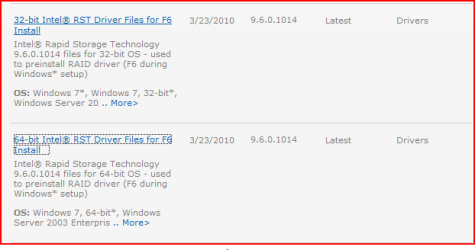
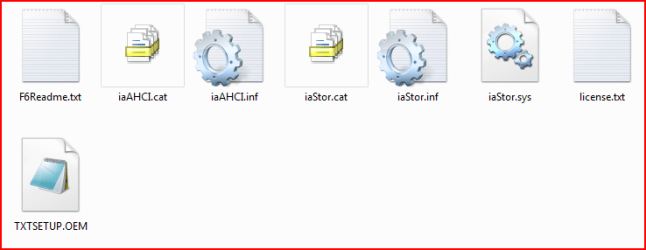
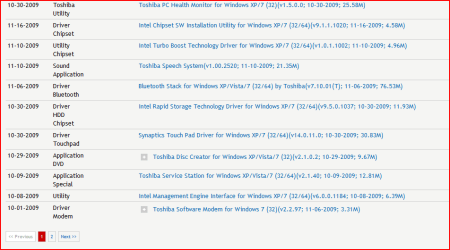
After setting up partitions per Shawn's tutorial for dual booting Windows 7 and XP, the Windows XP installation disc boot did not show "Welcome to Setup" screen or "Windows XP Licensing Agreement" screen or the list of partitions screen. Instead it went directly to a "Windows Setup" screen and after loading several drivers it gave a "Starting Windows" screen. Immediately the BSOD appeared with errors 0x0000007b, 0xf78d2524, 0xc000004 and 0x00000000.
I tried two different Windows XP setup discs nd got the same result with both.
I tried two different Windows XP setup discs nd got the same result with both.
My Computer
- Computer Manufacturer/Model Number
- Toshiba Satellite l500
- OS
- Microsoft Windows 7 Professional 32 Bit
- CPU
- Intel Corei3 m330 @2.13GHZ
- Motherboard
- Toshiba
- Memory
- 4.00 GB
- Graphics Card(s)
- Intel Graphics Media Accelerator HD
- Sound Card
- Intel
- Screen Resolution
- 1366 x 768 x59 hertz
- Hard Drives
- TI105774WOB
- PSU
- Standard Laptop Supply
- Case
- Standard Laptop Case
- Cooling
- Standard Laptop Cooling
- Keyboard
- Integrated Laptop
- Mouse
- Mitsumi
- Internet Speed
- 52kbps