nickynoo
New member
Hi
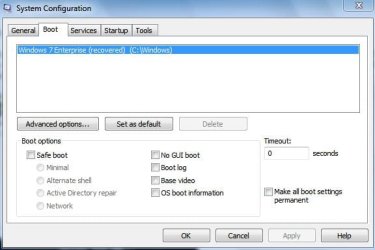
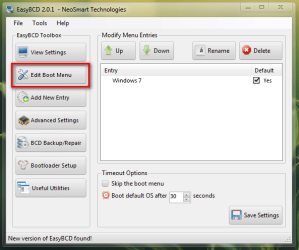
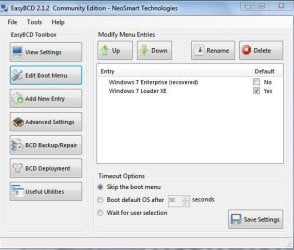
I have a problem on my computer that I cant solve. I have windows 7 enterprise loaded and its the only operating system on the machine. A while ago, about 6 months ago, my computer refused to load windows and I used the startup repair utility on the windows 7 DVD to repair the "boot", before it was working properly. Now when I start my computer Im presented with a list of options (I think the page is called Boot Manager - sorry Im not at my computer at the moment) anyway on this page is START WINDOWS and START WINDOWS, I need to click on the second START WINDOWS and then my windows starts. How do I fix this, clicking on the option is doable but its becoming a pain to do.
Nick
I have a problem on my computer that I cant solve. I have windows 7 enterprise loaded and its the only operating system on the machine. A while ago, about 6 months ago, my computer refused to load windows and I used the startup repair utility on the windows 7 DVD to repair the "boot", before it was working properly. Now when I start my computer Im presented with a list of options (I think the page is called Boot Manager - sorry Im not at my computer at the moment) anyway on this page is START WINDOWS and START WINDOWS, I need to click on the second START WINDOWS and then my windows starts. How do I fix this, clicking on the option is doable but its becoming a pain to do.
Nick
My Computer
- Computer Manufacturer/Model Number
- Packard Bell
- OS
- Windows 7 Enterprise 64bit
- Memory
- 2.5GB