

[FIXED]Dual Monitor...Help
Ok guys/gals,
Here is my issue.... I have 2 screens(Acer H243H.24") (set to ext.desktop). My gpu is evga 570sc. see specs if you need more info.
They were and still do work fine with 1 on DVI(monitor2) and 1 on HDMI(monitor1). Now I like the way the DVI looks better so today I hooked the other(monitor 1) to DVI also and now in Windows I get "No Signal"
Here is the fun part....The way I have them set on my desk is.. (monitor2)Main display and (monitor1) extended display(to my right). Therefore when I first power on I P.O.S.T...ect and see Bios on(monitor1) after boot and Windows start up it switches to (monitor2) for main display.
So I know both Monitors work,both cables are good, and both gpu port work(imo).
Now you know the setup and what I'm trying....Issue is after boot/start up into windows (monitor1) goes black "NO SIGNAL"
I'm pretty sure I have settings right. I do have all latest Drives for Gpu and Monitors.
Both monitors show up in Device Manger and Display properties for windows and Nvidia control panels.
Please Help If You Can!
Ok guys/gals,
Here is my issue.... I have 2 screens(Acer H243H.24") (set to ext.desktop). My gpu is evga 570sc. see specs if you need more info.
They were and still do work fine with 1 on DVI(monitor2) and 1 on HDMI(monitor1). Now I like the way the DVI looks better so today I hooked the other(monitor 1) to DVI also and now in Windows I get "No Signal"
Here is the fun part....The way I have them set on my desk is.. (monitor2)Main display and (monitor1) extended display(to my right). Therefore when I first power on I P.O.S.T...ect and see Bios on(monitor1) after boot and Windows start up it switches to (monitor2) for main display.
So I know both Monitors work,both cables are good, and both gpu port work(imo).
Now you know the setup and what I'm trying....Issue is after boot/start up into windows (monitor1) goes black "NO SIGNAL"
I'm pretty sure I have settings right. I do have all latest Drives for Gpu and Monitors.
Both monitors show up in Device Manger and Display properties for windows and Nvidia control panels.
Please Help If You Can!
Last edited:
My Computer
At a glance
Windows 7 Ultimate 64bitIntel Core i7-2600K Sandy Bridge 3.4GHz (@4.5...G.SKILL Ripjaws X Series 16GB 1600Mhz (4 x 4G...x2 EVGA GeForce GTX 760's w/ACXCoolers in SLI...
- Computer type
- PC/Desktop
- Computer Manufacturer/Model Number
- Jeepmann/Custom Built
- OS
- Windows 7 Ultimate 64bit
- CPU
- Intel Core i7-2600K Sandy Bridge 3.4GHz (@[email protected])
- Motherboard
- Asus Maximus IV Extreme LGA 1155 Intel P67
- Memory
- G.SKILL Ripjaws X Series 16GB 1600Mhz (4 x 4GB) (Stock)
- Graphics Card(s)
- x2 EVGA GeForce GTX 760's w/ACXCoolers in SLI Surround
- Sound Card
- On-Board
- Monitor(s) Displays
- 3x Acer 24" HDMI Widescreen LCD Monitor
- Screen Resolution
- 3@ 1920x1080 (5760x1080 In Surround)
- Hard Drives
- Samsung 830 128gb ssd
Western Digital Caviar Black 640GB 7200 RPM
Western Digital Caviar Black 500GB 7200 RPM
Seagate 2tb 7200 RPM
- PSU
- COOLER MASTER Silent Pro 1000W
- Case
- COOLER MASTER HAF X Black
- Cooling
- CORSAIR Hydro H70
- Keyboard
- Logitech G510
- Mouse
- Zalman M300
- Internet Speed
- 100mbps-ish Down & 5mbps-ish Up
- Other Info
- I installed the stock 140mm case fan outside of case then installed the H70+ 1 of its 120mm fans inside case. Used the 2nd 120mm from the H70 to go in the Gpu tunnel.
230mm Front,200mm side,200mm top,120mm Gpu tunnel,120mm&140mm on H70.


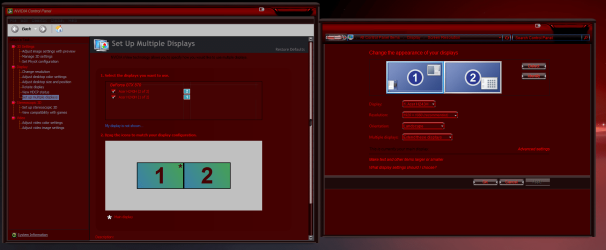


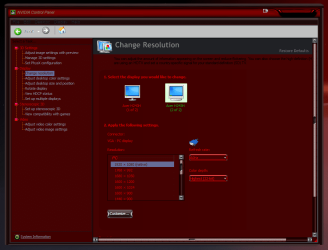
 I even tried to go back to my original setup and it is now doing the same thing....
 So far, I'm down to 1.27... will shoot for 1.24 tonight.
 ... I cleaned up some wire mess that I didn't like and moved my H70 cooler fans(2x) and pump to molex instead of the on-board fan pins(for looks only). Now my MB has two molex power plugs on it for extra power to the Pci lanes(one mid-board & one bottom left corner). Now I've only ever used one of them(mid-board) but now I thought hell!! I've now got 2 fans,1 pump and my extra power to the lanes all on ONE cable from the Psu!! Maybe,just maybe I'm not getting enough power to the pci lanes, so off to the box o wires(we all have one) grabbed a new cable to run from Psu to the unused molex plug on the MB, hooked everything back up....Powered up and .......Holy S#!t it worked, back to Dual-Monitor Heaven!!
  I am, I've got to know!!!
