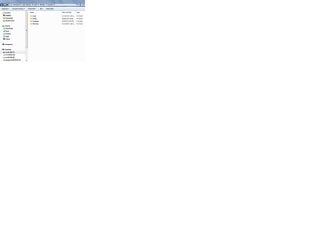
Duplicate "local" folder in "AppData"

mmcl26554

New member
Local time
10:22 AM
Messages
5
After Avast did a full scan it listed some files it could not find. They were in the /appdata/local/opera mail/opera mail folder/ So I went to check and found 2 identical "Local" folders. I have a full backup copy of the hard drive which is only a month old and it has only 1 local folder. The only difference between is the addition of the Opera standalone mail program. Everything seems to work OK and no error messages except for the one from Avast. I did scan the files it could not scan and found no problems. Can anyone explain this to me?
Michael
 

My Computer

Computer Manufacturer/Model Number
HP G6
OS
Windows 7 Home Premium SP 1
CPU
Intel core 3 2.3 Ghz
Motherboard
HP 1695
Memory
DDR3 4096 MB
Graphics Card(s)
Intel Graphics family
Sound Card
IDT High Def audio
Monitor(s) Displays
LCD
Screen Resolution
1366x768
Hard Drives
WD 750
Internet Speed
cable

My Computer

Computer type
Laptop
Computer Manufacturer/Model Number
Employer provided Dell Latitude
OS
W7 Pro SP1 64bit
CPU
i7
Memory
8GB
Graphics Card(s)
Intel HD Graphics
Hard Drives
crappy SSD
Antivirus
Employer mandated Symantec Endpoint Protection
Browser
Pale Moon 64bit, IE11 64bit & Chrome 64bit
Actually I have found a solution but not an understanding. What I did was boot the machine with Ubuntu (I have it installed also) and I was able to get a more objective look at the two local folders. In Ubuntu one of the folders had only one sub-folder in it "Opera Mail". Since the folders were not in use I could make changes to them so I changed the folder with only one sub-folder in it to local.1 just to see what happened. I booted back into win7 and there were no problems and since the name had changed win7 did not access the folder. I have not yet deleted it. So what you see in the attachment is one local folder and one local.1 file. Originally there were 2 local folders and win7 listed both full of sub-folders and files and were identical. After a while I will delete the local.1 file. However, I am curious about where this came from, but haven't gotten any answers yet. Maybe it is just because Windows is strange and not the OS we wish it were. And people complain about the ACA website!
Michael
 

Attachments

  • extra local.jpg
    extra local.jpg
    31.1 KB · Views: 7

My Computer

Computer Manufacturer/Model Number
HP G6
OS
Windows 7 Home Premium SP 1
CPU
Intel core 3 2.3 Ghz
Motherboard
HP 1695
Memory
DDR3 4096 MB
Graphics Card(s)
Intel Graphics family
Sound Card
IDT High Def audio
Monitor(s) Displays
LCD
Screen Resolution
1366x768
Hard Drives
WD 750
Internet Speed
cable

My Computer

Computer type
Laptop
Computer Manufacturer/Model Number
Employer provided Dell Latitude
OS
W7 Pro SP1 64bit
CPU
i7
Memory
8GB
Graphics Card(s)
Intel HD Graphics
Hard Drives
crappy SSD
Antivirus
Employer mandated Symantec Endpoint Protection
Browser
Pale Moon 64bit, IE11 64bit & Chrome 64bit
Yes. What win7 did was write whatever changes occurred into both folders. Win7 also would not you to make any manual changes to either one as they were both listed as being in use by another program. A mirror image from a couple months ago did not show 2 local folders. That was before I installed Opera mail Standalone program. I plan to install it on another computer to see what happens there, if it creates another local or not. If it does I'll post it back here and of course on the Opera forum.
Michael
 

My Computer

Computer Manufacturer/Model Number
HP G6
OS
Windows 7 Home Premium SP 1
CPU
Intel core 3 2.3 Ghz
Motherboard
HP 1695
Memory
DDR3 4096 MB
Graphics Card(s)
Intel Graphics family
Sound Card
IDT High Def audio
Monitor(s) Displays
LCD
Screen Resolution
1366x768
Hard Drives
WD 750
Internet Speed
cable
It was not really two folders. You can think of the second one as a shortcut link (sort of) to the original one.
 

My Computer

Computer type
Laptop
Computer Manufacturer/Model Number
Employer provided Dell Latitude
OS
W7 Pro SP1 64bit
CPU
i7
Memory
8GB
Graphics Card(s)
Intel HD Graphics
Hard Drives
crappy SSD
Antivirus
Employer mandated Symantec Endpoint Protection
Browser
Pale Moon 64bit, IE11 64bit & Chrome 64bit
Is the link the one Ubuntu sees with only one folder? Why was it formed in the first place? Now Opera Mail continues to work just fine with it's name changed.
Michael
 

My Computer

Computer Manufacturer/Model Number
HP G6
OS
Windows 7 Home Premium SP 1
CPU
Intel core 3 2.3 Ghz
Motherboard
HP 1695
Memory
DDR3 4096 MB
Graphics Card(s)
Intel Graphics family
Sound Card
IDT High Def audio
Monitor(s) Displays
LCD
Screen Resolution
1366x768
Hard Drives
WD 750
Internet Speed
cable
> Is the link the one Ubuntu sees with only one folder?
Probably, but I cannot say for sure.

> Why was it formed in the first place?
It would be best to ask the software developers that question. I see no reason to create it.

> Now Opera Mail continues to work just fine with it's name changed.
Changing the name broke the link (if indeed that is what it was) and Opera Mail probably reverted to using the real folder.
 

My Computer

Computer type
Laptop
Computer Manufacturer/Model Number
Employer provided Dell Latitude
OS
W7 Pro SP1 64bit
CPU
i7
Memory
8GB
Graphics Card(s)
Intel HD Graphics
Hard Drives
crappy SSD
Antivirus
Employer mandated Symantec Endpoint Protection
Browser
Pale Moon 64bit, IE11 64bit & Chrome 64bit
After I try to set it up on another computer and see what it does there I will post back and make it resolved.
Michael
 

My Computer

Computer Manufacturer/Model Number
HP G6
OS
Windows 7 Home Premium SP 1
CPU
Intel core 3 2.3 Ghz
Motherboard
HP 1695
Memory
DDR3 4096 MB
Graphics Card(s)
Intel Graphics family
Sound Card
IDT High Def audio
Monitor(s) Displays
LCD
Screen Resolution
1366x768
Hard Drives
WD 750
Internet Speed
cable
Back
Top