
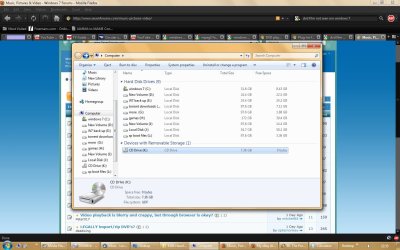
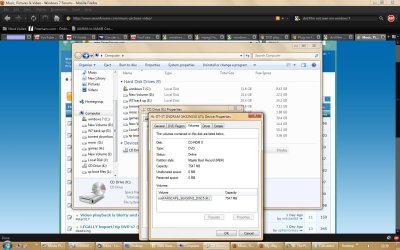
This is a new sata dvd writer,reader and i've had it for over a fortnight now.I'm in the UK ,so my region is set as region 2 .Now ,when i insert a dvd film ,(which is one of the dvd's from my farscape complete box set)nothing pops up asking me what i want to use to play this dvd ,there's no icon or info on viewing the dvd drive in my computer,it doesn't even see the disc as a dvd film.
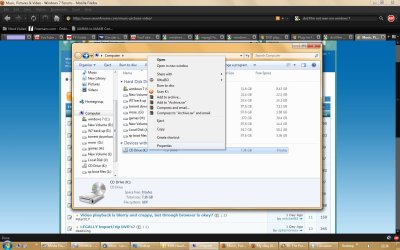
If i click on the dvd drive ,i'm taken to the two folders (audio and video ts),if i right click the dvd drive ,i don't even get an option to open with or play with from the choices displayed.
What could be wrong here?
I'm using windows 7 ultimate x86 version ,i have what i think are most ,if not all the required codecs for video and audio playing ,i use media player classic as my player of choice ,also i have vlc player,i don't use media center ,so i removed it using windows features,but re enabled access to it to see if that makes a difference ,no.
It will play a dvd film ,if i select that option in media center,also in media player classic and vlc player ,but there's just no other way for the dvd drive/film to show up in my computer,auto play etc etc.??????????
If i click on the dvd drive ,i'm taken to the two folders (audio and video ts),if i right click the dvd drive ,i don't even get an option to open with or play with from the choices displayed.
What could be wrong here?
I'm using windows 7 ultimate x86 version ,i have what i think are most ,if not all the required codecs for video and audio playing ,i use media player classic as my player of choice ,also i have vlc player,i don't use media center ,so i removed it using windows features,but re enabled access to it to see if that makes a difference ,no.
It will play a dvd film ,if i select that option in media center,also in media player classic and vlc player ,but there's just no other way for the dvd drive/film to show up in my computer,auto play etc etc.??????????
Attachments

My Computer
- OS
- xp

