dwm.exe

jimmy1one

New member
Local time
8:16 PM
Messages
9
'm having a problem getting my system to work properly the windows desktop manager will not load.On restart I get

dwm.exe system error d3d10_1.dll is missing from your computer I click OK

Then I get d3d10_1.dll core.dll is missing from your system try reinstalling the program to fix the problem I click OK then I get Failed to connect to Windows Services. However I can use the computer some of my programs will not work as expected and the system can not see my graphics card. That's my real issue I have been spoiled with the graphics.
This all happened while I was ill and my wife shut down my system after checking my email for me. When I got home from the hospital this is what I found waiting.
I tried sfc /scannow from the command prompt but it will only get to 11% I've also found there could be 4 to 6 files that need to load for dwm.exe to load properly. this seems to be an issue with corrupted files and permissions that are beyond me. Here's hoping someone is up to speed with the issue or has seen the issue before.
 

My Computer

OS
64 bit windows vista

My Computer

Computer Manufacturer/Model Number
mickey megabyte 1234
OS
ultimate 64 sp1
CPU
i5 2500K [email protected]
Motherboard
MSI P67A-GD53
Memory
8 gigs GSkill Ripjaws 1600
Graphics Card(s)
amd hd6950
Sound Card
creative x-fi gamer
Monitor(s) Displays
samsung 24"
Screen Resolution
1920x1080
Hard Drives
ocz vertex 2e 60 gig, samsung f3 1tb, buffalo 2tb ext
PSU
antec 550
Case
antec three hundred
Cooling
i'm a cooling fan
Keyboard
saitek eclipse ii
Mouse
logitech g3
Internet Speed
about 4 Mbps
Other Info
i love win7
If scf /scannow reports errors there definitely is an issue which needs to be taken care of first.
You did run that command from an admin-command line right?
Like pointed out here:

http://www.sevenforums.com/tutorials/1538-sfc-scannow-command-system-file-checker.html

Besides you might have to run it several (3-4) times until all corrupted files are replaced

D3d10_1.dll is usually located in the %SYSTEM% folder and its usual size is 161,280 bytes.
That is part of DirectX 10 so no surprise your GFX doesn't work that well


I assume there is no appropriate System Restore point available from before that incident because that would be another way the situation might have been solved (System Restore saves the registry as well as some of the Windows 7 system files)
-DG
 

My Computer

Computer Manufacturer/Model Number
HP m8000n
OS
Windows 7 Ultimate x86
CPU
DualCore AMD Athlon 64 X2, 2600 MHz 5200+
Motherboard
Asus M2N68-LA (Narra)
Memory
Samsung 2GB DDR2
Graphics Card(s)
Onboard NVIDIA GeForce 6150SE nForce 430
Sound Card
Onboard nVIDIA nForce 6100-430 (MCP61P)
Monitor(s) Displays
Westinghouse 19" LED
Screen Resolution
1280x1024
Hard Drives
SATA II Seagate Barracuda 500GB
USB II WD Elements 500GB
USB II WD My Book 1TB
USB II WD My Book 2TB
PSU
Stock (HP)
Case
Stock (HP)
Cooling
Stock
Keyboard
Logitech Classic KB 200
Mouse
Standard HP opticle USB mouse
Hey guys thank you for the replies
Microsoft Windows [Version 6.1.7601]
Copyright (c) 2009 Microsoft Corporation. All rights reserved.

C:\Windows\system32>sfc /scannow

Beginning system scan. This process will take some time.

Beginning verification phase of system scan.
Verification 11% complete.
Windows Resource Protection found corrupt files but was unable to fix some of th
em.
Details are included in the CBS.Log windir\Logs\CBS\CBS.log. For example
C:\Windows\Logs\CBS\CBS.log

C:\Windows\system32>sfc /scannow

Beginning system scan. This process will take some time.

Beginning verification phase of system scan.
Verification 11% complete.
Windows Resource Protection found corrupt files but was unable to fix some of th
em.
Details are included in the CBS.Log windir\Logs\CBS\CBS.log. For example
C:\Windows\Logs\CBS\CBS.log

C:\Windows\system32>sfc /scannow

Beginning system scan. This process will take some time.

Beginning verification phase of system scan.
Verification 11% complete.
Windows Resource Protection found corrupt files but was unable to fix some of th
em.
Details are included in the CBS.Log windir\Logs\CBS\CBS.log. For example
C:\Windows\Logs\CBS\CBS.log BTW I can not view or open the log

I've tried this numerous times with the same results
Mickey the web based install will not work, it says I have a newer version on my system then terminates. However I did find something you guys maybe able to verify. I'm running Windows 7 Professional 64 bit and the file size is 204 KB (208,896 bytes) version 6.0.6001.18000 not the suggested 161,280 bytes, It also says created Wed 4/1/2009. It seems this could be a problem. When this first started I could not find dwm.exe, D3d10_1.dll or D3D10.dll I dl'ed them from what I though were trusted sources. Thanks again for your help and any insight you maybe able to provide.
 

My Computer

OS
64 bit windows vista
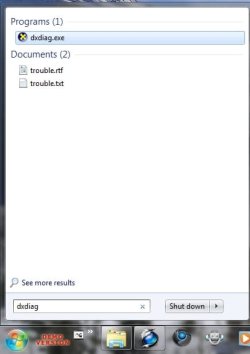
Did you ever ran DXDIAG.EXE to check if your DirectX Installation is OK ?
1.jpeg
Officially there is no way to uninstall DirectX11 because it's integrated into the system.
The recommendation would be a repair install as outlined here

http://www.sevenforums.com/tutorials/3413-repair-install.html

Unofficially it MIGHT work if you go in the registry, navigate to

HKEY_LOCAL_MACHINE\SOFTWARE\Microsoft\
and delete the DirectX Folder"/Key
That way you SHOULD be able to run the webinstall from the link, Mickey gave you.

Before doing that I would at least export the whole key as a back up.
I usually don't recommend messing around in the registry as I have no prove that it'll work like this.(It sounds ok but I've never actually done that)
So consider this the very last try before a clean install from scratch.

-DG
 

My Computer

Computer Manufacturer/Model Number
HP m8000n
OS
Windows 7 Ultimate x86
CPU
DualCore AMD Athlon 64 X2, 2600 MHz 5200+
Motherboard
Asus M2N68-LA (Narra)
Memory
Samsung 2GB DDR2
Graphics Card(s)
Onboard NVIDIA GeForce 6150SE nForce 430
Sound Card
Onboard nVIDIA nForce 6100-430 (MCP61P)
Monitor(s) Displays
Westinghouse 19" LED
Screen Resolution
1280x1024
Hard Drives
SATA II Seagate Barracuda 500GB
USB II WD Elements 500GB
USB II WD My Book 1TB
USB II WD My Book 2TB
PSU
Stock (HP)
Case
Stock (HP)
Cooling
Stock
Keyboard
Logitech Classic KB 200
Mouse
Standard HP opticle USB mouse

My Computer

Computer type
PC/Desktop
Computer Manufacturer/Model Number
Bruce ... somewhere in his 40's
OS
Windows 7 Ultimate 32bit SP1
CPU
Intel(R) Core(TM)2 Quad CPU @ 2.40GHz, 2400 MHz
Motherboard
INTEL/D975XBX2
Memory
4 GB
Graphics Card(s)
ATI Radeon HD 2600 Pro
Monitor(s) Displays
Samsung SyncMaster 914v
Screen Resolution
1280 x 1024
Hard Drives
2/500GB each ... ST3500630AS ATA Device.
One is not connected
PSU
Rocketfish 700 W
Case
G.Skill Gigabyte Chassis
Keyboard
Standard PS/2 Keyboard
Mouse
Microsoft PS/2 Mouse
Internet Speed
DSL
Antivirus
Avira Internet Security
Browser
IE 11
Other Info
ATI HDMI Audio
Hi guys
dxdiag.exe will not run because it says d5d10.dll is not installed on your system. I can not do a reinstall as suggested because I have a HP computer that came with Vista 64 bit, there was no disk. I received an upgrade disk to upgrade to Windows 7 64 bit Home Edition you have to roll back the system to Vista using the recovery disks that were created during the upgrade to windows 7 a really bad idea if there is one error on the DVDs oops. I then upgraded to Windows 64 bit Professional through windows upgrade as a gift from my wife. There is no way to upgrade using a disk. The best I can hope for is a clean install of windows 7 64 Professional through Windows Upgrade. While I Run a lot of programs I'm only concerned about my music collection and my pictures I can get along without everything else it may take some time but I can get the rest back. I could move the music and picture files to another drive. If worst comes to worst is it possible to roll back using windows upgrade causing all the files to be clean installed?
 

My Computer

OS
64 bit windows vista
Back
Top