Solved eliminate darkening and shading in taskbar and start menu

decibelle

New member
Local time
6:24 AM
Messages
72
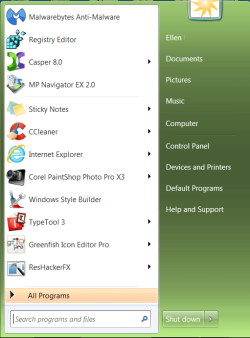
The active titlebar here is the chosen color with the blur removed. I'd like to just eliminate whatever it is that makes the taskbar darker than the titlebar color, and likewise, the dark shading in the start menu. How to do this?

Thanks,
Ellen
 

Attachments

  • active title.png
    active title.png
    4.4 KB · Views: 1
  • taskbar.png
    taskbar.png
    14.4 KB · Views: 2
  • start menu.png
    start menu.png
    25.6 KB · Views: 17

My Computer My Computer

At a glance

XP Home, Windows 7 Professional 64-bit
Computer type
PC/Desktop
OS
XP Home, Windows 7 Professional 64-bit
Figured this out:

Taskbar shadow: Taskbar & SystemTray > Taskbar > Aero > Taskbar > 1
Start menu shadow: Start Menu > Panels > Aero > Top > Places list
 

My Computer My Computer

At a glance

XP Home, Windows 7 Professional 64-bit
Computer type
PC/Desktop
OS
XP Home, Windows 7 Professional 64-bit
Back
Top