- Local time
- 8:50 AM
- Messages
- 3,028
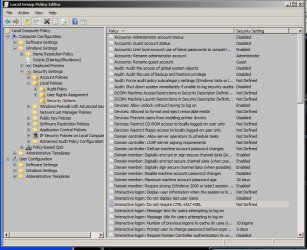
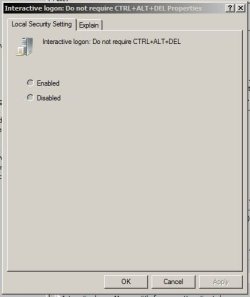
Some people like this feature so here's how you enable it in Windows 7.
In the search box in the start menu type "netplwiz" without the quotation marks.
A pane called User Accounts will appear.
Click on the Advanced tab.
At the bottom you will see "Require users to press ctrl+alt+delete".
Check this box.
In the search box in the start menu type "netplwiz" without the quotation marks.
A pane called User Accounts will appear.
Click on the Advanced tab.
At the bottom you will see "Require users to press ctrl+alt+delete".
Check this box.
My Computer
- Computer Manufacturer/Model Number
- tw33k
- OS
- Windows 7 Ultimate (x64) SP1
- CPU
- Intel 3770k 4.6GHz
- Motherboard
- ASUS Maximus V Formula
- Memory
- 8GB (2x 4GB) Crucial Ballistix
- Graphics Card(s)
- Sapphire 7950 (1060/1600)
- Sound Card
- On Board Realtek HD Audio
- Monitor(s) Displays
- 27" Acer B273HU (via HDMI)
- Screen Resolution
- 2048 x 1152
- Hard Drives
- Crucial M4 128GB
2TB WD Black
1TB Samsung F3 SATA
1TB WD Elite External
2TB WD USB 3.0
- PSU
- Corsair AX750 Gold
- Case
- Corsair Obsidian 800DW
- Cooling
- Corsair H100 (2x AP-121/2x UK-3000 push/pull)
- Keyboard
- Microsoft Wireless 5000
- Mouse
- Microsoft Wireless 5000
- Internet Speed
- 5mb/s
- Other Info
- Logitech z-2300 2.1 speakers
Lamptron FC-5 v2


 . Comments?