shutterspeeder6
New member
- Local time
- 9:03 PM
- Messages
- 2
I am increasingly frustrated with the netoworking in Windwos 7. I am using Windows 7 Ultimate on one machine (Primary Desktop) Windows 7 Premium on my main laptop and Windows xP SP3 on my older laptop.
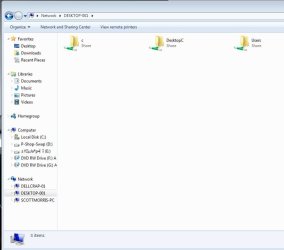
It seems I managed to get all the computers to see each other, except the XP machine cannot see the W7 machines of course...(why not?) though I am still not sure how I did that much.
I am still amazed how a company can be so successful while providing no documentation to speak of or any support without a major charge. Even going online to look for solutions, really is a futile search.
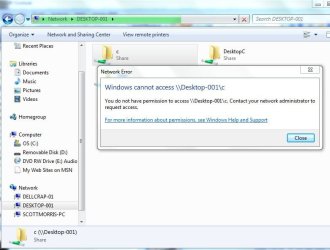
So anyway, when I go to access either W7 machine from the other over the network, a dialog pops up entitled "Windows Security" that says "Enter Network Password"
Well, I never set one up. I have no idea what that is or where it is coming from. I have all the advanced sharing permissions set so that there is supposed to be no password.
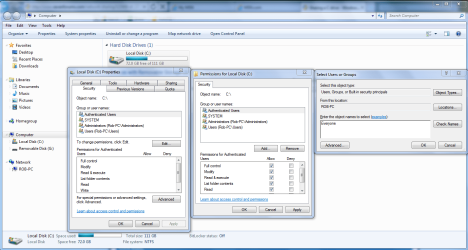
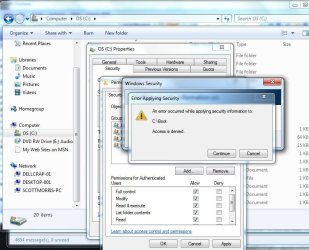
I went on each machine and set all the drives to share with all users...etc., and this still comes up. I am really pissed honestly. I dont see why this has to be setup so difficult. I thought Windows 7 was supposed to be better and easier to use...well...its not.
Can someone help with this? I just want my router to be my security point, and the rest of my home network to be totally open. I want to simply be able to designeated shared drives and folders on the machine on which they reside...just like Windows XP did. Cant it be the simple?
It seems I managed to get all the computers to see each other, except the XP machine cannot see the W7 machines of course...(why not?) though I am still not sure how I did that much.
I am still amazed how a company can be so successful while providing no documentation to speak of or any support without a major charge. Even going online to look for solutions, really is a futile search.
So anyway, when I go to access either W7 machine from the other over the network, a dialog pops up entitled "Windows Security" that says "Enter Network Password"
Well, I never set one up. I have no idea what that is or where it is coming from. I have all the advanced sharing permissions set so that there is supposed to be no password.
I went on each machine and set all the drives to share with all users...etc., and this still comes up. I am really pissed honestly. I dont see why this has to be setup so difficult. I thought Windows 7 was supposed to be better and easier to use...well...its not.
Can someone help with this? I just want my router to be my security point, and the rest of my home network to be totally open. I want to simply be able to designeated shared drives and folders on the machine on which they reside...just like Windows XP did. Cant it be the simple?
My Computer
- Computer Manufacturer/Model Number
- Home Build
- OS
- Windows 7 Ultimate
- CPU
- AMD Phenom II x4 965
- Motherboard
- Asus M4N98TD EVO
- Memory
- 16 BG DDR3 1300
- Graphics Card(s)
- Dual NVidia GTS 450
- Sound Card
- NA
- Monitor(s) Displays
- Acer 26in
- Hard Drives
- 4 Seagate Barracuda 1 TB RAID-1 drives
1 250 GB SSD scratch drive
- PSU
- 1200w
- Case
- Antec
- Cooling
- Liquid Cooled Processor + 6 Chassis fans