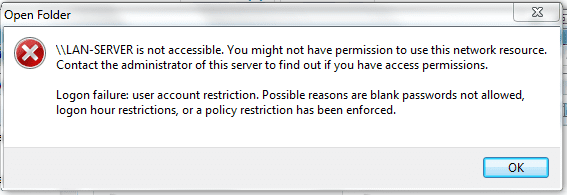
I have set up a Windows 7 machine that shares out a hard drive as a network share along with printers to our network. On another computer I was mapping the network drive and accidentally entered the wrong credentials (wrong user name) and choose the remember credentials setting, and it would not let me map the drive. I tried to go back in and remap the drive again but Windows is remembering the user name/password and I can't map it. I can map the drive from any other computer just fine. Does anyone know how to make Windows forget the credentials so I can map the drive?
My Computer
- OS
- Windows 7 x64 Ultimate
- CPU
- Core i7 920
- Motherboard
- Asus P6T
- Memory
- 6 GB
- Graphics Card(s)
- Nvidia Geforce 260
- Monitor(s) Displays
- Dell E228WFP
- Screen Resolution
- 1680 x 1050
- Hard Drives
- 750 GB Western Digital Caviar Black
- PSU
- Corsair
- Case
- Thermaltake