
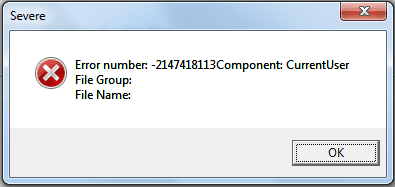
Our company is currently in the process of migrating from XP to Windows 7 Enterprise (32 bit). I am the lab system administrator for Chromeleon 6.80 chromatography data system. We recently got the newest service release (SR11a), which is Windows 7 compatible and are trying to get it installed. Within moments of starting the installation, it is killed by the error shown in the attachment. In case the attachment doesn't go through, the text is:
Error number: -2147418113Component: CurrentUser
File Group:
File Name:
I have local admin rights to the system and am running the setup as administrator. I have even tried unencrypting the hard drive (BitLocker). I have been in contact with the vendor, but have yet to find the cause. Our current best guess is that something in our standard corporate image is causing the conflict. We're soon going to start running out of XP machines to run the program on>
Does anyone here know what may be causing the error and how to fix it?
Thank you
Error number: -2147418113Component: CurrentUser
File Group:
File Name:
I have local admin rights to the system and am running the setup as administrator. I have even tried unencrypting the hard drive (BitLocker). I have been in contact with the vendor, but have yet to find the cause. Our current best guess is that something in our standard corporate image is causing the conflict. We're soon going to start running out of XP machines to run the program on>
Does anyone here know what may be causing the error and how to fix it?
Thank you
Attachments
My Computer
At a glance
Windows 7 Enterprise 32 bitCore i5 2520M4 GB
- Computer Manufacturer/Model Number
- Lenovo T420
- OS
- Windows 7 Enterprise 32 bit
- CPU
- Core i5 2520M
- Memory
- 4 GB


