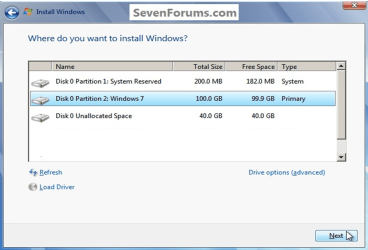
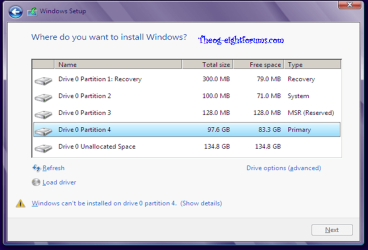
Then boot into installer DVD or flash stick, at first screen Press Shift + F10 to open a Command Box, type:
DISKPART
LIST DISK
SEL DIS 0 (after confirming Windows 7 target HD #)
CLEAN
CONVERT MBR
CREATE PARTITION PRIMARY SIZE=102400
FORMAT FS=NTFS LABEL="WINDOWS 7"
ACTIVE
EXIT
I didn't try to create a partition, the partition showed up in Windows Installer, and it came back with the same error.
Yes I ran the commands you gave me earlier.
Can not be both.
Sorry. What I meant was I didn't create a partition in Windows Installer.
My Computer
- Computer Manufacturer/Model Number
- Samsung Q320 Laptop
- OS
- Windows 8 Pro
- CPU
- 2.10 GHz
- Memory
- 4 GB RAM
- Graphics Card(s)
- N-Vidia
- Monitor(s) Displays
- 13.4 inch Laptop Display
- Hard Drives
- 500GB
- Keyboard
- QWERTY
- Mouse
- TouchPad